
If your Chromecast with Google TV (4K) is stuck in a reboot loop, similar to other Smart TVs experiencing power cycling issues, start by unplugging it from the power source for at least 60 seconds. If that fails, swap the power brick to a higher-amperage outlet, disconnect all USB hubs, or perform a manual factory reset using the physical button on the device.
The "boot loop of death" on the Chromecast with Google TV (4K) is not merely a software glitch; it is an intersection of power delivery constraints, kernel-level corruption, and an aggressive update cycle that the hardware—an aging Amlogic chipset—often struggles to handle. When the device powers up, the Android-based TV interface initiates a series of services, starting with the kernel, followed by hardware abstraction layers, and finally the launcher. If any critical system service hangs during this handshake, the watchdog timer kicks in, triggering a reset. It is a predictable failure mode, yet one that plagues users who, for the most part, just want to watch Netflix.
The Power Delivery Paradox: USB-C and Under-Voltage Issues
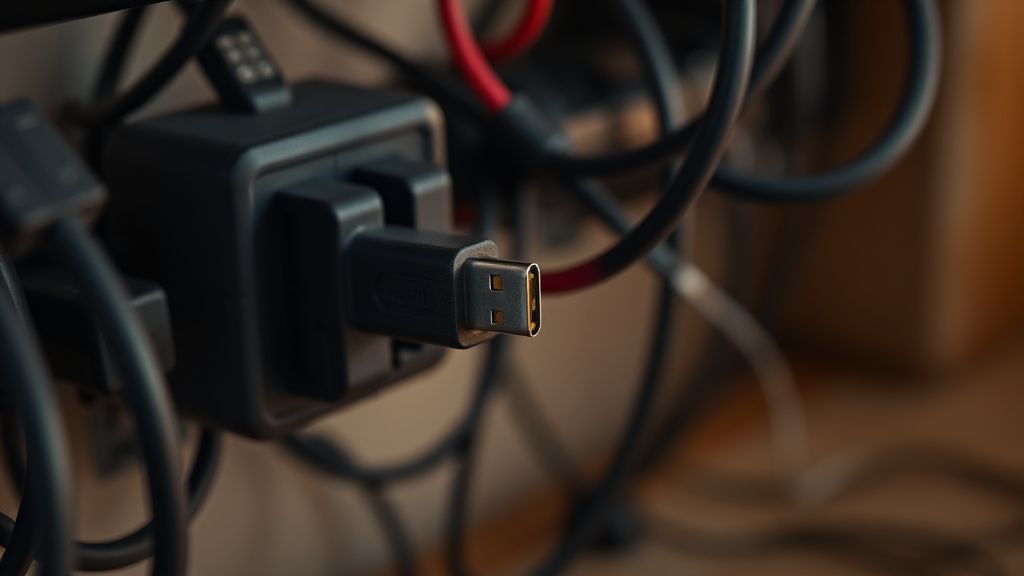
One of the most persistent, yet often overlooked, culprits in a recurring reboot loop is the power supply. The Chromecast 4K requires a steady 5V/1.5A power delivery. If you are powering the device via a TV’s USB port instead of the provided wall adapter, you are gambling with unstable voltage. Most TV USB ports are capped at 500mA or 900mA, which is insufficient for the 4K model, especially during the high-load boot phase where the SoC (System on Chip) demands maximum current to fire up the Wi-Fi radio and process the boot animation.
Many users on forums like Reddit’s r/Chromecast report that switching from a TV USB port to a high-quality, dedicated wall charger instantly resolved their loops. The "invisible" technical reality here is that the Chromecast uses a very sensitive voltage-monitoring circuit. If the voltage drops even slightly during a high-CPU burst, the unit resets to protect the integrity of the NAND flash memory.
Kernel Panic and Cache Corruption: The Software Bottleneck
When power delivery is ruled out, we must look at the Android TV ecosystem’s Achilles' heel: partition fragmentation. If you’ve been using the device for several years, the system partition accumulates "junk" from cached metadata, thumbnail images, and partially downloaded updates, much like how a Firestick 4K Max can suffer from cache and performance issues.
In GitHub discussions among custom ROM developers and Android TV enthusiasts, a common observation is that the F2FS (Flash-Friendly File System) used by Google can become corrupted if the device is power-cycled abruptly during an OTA (Over-the-Air) update. If the update payload was corrupted during download, the system attempts to install a broken configuration, boots, fails a checksum test, and reverts to a loop.
Steps for Hard Reset and Recovery
If the device doesn't reach the Home screen, a manual reset is your last resort. It is a nuclear option that wipes all user data, but it is often the only way to re-initialize the partition table.
- Physical Access: While the device is plugged into power, press and hold the button on the back of the Chromecast.
- The LED Indicator: Watch the LED light. It will turn solid yellow.
- The Release: As soon as the LED starts blinking yellow, release the button.
- Recovery Mode: If successful, the device should enter recovery mode. If you are greeted with a "No Command" screen, you may need to navigate the standard Android recovery menu to perform a "Wipe data/factory reset."
Real Field Reports: The "Always-On" Failure
In the wild, technical support threads show a recurring pattern: devices placed in enclosed media cabinets with poor ventilation. The Chromecast 4K generates significant heat, and if you suspect your Chromecast 4K is overheating, prolonged thermal throttling isn't just about sluggish performance; it leads to thermal expansion of the internal solder joints or, more commonly, silent file corruption within the flash storage as the NAND controller struggles to manage data integrity in high-temperature environments.
- User A (Reddit): "My Chromecast started rebooting every time it tried to load the Google TV 'For You' page. It turned out to be a massive cache file from a third-party IPTV app that had bloat-loaded the RAM."
- User B (Discord): "Support told me to swap the HDMI cable. It did nothing. Replacing the cheap third-party power brick with an Anker 20W charger solved it immediately. Never trust the 'included' brick if you live in an area with dirty power."
The Hidden Cost of Ecosystem Fragmentation
Why does this happen so often? The Chromecast with Google TV is essentially a mid-range tablet running a stripped-down Android skin. It is asked to manage DRM (Digital Rights Management) for 4K streams, handle background ambient mode, and juggle constant background pings from Google servers. When you introduce external variables—like a USB-C hub for Ethernet, which may draw its own power—the system architecture often hits a wall.
Engineering compromises are rampant. The device is built to be "cheap and cheerful," meaning the internal power management IC (PMIC) is not as robust as what you’d find in a high-end Shield TV. If you have an Ethernet dongle attached, you are essentially straining a system that wasn't designed for modular expansion.
Debating the "Update-First" Philosophy
There is a simmering controversy in the home theater enthusiast community regarding Google’s update strategy. Critics argue that Google pushes updates that aren't sufficiently stress-tested on older hardware revisions. When a user reports a boot loop after a firmware update, it’s often dismissed by standard support as a "hardware failure," pushing the user to buy a newer model. This "planned obsolescence" theory is supported by the fact that many of these loops appear precisely after a major Android security patch is applied.
Counter-arguments from software engineers suggest that the issue isn't malicious; it’s a scaling problem. Testing the update on every variation of TV/AVR (Audio Video Receiver)/Power Supply configuration is an impossibility. The "edge case" here is your specific setup—your TV's HDMI-CEC implementation, your specific power adapter, and your home Wi-Fi signal strength all contribute to the boot sequence's success or failure.
Troubleshooting: Beyond the Basics
If you are still stuck, consider the following advanced strategies:
- HDMI-CEC Interference: Sometimes the "Handshake" with your TV’s HDMI-CEC (the ability for your remote to turn the TV on/off) causes the Chromecast to hang because it’s waiting for a response that the TV isn't sending. Try plugging the device directly into a different HDMI port—ideally one that doesn't support ARC/eARC to see if the loop stops.
- The "Clean Boot": If you have an Ethernet adapter attached, disconnect it. Boot the device completely "naked" (just the power cable and HDMI). Sometimes, the initialization of an external peripheral is what triggers the loop during the boot sequence.
Why "Workaround Culture" Exists
The community has had to build its own support infrastructure because official channels are often scripted. You will find threads on XDA Developers that suggest flashing factory images or using adb (Android Debug Bridge) to disable problematic apps if you can catch the device in a stable enough state before it reboots. This is the "workaround culture"—users acting as unpaid QA testers for Google.
It is important to understand that if your device is indeed stuck in an infinite boot loop and refuses to even enter the recovery menu (the "Yellow Light of Death"), you are likely looking at a failure of the eMMC storage chip. At this point, the device is effectively an e-waste paperweight. There is no software fix for dead flash memory.
Why does my Chromecast reboot when I use a USB hub?
This is almost always a power delivery issue. The USB hub acts as a "power parasite," drawing current from the Chromecast's power input to run Ethernet or external storage. Since the Chromecast’s power adapter is designed only for the device itself, the voltage drops during boot, causing a crash. You need a powered USB-C hub that supports PD (Power Delivery) passthrough.
Is the reboot loop a sign that my device is broken forever?
Not necessarily. If you can reach the "No Command" screen, the hardware is alive. Most loops are caused by corrupted system files, not physical hardware death. However, if the device resets before even showing the Google logo, you are likely facing a terminal power stage failure or a bricked bootloader.
Can I fix a boot loop without losing my data?
Technically, if you can access the device via ADB, you can try to "pull" data, but in 99% of boot loop cases, the system is too unstable to mount the user partition. Unfortunately, a factory reset is usually required, and it will wipe your logged-in accounts and app data. Your streaming accounts (Netflix, Prime) will just need to be re-authenticated afterward.
Why does it only loop when the TV is on?
This relates to HDMI-CEC or resolution negotiation. The Chromecast might be trying to initiate a 4K/60Hz signal, but the TV or the HDMI cable isn't confirming the handshake. When the handshake fails, the Chromecast tries to renegotiate, crashes, and reboots. Try plugging it into a 1080p port or changing the HDMI cable to a high-speed "Certified" cable.
Are there any "secret" buttons I should know about?
No. The single physical button on the back is the only hardware interface. It is a dual-purpose switch: short presses when the device is running usually do nothing, but holding it during power-on triggers the bootloader menu. Don't be fooled by forum myths suggesting weird button-mashing patterns.
The Role of HDMI Extenders
It sounds trivial, but that small, flimsy HDMI extender included in the box is actually a vital component. It prevents the device from resting against the hot back-plate of your television. If your Chromecast is mounted flush against a television that runs hot, the ambient temperature can easily exceed the operating threshold of the internal silicon. Using the extender creates a small air gap that, in some cases, provides just enough thermal headroom to prevent the system from entering a crash-induced boot loop.
In the final analysis, the Chromecast with Google TV 4K is a marvel of miniaturization that operates at the very edge of its thermal and electrical capacity. When it works, it is invisible and seamless. When it fails, it reveals the fragile architecture of our modern streaming lives—where a single bit of corrupted cache or a slight drop in voltage can turn your evening of entertainment into an hour of troubleshooting. Treat your power supply as the most critical component, keep your firmware updated, and if all else fails, accept that these devices are inherently disposable entities in a rapidly shifting digital landscape.