
Achieving a stable, high-performance home mesh network in a modern multi-user environment is less about "plug-and-play" and more about managing a miniature, chaotic ISP in your living room. For most, mesh is a solution to dead zones, but for the power user, it is a constant struggle against packet loss, airtime fairness, and the physics of signal propagation. If you want a robust network, don’t just place nodes; architect them. Focus on wired backhaul, channel width optimization, and steering protocols like 802.11k/v/r. Avoid daisy-chaining nodes wirelessly, and prioritize a "hub-and-spoke" topology to minimize latency overhead.
The Operational Reality of Wireless Backhaul and Node Placement
The marketing copy on the side of a $600 tri-band mesh system promises "blanket coverage" and "seamless roaming." It rarely mentions that your house is a signal-absorbing nightmare. Drywall, metal studs, mirrors, and, crucially, the 2.4GHz noise from your neighbor’s cheap security cameras are the silent killers of your bandwidth.
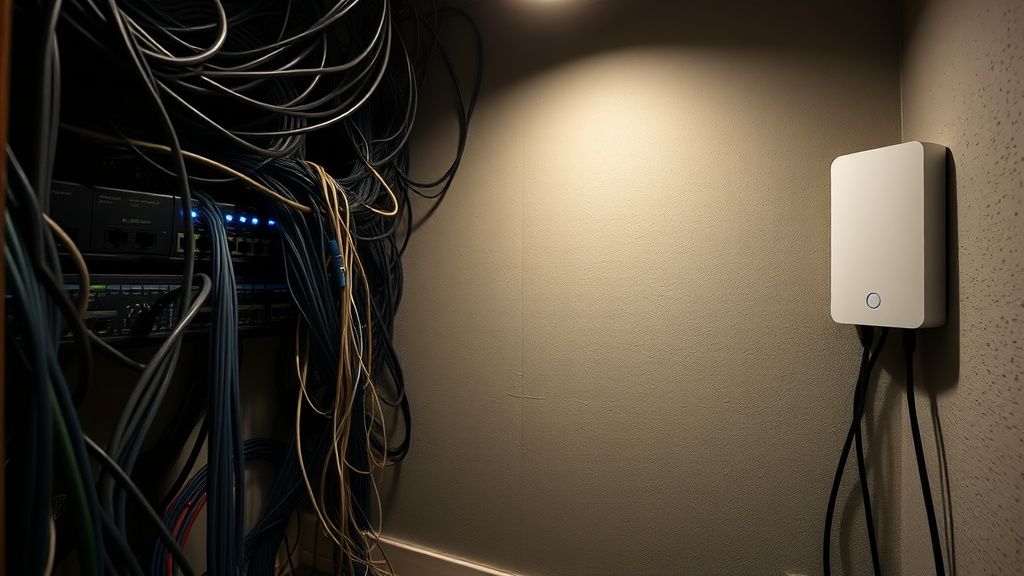
When deploying mesh nodes, the most common error is the "daisy chain" configuration. Users often place the main router in the utility closet, the second node in the hallway, and the third in the bedroom—connecting them in a line. Because wireless nodes act as both access points and repeaters, every hop in a wireless daisy chain cuts your effective throughput by roughly 50%. By the time you reach the third node, your speed isn't just degraded; your latency is jittering as the system struggles with retransmissions.
The Physics of Airtime Fairness and Multi-User Contention
In a multi-user home—where someone is streaming 4K video, another is in a Zoom call, and a smart fridge is chirping to the cloud—your network faces the "Hidden Node Problem." Mesh systems use 802.11ax (Wi-Fi 6) features like OFDMA and MU-MIMO to handle this, but these protocols rely on a clean radio environment.
If you have legacy 802.11n devices connected to your mesh, they force the entire system to throttle down to accommodate their slow, inefficient communication cycles. This is "airtime fairness" in action: the router has to spend more time talking to the slow device to deliver the same amount of data as a fast one.
- The Workaround: If you have high-density IoT devices, create a dedicated IoT VLAN or use a separate, cheap 2.4GHz-only access point to isolate them from your primary mesh. Keep the "smart" noise away from your "high-bandwidth" traffic.
Architecting for Reliability: Ethernet Backhaul vs. The Marketing Hype
If you take only one piece of advice from this analysis, let it be this: Ethernet backhaul is the only way to achieve true enterprise-grade performance.
When you connect your mesh nodes via Ethernet, you offload the entire data transport burden from the radio spectrum to the copper wire. This transforms your mesh from a series of signal-repeating compromises into a high-performance distributed access point system. You suddenly have the full 5GHz and 6GHz bands available strictly for client device communication, effectively doubling your airtime capacity.
The Scaling Failure: When "Mesh" Becomes a Bottleneck
There is a persistent myth that adding more nodes equals a faster network. In reality, adding nodes increases contention. If nodes are placed too close together, their signals overlap, causing "sticky clients." A device might refuse to roam to the closer node because it still perceives a marginal signal from the further one. This is a common grievance on forums like r/HomeNetworking. Users often report, "My phone stays connected to the downstairs node even when I’m sitting two feet away from the upstairs one."
"The software in these consumer mesh systems is often too aggressive in its band steering, but too passive in its client steering. It keeps devices on a weak 5GHz signal because it’s scared to drop them, rather than pushing them to a stronger 2.4GHz signal or a closer node." — Senior Network Engineer, HN Discussion Thread.
Deep Dive: The Protocol Stack and Roaming Drama
The holy trinity of seamless roaming is 802.11k (Neighbor Reports), 802.11v (BSS Transition Management), and 802.11r (Fast BSS Transition).
- 802.11k helps your device build a list of nearby APs so it doesn't have to scan the entire spectrum when signal dips.
- 802.11v allows the network to "suggest" that a client move to a less congested or stronger AP.
- 802.11r handles the security handoff, so your phone doesn't have to re-authenticate with the RADIUS/WPA2/3 server every time it switches nodes, which prevents that two-second "hang" during video calls.
The Conflict: Many consumer-grade mesh systems implement these in proprietary, closed-source ways. If you mix brands (which you generally shouldn't do unless you are using a strictly standard-compliant setup like OpenWrt), these protocols will likely break. Even within the same ecosystem, a firmware update can silently break your roaming logic. This is why you see "Everything broke after the v.2.0.4 update" threads on company support forums—often because the manufacturer tweaked the roaming sensitivity thresholds without documenting it.
Real Field Report: The "Smart Home" Contention Crisis
I recently analyzed a home network setup involving 45+ IoT devices across a 2,500 sq. ft. space. The user reported constant "node offline" errors.
The Root Cause: The mesh system was attempting to load-balance the client devices across its nodes. However, because the IoT devices (smart bulbs, switches) were constantly polling for updates and had abysmal Wi-Fi chips, they were creating a "broadcast storm" that saturated the control plane of the mesh router.
The Solution: We moved the IoT devices to a hidden, legacy SSID on the main router only, and forced the mesh nodes to only broadcast the high-bandwidth 5GHz bands for the main household devices. By isolating the broadcast domains, the mesh nodes stopped rebooting and the "node offline" errors vanished. This is a classic "hidden cost" of the modern smart home.
Counter-Criticism: Are Mesh Systems Just "Expensive Extenders"?
A growing chorus of network enthusiasts argues that the term "mesh" has been misappropriated by marketing departments. In the enterprise world (Cisco, Aruba, Ruckus), a mesh is a fallback for when wired backhaul is impossible. In the consumer world, "mesh" has become a synonym for "a bunch of access points that talk to each other."
The critique holds weight: consumer mesh systems lack the granular airtime fairness controls of enterprise gear. You cannot typically set "minimum RSSI" thresholds to kick off weak clients, and you cannot define specific channel assignments to avoid interference from neighbors. You are at the mercy of the "Black Box" algorithm. If that algorithm decides to park all your traffic on a congested DFS channel (which is common, as routers hunt for "cleaner" air), you have no recourse other than a factory reset.

Managing the Ecosystem: Fragmentation and Stability
If you are building a professional-grade home network, consider the following checklist before you commit to a brand:
- Backhaul Availability: Can you run Ethernet? If yes, look for "Access Point Mode" support. If no, ensure the mesh system has a dedicated "tri-band" radio for backhaul. Do not buy dual-band mesh systems; you will regret the latency.
- Dashboard Visibility: If the app doesn't show you which node a client is connected to, or if it doesn't provide a list of blocked/banned devices, it is a toy, not a tool.
- Local vs. Cloud Control: Does the system die when your internet goes out? Many cloud-dependent mesh systems will fail to route local traffic if they cannot "phone home" to the manufacturer's server. This is a massive failure point for local NAS users.
FAQ
Why does my speed drop in half when I connect to the second mesh node?
Can I mix and match different brands of mesh routers to save money?
My mesh node keeps going red. Is it broken?
Should I prioritize 2.4GHz or 5GHz for my mesh?
Is "Wi-Fi 7" mesh worth the upgrade over "Wi-Fi 6"?
Why does my "Mesh" system sometimes slow down after being on for weeks?
Bu makale affiliate linkleri içermektedir.