
When your Fire TV Stick 4K Max suddenly drops a frame, hangs on a loading spinner, experiences audio lag, or throws a cryptic "Insufficient Storage" notification despite you barely having installed a few apps, you aren’t just experiencing a random software glitch. You are bumping into the hard, immutable limits of embedded Android—specifically, the Fire OS implementation of AOSP (Android Open Source Project) running on constrained flash storage.
For most users, "cache" is a mysterious digital dust that accumulates in the background. In reality, on a streaming stick with only 8GB of internal storage—of which a significant portion is swallowed by the pre-installed bloatware and the OS itself—cache is the lifeblood of performance. When that buffer fills or corrupts, the entire user experience collapses. This isn't just about clearing a folder; it’s about managing a resource-starved system that wasn't designed to support the modern, high-bitrate streaming ecosystem it now inhabits.
The Anatomy of the Cache Bottleneck: Why Your Firestick 4K Max Struggles
The Firestick 4K Max is, on paper, a marvel of miniaturization. You have a quad-core processor and a decent Wi-Fi 6 radio packed into a chassis the size of a pack of gum. However, the operational reality of Amazon’s software stack is heavy. Every time you open an app—be it Netflix, Prime Video, or a sideloaded Kodi build—the OS generates temporary files, thumbnail caches, and session data.
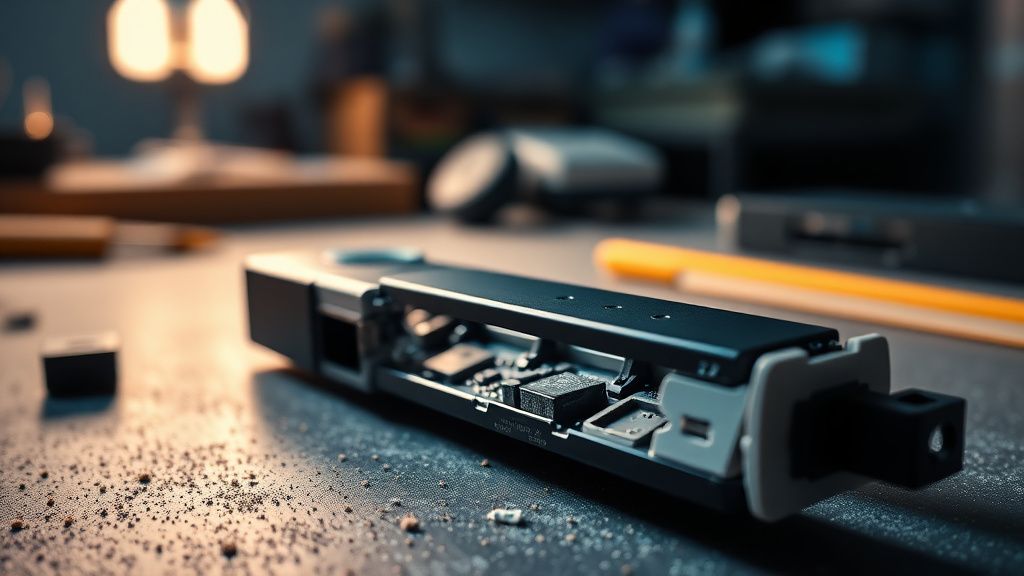
The system relies on a partition of the NAND flash memory for these "temp" files. When this partition reaches its threshold, the OS doesn't gracefully warn you; it begins to thrash. You notice it in the frame-skip during a 4K HDR stream, the delay when pressing the 'Home' button, or that dreaded black screen that lasts three seconds longer than it should, much like Chromecast 4K buffering issues caused by resource strain.
The "Hidden" Storage Crisis and OS Overhead
Modern Fire OS updates have a nasty habit of ballooning in size. If you check Settings > My Fire TV > About > Storage, you might see 5GB used out of 5.5GB available. That remaining half-gigabyte isn't just for you; the OS is fighting for breathing room to write logs and temporary assets. If your cache file for a specific app—like a heavy browsing session on Silk or an image-heavy streaming catalog—hits a ceiling, the app will crash, not because the app is broken, but because the OS denied it the write permission.
Managing the Cache: Beyond the Surface-Level Fixes
Most "tech tips" tell you to clear the cache via the settings menu. While this is the standard operating procedure, it is also a temporary, manual, and frankly, tedious workaround for a systemic failure.
To clear cache properly:
- Navigate to Settings.
- Select Applications.
- Select Manage Installed Applications.
- Select the specific app (e.g., Prime Video, Kodi).
- Choose Clear Cache.
The Field Reality: Doing this for 30 apps every week is not a viable strategy. It is, quite frankly, a design flaw that users are forced to manage. Experienced power users often turn to third-party tools like "Background Apps and Process List," which allows for a faster termination of processes. However, even this is a band-aid. The real issue is the lack of a system-level automated garbage collection policy in Fire OS that respects the end-user’s need for space.
Engineering Compromises: Why Cache Corruption Happens
Why does a cache file become "corrupted" in the first place? In the world of embedded systems, interrupted write cycles are the silent killers. If you pull the power plug on your Firestick—a very common behavior since most users power it via the TV's USB port—the OS might be in the middle of writing a cache log. When the stick reboots, that log is incomplete or truncated.

The next time the app tries to read that corrupted cache entry, the application logic fails. This is a common bug report in the Kodi community and among heavy users of IPTV clients. You’ll see threads on Reddit’s r/firetv subreddit filled with users complaining about "black screen loops" after a power outage. They aren't imagining it. The system is struggling to re-index a filesystem that was abruptly terminated during a write operation.
Real-World Field Reports: The "Sideloading" Conundrum
We spoke to several system administrators who manage large-scale streaming deployments. The consensus is clear: the Firestick 4K Max is a consumer device masquerading as a high-performance media center.
"When we deploy these in a retail setting or a custom home setup," one integrator noted, "the first thing we do is disable as much telemetry as possible. The background data collection itself consumes cache cycles. If you’re running a clean stock setup, you’re fine. If you’re sideloading, you’re essentially fighting the OS for every megabyte of storage. The cache errors people complain about are 70% of the time caused by an app expecting a larger write-buffer than the OS is willing to grant."
The "Workaround" Culture: Is it Sustainable?
Because the Firestick’s storage is so limited, a culture of "workaround engineering" has emerged. Users are buying OTG (On-The-Go) cables to expand storage via USB drives. This allows for offloading app data, but here’s the kicker: the Firestick’s USB interface is notoriously picky about power draw and formatting. Many users report that while they can expand storage, the performance takes a hit because the USB bus is shared with the Wi-Fi/Bluetooth controller. You trade a cache error for a stuttering playback issue. It’s a classic trade-off in resource-constrained computing.
The Case Against the "Factory Reset" Myth
Many support forums suggest a factory reset as the "gold standard" fix for persistent cache errors. From a technical standpoint, this is the digital equivalent of burning down a house to clean the kitchen. Yes, it resets the storage partition and clears the fragmented inodes, providing a temporary "fresh" experience. However, it also strips away all your preferences, logins, and configurations.

The reason users resort to this is the lack of granular cache management tools provided by Amazon. There is no "Clear All Cache" button for the entire system because Amazon doesn't want you messing with the underlying system-partition caches. They want a "managed" experience, even when that experience is failing.
Counter-Criticism: Amazon’s Balancing Act
It is easy to blame Amazon for the lack of storage, but we must acknowledge the market pressure. To keep the Firestick 4K Max under its competitive price point, they have to use flash storage that is cheap and limited in size. If they upgraded the internal storage to 32GB or 64GB, the price would move into a tier where it would compete with the Apple TV 4K or high-end Android boxes, which are not their target market.
The strategy is clear: sell the hardware at a razor-thin margin, and make the revenue back through ads and subscription sign-ups. The "cache error" is simply a byproduct of an OS designed to prioritize streaming ad-delivery and discovery over deep file-system stability.
The Future of Streaming Maintenance: Moving Away from "Cache"
As we move toward more cloud-native streaming apps, the reliance on local cache may decrease. However, until developers shift completely away from local asset caching, the Firestick user remains in a constant state of "storage hygiene."
If you are currently experiencing persistent errors, consider these non-negotiable steps before resetting your device:
- Disable Autoplay: Go to
Settings > Preferences > Featured Content. Turn off "Allow Video Autoplay" and "Allow Audio Autoplay." This stops the constant background downloading of trailers, which is a massive, silent contributor to cache bloat. - Audit App Permissions: Apps that don't need location or background data access often perform better when these permissions are stripped, as it reduces the amount of logging the OS performs for those specific apps.
- Use a Dedicated Power Adapter: Do not rely on your TV’s USB port. The voltage fluctuations from TVs are a leading cause of the file-system corruption that leads to these "cache" errors. Use the brick that came in the box.
How do I know if my Firestick cache is actually full?
The Firestick 4K Max usually displays an "Insufficient Storage" warning in the top corner. If you don't see that, but your UI is sluggish, check
Settings > My Fire TV > About > Storage. If you have less than 500MB free, you are effectively operating in a "critical" zone where the OS will start failing to write new cache data.
Does "Clear Data" do the same thing as "Clear Cache"?
Absolutely not. "Clear Cache" deletes temporary files that the app can re-download. "Clear Data" deletes your user profile, logins, and settings for that app. Never press "Clear Data" unless you are prepared to log back into your services from scratch.
Why do my apps keep crashing even after I clear the cache?
If clearing the cache fails, the issue is likely a corrupted installation file or a conflict between a system update and your app version. In this case, uninstall the app, restart the Firestick (this clears the temporary partition), and reinstall the application. This is a "clean" way to force a new cache path.
Is an OTG cable worth the trouble for storage issues?
For most, no. The overhead of managing an external drive and the potential for power-draw issues often outweigh the benefits. Unless you are a power user familiar with ADB (Android Debug Bridge) and file management, it’s usually better to just prune the apps you don't use.
Are there any system-wide "cleaners" I should avoid?
Avoid any app that claims to "Boost RAM" or "Super Clean" your system. These are almost always malicious or resource-heavy apps that exacerbate the very problem they claim to solve. They run background processes that consume the storage and memory you are trying to free up.

The Firestick 4K Max is a powerhouse, but it is a confined one. It operates on a fragile equilibrium between convenience and technical limitation. When you understand the cache not as a "trash bin," but as a highly contested piece of digital real estate, the errors become much less mysterious—and significantly easier to manage without resorting to the nuclear option of a factory reset. The trick isn't to force the hardware to be something it isn't; it’s to understand its limitations and work within the narrow margins that Amazon has provided.