If your Chromecast with Google TV (4K) feels hot to the touch or experiences stuttering during high-bitrate HDR playback, you are likely hitting thermal throttling, but thankfully there are fixes for Chromecast 4K overheating and lag available. Google’s compact design packs a quad-core ARM Cortex-A55 processor into a sealed plastic chassis with zero active cooling. To fix this, prioritize power supply stability and ensure convective airflow; avoid burying the device behind heavy electronics or mounting it flush against a warm TV backplane.
The Physics of Compact Streaming: Why Your Hardware is Sweating
The Chromecast with Google TV (4K) is a marvel of miniaturization, but it is also a masterclass in thermal compromise. When you stream a 4K/60fps HDR10+ or Dolby Vision stream, the Amlogic S905X3 SoC (System on Chip) is under constant, heavy load. It has to decode HEVC/AV1 codecs, maintain network handshake, manage the Bluetooth overhead for the remote, and run the Android TV launcher—which, despite updates, remains resource-intensive.
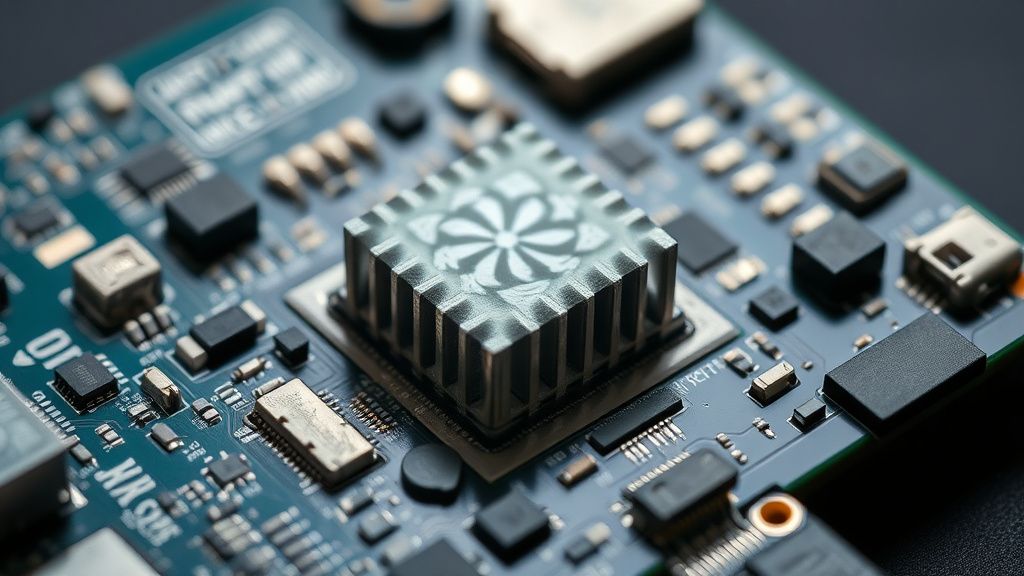
Unlike a PC or a dedicated gaming console—which can also suffer from overheating issues requiring expert cooling and maintenance—the Chromecast lacks a fan or a significant heatsink mass. The thermal design relies entirely on passive dissipation through the plastic shell. This works fine for YouTube 1080p, but when you throw a 4K remux via Plex or a high-bitrate stream from Disney+, the internal temperatures climb rapidly. Once the SoC hits its thermal ceiling—usually around 85°C—the firmware triggers DVFS (Dynamic Voltage and Frequency Scaling). This is thermal throttling. Your UI drops frames, audio sync drifts, and you see "buffer spinner" icons not because of your internet, but because your CPU is slowing down to avoid melting its own solder.
Beyond the Marketing: The Hidden Cost of "Small"
The tech industry loves the "stick" form factor. It’s elegant, invisible, and hides behind the television. But "invisible" technology creates a unique set of operational frictions. By tucking the device behind an OLED or LED panel—which itself acts as a massive radiator—you are essentially installing your streaming device inside a heat trap.
Many users on forums like r/Chromecast and various AV enthusiast Discord servers have pointed out a recurring issue: the "OLED heat soak." Modern thin TVs, especially OLEDs, get quite warm at the rear. If your Chromecast is dangling right against the back of the panel, it isn't cooling; it’s being pre-heated.
Case Study: The Plex High-Bitrate Dilemma
I spoke with a systems administrator and home theater enthusiast who noted that during 80Mbps 4K HDR Blu-ray remux streams via Plex, his Chromecast would consistently crash after 45 minutes. His logs showed repeated thermal_zone0 sensor alerts.
- The Fix: He didn't replace the device. He used a generic HDMI extender (the one included is short) to move the device four inches away from the TV chassis, essentially putting it in free air. The crashes stopped.
- The Lesson: This isn't a software bug. It’s an environmental failure caused by a design that prioritizes aesthetics over thermodynamics.
Power Delivery and Thermal Loops
One of the most persistent myths in the Chromecast community is that "any USB port will do." This is dangerous advice. The Chromecast 4K requires a steady 5V/1.5A power delivery. If you plug it into a TV's USB port, you are often under-volting the device.
When a processor is under-volted, it often draws higher current to compensate, which in turn generates more heat through resistive losses in the power circuitry. This creates a vicious cycle:
- Under-voltage: The device struggles to maintain frequency.
- Higher current draw: The internal voltage regulator (VRM) works harder.
- Thermal spike: The VRM generates excess heat.
- Throttling: The SoC slows down.
- Performance drop: The user blames the "slow Android TV interface."
Always use the included wall brick. If you are using a third-party USB-C hub to expand storage or add Ethernet (a common "workaround" setup), you must use a high-wattage power delivery (PD) brick. If the hub is stealing power from the Chromecast to run its own controllers, the thermal output of the whole system increases significantly.
Troubleshooting: The "Workaround" Culture
Because Google does not provide an "advanced thermal settings" menu, the community has resorted to a "workaround culture." You will see users on GitHub and Reddit suggesting everything from thermal pads to external heatsinks.
- The Heatsink Mod: Some enthusiasts open the plastic shell and attach aluminum adhesive heatsinks directly to the SoC shield. While effective at dropping temperatures by 5-10°C, it voids the warranty and destroys the "invisible" form factor.
- The Under-clocking Debate: There is a persistent debate on XDA Developers regarding root access to limit CPU frequency. While this prevents thermal runaway, it often introduces micro-stutters in the UI, making the device feel unresponsive. The consensus remains: it’s a band-aid on a broken system design.
Industry Controversies and The Reality of Maintenance
The tech press often reviews these devices in "cool" environments—typically an air-conditioned office or a lab with open-air benches. They don't test these devices in a 30°C living room in the middle of a July heatwave, buried behind a 77-inch TV.
There is a fundamental disconnect between the engineering intent (a casual media consumption device) and the power-user reality (a Plex-client-running, high-bitrate-decoding media powerhouse). When a user buys a "4K" device, they expect it to handle 4K. When the device fails, the average user doesn't think "Oh, the thermals are bad," they think "Google made a junk product." This trust erosion is the silent cost of miniaturization.
Optimizing Your Setup: A Step-by-Step Approach
If you are experiencing persistent performance issues, follow this triage process before declaring the device "dead":
- The HDMI Extender Test: If you aren't using an HDMI extender, use one. Move the Chromecast away from the TV body. If the TV is wall-mounted, ensure there is at least a 2-inch gap between the TV and the wall to allow for convective air movement.
- Power Supply Validation: Discard the TV's USB port. Use the official power brick. If you have an Ethernet adapter, ensure it is a high-quality, powered hub that doesn't feed off the Chromecast’s limited power budget.
- Software Hygiene: Check for background processes. Android TV is notorious for "leaky" apps. Navigate to
Settings > Apps > See all appsand force-close any apps you aren't using. Avoid using heavy overlay apps (like custom launchers or screen-dimming tools) if you are already seeing thermal instability. - The "Fan-Mod" Reality: For the truly desperate, there are USB-powered, ultra-quiet 40mm fans available on platforms like Amazon. Placing one of these behind the TV, directed at the Chromecast, is the only "active" solution that actually works without modifying the hardware itself.
Why does my Chromecast feel extremely hot to the touch during use?
It is normal for the Chromecast 4K to feel warm, as the plastic chassis is designed to dissipate heat from the internal processor. However, if it is hot enough to be uncomfortable or if it is causing playback stutters, this indicates the device is nearing its thermal safety limit and is throttling performance.
Does the Google TV software update cause overheating?
Updates can sometimes trigger background indexing or optimization, which spikes CPU usage. However, if the device remains hot consistently after an update, it is likely that the update increased the base power draw of the system, pushing an already thermally-stressed design over the edge.
Is it safe to leave the Chromecast plugged in 24/7?
Yes, the device is designed to stay connected, but it doesn't truly "sleep" in a way that turns off the SoC. It stays in a low-power standby mode. If you notice it is hot even when you aren't watching content, ensure it isn't running a background process like an aggressive screensaver or a background app update.
Will an HDMI extension cable fix the throttling?
Yes, it is the single most effective "zero-cost" fix. By moving the Chromecast away from the warm back panel of your TV, you improve convective airflow significantly. Even a 3-inch extension can lower the operating temperature by a measurable margin.
Are third-party cases or "coolers" worth it?
Most "cooling cases" sold on third-party marketplaces are aesthetic plastic shells that actually make thermal dissipation worse by adding a layer of insulation. Avoid any case that covers the original chassis. If you want better cooling, look for open-air mounts or simple desk fans directed at the device.
Can I replace the internal thermal paste?
While possible, it is not recommended unless you are comfortable with micro-electronics. The process involves prying open the sonic-welded plastic shell, which will likely break the casing, and re-applying high-quality thermal compound to the Amlogic SoC. The performance gain is rarely worth the risk of damaging the internal Wi-Fi/Bluetooth antenna which is integrated into the shell.
Why doesn't Google just add a fan?
It comes down to the Bill of Materials (BOM) cost and the target user persona. A fan adds a point of mechanical failure, increases the noise floor (no matter how quiet), and complicates the manufacturing process. The "stick" design is intended to be a mass-market, "plug-and-play" commodity, not a high-performance workstation.
Is there a "Performance Mode" in the settings?
No. Google purposefully hides these settings to prevent user error. Android TV manages the governor profiles automatically, and there is no native toggle to prioritize performance over thermals. Any app promising to "boost" your Chromecast performance is likely just clearing RAM, which is a placebo effect and rarely addresses thermal throttling.
How do I know for sure if it is thermal throttling?
If your stream drops resolution, starts stuttering, or if the UI becomes sluggish after about 30-60 minutes of high-bitrate playback, but works perfectly fine when you first turn it on, that is the classic fingerprint of thermal throttling.
Does using a 4K resolution on a 1080p TV cause extra heat?
Yes. If your Chromecast is set to output 4K but your TV is 1080p, the device is still doing the heavy lifting of decoding the 4K stream and then downscaling it for your display. This requires unnecessary GPU and CPU overhead. If you aren't using a 4K display, set your Chromecast output to 1080p to reduce the load.
Bu makale affiliate linkleri içermektedir.