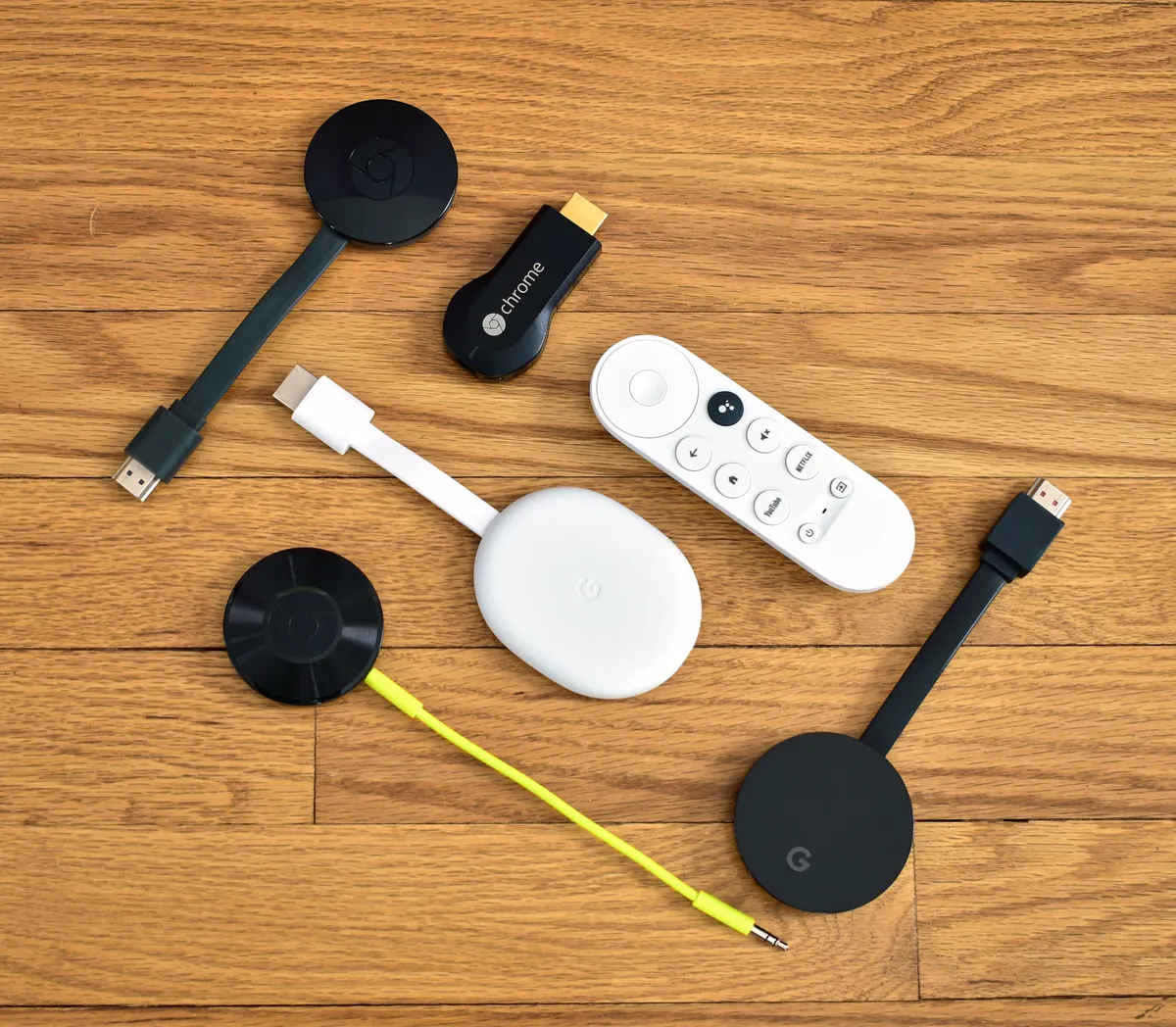
To resolve Chromecast 4K audio stuttering in 2026, first check your HDMI handshake by toggling "Match Content Frame Rate" in display settings. If issues persist, disable Dolby Atmos passthrough to force LPCM, which bypasses the processing bottleneck on older AV receivers. Ensure your power supply is using the original 7.5W wall brick, as USB-port power-starving is the primary cause of intermittent CPU throttling and audio buffer underruns, a common issue that can make your Chromecast 4K run hot and experience lag.
The Chromecast ecosystem, spanning from the original dongles to the current Google TV iterations, has long operated on a knife-edge of hardware constraints and aggressive software abstraction. In 2026, while the hardware has matured, the interaction between modern high-bitrate streaming protocols and legacy audio/video equipment remains a source of immense friction. Audio stuttering—a phenomenon characterized by intermittent micro-gaps, jittery sync, or outright crackling, much like audio-visual sync issues on Apple TV 4K—is rarely a single point of failure. Instead, it is almost always the result of a "handshake collapse" occurring somewhere between your cloud-encoded content, the device’s SOC (System on a Chip), and your HDMI sink.
The Anatomy of the HDMI Handshake and HDCP Negotiation
At the heart of the streaming experience lies the HDMI handshake, a process critical to avoiding audio dropouts and other eARC HDMI handshake issues on devices like Sony Bravia XR. When your Chromecast 4K requests a video feed, it enters a negotiation with your television or AV receiver. It must determine the supported color space, refresh rate, and—most importantly—the audio codec capabilities (EDID).
When you hear stuttering, it is frequently the result of an "EDID update event." If your network signal fluctuates, the Chromecast might attempt to re-negotiate the stream's quality, causing the HDMI controller to briefly drop the audio packet stream to re-sync with the display's capabilities. If your TV’s firmware is aging, or if your HDMI 2.1 cable is experiencing electromagnetic interference (EMI), that audio stream often fails to re-initialize cleanly.
Decoding the Power-Starvation Myth vs. Reality
A persistent refrain in tech support forums like r/Chromecast or the Google Nest Help community is the advice to "just use the wall adapter." While this sounds like basic advice, the engineering reality is more nuanced. The Chromecast 4K SOC is designed to dynamically scale its clock speed based on thermal output and power availability.
When users plug the device into a TV’s integrated USB port—which often provides less than 500mA of stable current—the device suffers from "brown-outs" during high-bitrate scenes (like HDR10+ or Dolby Vision heavy sequences). When the processor is forced to throttle to prevent a shutdown, the background processes managing audio buffers lose their priority, resulting in audible stutter. In 2026, even though modern TVs have better USB power delivery, the variance between a Vizio, a Sony, or a TCL port is massive. If your audio is stuttering during complex, high-motion scenes, you are almost certainly experiencing an under-voltage event, not a software bug.
Real Field Reports: The AV Receiver Bottleneck
In a recent series of community threads on specialized home theater forums, users reported that their Chromecast 4K devices began stuttering only after a specific OTA (Over-the-Air) security patch. Investigations by the community revealed that the update enforced a stricter "Auto" detection for audio formats.
- Case Study A: A user with a 2018-era Denon receiver found that by manually forcing "AC3" instead of "Auto," the stuttering ceased. The issue was that the receiver was struggling to differentiate between Dolby Digital Plus and Dolby Atmos, resulting in a looping logic error in the receiver's DSP (Digital Signal Processor).
- Case Study B: Another user found that the stutter was actually caused by a "smart" HDMI switch that was attempting to extract audio for a secondary soundbar, creating a latency mismatch between the video processing chain and the audio extraction chip.
The Impact of "Match Content Frame Rate" on Jitter
The "Match Content Frame Rate" feature is a double-edged sword. While it eliminates the "soap opera effect" and judder for 24fps content, it forces a rapid HDMI resync every time the content changes. If your display takes more than two seconds to lock onto the new frame rate, the audio stream will often hang, causing a "stutter" at the start of a show or between episode transitions.
This isn't a defect in the Chromecast itself, but a fundamental friction in the HDMI standard. When you enable this feature, you are essentially asking your TV to perform a cold-boot of its video processing engine dozens of times an hour. If you find the audio cutouts unbearable, you must weigh the benefit of perfect 24fps cadence against the stability of a static 60Hz or 50Hz output. Most users report that turning off this feature immediately stabilizes audio, proving that the hardware is simply overwhelmed by the frequency of signal handshakes.
Investigating Network Jitter as an Audio Proxy
We often think of network issues causing video buffering (the spinning wheel), but on the Chromecast platform, network instability manifests differently for audio. Because audio packets are small, they are often prioritized by the OS. However, if the device’s internal buffer is depleted due to a high-bitrate peak in the video stream, the system will start dropping non-video packets first.
If your Wi-Fi is congested, specifically on the 2.4GHz band, you are prone to interference that directly correlates with audio glitches. This is particularly noticeable in dense apartment complexes. Using a 5GHz band with a clear DFS channel (if your router supports it) is not just about video loading speed—it is about keeping the device’s internal buffer consistent enough to handle both the high-bandwidth video stream and the high-fidelity audio stream simultaneously.
The "Workaround" Culture: Why Official Fixes Lag
There is a pervasive sense of frustration in the developer community regarding the slow pace of fixes for these sync issues. A common sentiment on GitHub issues related to Android TV media playback is that "Google treats the Chromecast as a generic streaming box, not a high-fidelity media center."
When you look at the logcat outputs shared by power users on forums like XDA-Developers, you often see AudioTrack errors that look eerily similar to those found on early Nvidia Shield units. The underlying OS—Android TV/Google TV—has a massive amount of "legacy cruft." Engineers at Google are often balancing the needs of high-end users with the reality that 90% of their base is using a built-in TV speaker. This leads to an ecosystem where "good enough" is the standard, and niche bugs like 5.1 channel sync issues take years to reach the top of the sprint backlog.
Critical Analysis: The Hardware vs. Software Schism
Is the Chromecast 4K losing its edge in 2026? As streaming services migrate toward more complex codecs (like AV1 and high-bitrate Opus), the aging processor in the Chromecast 4K feels the strain. There is a palpable tension between the UI, which is designed to be visually rich, and the media playback engine, which must remain lean.
When you see a stutter, ask yourself: Is the UI refreshing in the background? If you have an abundance of apps installed, the background processes can cause periodic CPU spikes. These spikes, while small, can interrupt the audio thread. The "factory reset" advice so common on support forums is not just a placebo; it is a way to purge the fragmented file system and reduce the overhead of background services that have accumulated over time.
Counter-Criticism: Are We Expecting Too Much?
Industry critics argue that the consumer expectation for "plug-and-play" perfection is unrealistic. HDMI, by its very design, was never meant to handle the diversity of devices we currently connect to it. By expecting a $50 dongle to seamlessly handshake with a $5,000 OLED TV and a $2,000 receiver, we are essentially demanding that a basic network bridge manage an entire, complex local network of high-speed data.
The debate among audio-visual enthusiasts centers on whether "passthrough" should even be a feature for consumer devices. By allowing the Chromecast to offload decoding to the receiver, we introduce the potential for errors. If the device simply decoded to LPCM (uncompressed audio) internally, the stuttering would almost certainly vanish—but we would lose access to "true" Dolby Atmos. It is a trade-off between convenience and fidelity that the industry is still struggling to reconcile.
FAQ
Does using a longer HDMI cable cause audio stuttering?
Can background apps cause my audio to stutter?
Is there a specific setting for Dolby Atmos that helps?
Why does the audio only stutter on specific apps like Netflix or Disney+?
Does a factory reset actually help with persistent stuttering?
What should I look for in a power adapter replacement?
Bu makale affiliate linkleri içermektedir.