The LG OLED C4 represents the current zenith of consumer-grade WOLED technology, yet it remains tethered to a legacy standard—HDMI—that refuses to evolve gracefully. When you connect a high-bandwidth source like an NVIDIA GeForce RTX 4090 or a <a href="https://www.amazon.com/s?k=PlayStation%205&tag=gunesseo-21" rel="sponsored noopener" target="_blank">PlayStation 5 to your C4, you are essentially asking two incredibly complex computers to perform a "handshake" that must happen in milliseconds. When that handshake fails, you get the black screen of death, flickering, or a console locked into 4K/60Hz despite having a 144Hz-capable panel. This issue is not a "defect" in the traditional sense; it is a breakdown in the HDMI 2.1 negotiation protocol, often exacerbated by cheap cabling, firmware synchronization lags, or EDID (Extended Display Identification Data) corruption.
The Physics of Failure: Why HDMI 2.1 Handshakes Breakdown
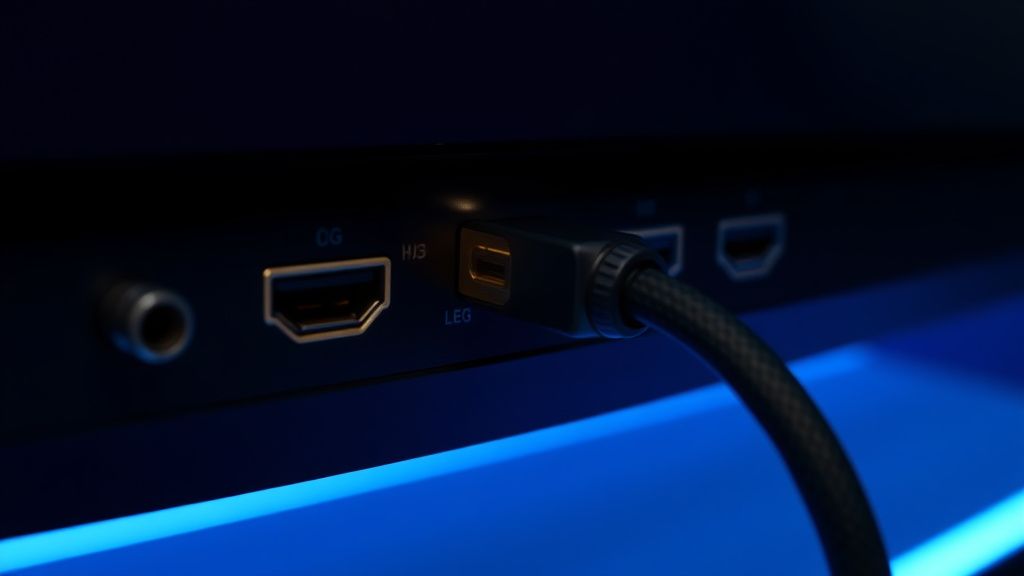
The core of the issue lies in the transition from HDMI 2.0 to 2.1. We went from a maximum throughput of 18Gbps to 48Gbps. This massive jump requires the cable, the source device, and the C4’s processor to agree on a Fixed Rate Link (FRL) protocol instantly. If the cable has even a minor signal integrity issue, the devices fallback to TMDS (Transition Minimized Differential Signaling), which caps your bandwidth.
Users on forums like AVSForum and the r/OLED subreddit often report that "everything works great until you actually scale it." This refers to the phenomenon where 4K/60Hz signals work perfectly, but the moment the system switches to 4K/120Hz or VRR (Variable Refresh Rate) kicks in, the screen goes dark. This is because the signal path isn't just sending pixels; it's constantly renegotiating sync timing. If the C4’s processor and the source device’s GPU don't "see" the same handshake parameters due to a millisecond of packet loss, the connection drops.
Essential Hardware Validation: The "Cable Myth" vs. Reality
The most common culprit isn't the TV; it's the cable. Many users insist that their old HDMI 2.0 cables "should work because the connector fits." This is a fundamental misunderstanding of bandwidth.
- Certification Matters: Look for the "Ultra High Speed" HDMI certification label. If the packaging lacks the QR code that verifies it with the HDMI Forum, it is likely a sub-par cable running out of spec.
- The Length Penalty: HDMI 2.1 signal degradation begins rapidly after 3 meters (10 feet). If you are using a passive 5-meter cable, you are essentially gambling with physics. For runs over 3 meters, active optical cables (AOC) are the only reliable solution.
- Engineering Compromise: Some cheaper cables use thin-gauge copper that cannot maintain the signal integrity for FRL at 48Gbps. You might get a picture, but it will suffer from "sparkles"—tiny white dots caused by bit errors in the high-speed data stream.
Navigating the LG WebOS Settings Maze
Before you start replacing hardware, ensure your C4 software environment is correctly configured. LG’s OS, while polished, has a tendency to reset HDMI deep color settings during firmware updates.
- HDMI Deep Color: Navigate to
General > Devices > HDMI Settings > HDMI Deep Color. Ensure this is set to "4K" or "On" for all ports. If this is toggled "Off," the TV won't even negotiate the higher bandwidth needed for 120Hz. - Instant Game Response: This setting manages the VRR and ALLM (Auto Low Latency Mode) handshake. Sometimes, the C4 tries to engage ALLM while the source device is still initializing, causing a loop of black screens. Try toggling this off to see if the connection stabilizes.
- The "Power Cycle" Fallacy: A simple remote-off power cycle does not clear the HDMI buffer. You must perform a "Cold Boot." Pull the power plug from the wall while the TV is on, wait 60 seconds for the capacitors to discharge, and then plug it back in. This forces the HDMI controller to dump its cache and renegotiate the handshake from scratch.
Real Field Reports: The Community "Workaround" Culture
If you browse through r/OLED or GitHub issues related to NVIDIA's G-Sync compatibility with LG panels, you will find a treasure trove of "workaround" culture. Users frequently report that disabling "G-Sync Compatible" in the NVIDIA Control Panel and manually setting the refresh rate to 120Hz (instead of 144Hz) solves the black-screen issue entirely.
This highlights an institutional failure: the disconnect between the HDMI Forum’s standards and the real-world implementation by GPU manufacturers and TV OEMs. The C4 is technically capable of 144Hz, but the handshake protocol for variable refresh rates at that specific frequency is notoriously finicky. Many users have found that using a Custom Resolution Utility (CRU) on Windows to remove specific, unsupported refresh rates (like 119.88Hz) forces the handshake into a more stable "120Hz-only" state, effectively stopping the flickering.
Karşılıklı Eleştiri (Counter-Criticism): Is the C4 Actually Faulty?
There is an ongoing debate in the enthusiast community: is the C4’s HDMI implementation truly "flaky," or are we simply pushing consumer-grade hardware into the realm of professional signal processing?
Critics argue that LG should implement a more robust "Handshake Retry" mechanism in the firmware, similar to how modern DisplayPort 2.1 monitors handle signal drops. Instead, LG’s current firmware treats a failed handshake as an "Input Lost" event, which triggers the TV’s input switching logic—often causing the TV to switch to an empty HDMI port.
Proponents, however, note that the fault lies with the source devices (GPUs and Consoles). They point out that a PlayStation 5 rarely has these issues, whereas a custom-built PC with a non-reference GPU frequently triggers handshake errors. This suggests that the issue is less about the TV and more about the variability of GPU signal timing.
Troubleshooting Workflow: The Step-by-Step Recovery
When your C4 refuses to handshake, follow this hierarchy of operations:
- Step 1: The Cable Swap. Do not test with your old cable. Buy a known, high-quality UHS (Ultra High Speed) certified cable. If the issue persists, the cable is likely not the problem.
- Step 2: Port Rotation. Move the device to a different HDMI port. HDMI ports 1 and 2 often behave differently than 3 and 4 regarding their controller chips on some board revisions.
- Step 3: EDID Reset. This is the "nuclear option." Turn off the TV, disconnect the HDMI cable, power-cycle the source device, and leave both unplugged for two minutes. Reconnect the cable, turn on the TV, and then the source device. This sequence ensures the devices have no cached EDID data and must perform a "cold" discovery of the capabilities of the monitor.
- Step 4: Firmware Parity. Ensure your GPU drivers (NVIDIA/AMD) and your C4 firmware are both updated. A common issue occurs when the GPU expects a newer display standard that the current C4 firmware isn't yet fully optimized for.
The "Invisible" Cost: Why This Still Happens
The reason this issue persists year after year is economic: standardization is expensive. Implementing a perfectly compliant HDMI 2.1 chip costs more, and designing a board that manages 48Gbps with zero interference requires significant shielding and copper trace optimization. Manufacturers like LG are balancing these costs against a target MSRP. For 95% of users who plug in a Roku or an Apple TV, the handshake is stable. The remaining 5%—gamers using high-bandwidth PCs—are the ones paying the price for these engineering compromises.
The "broken" experience is actually the sound of the industry hitting the physical limits of copper-based signal transmission. Every time you see a flicker, you are seeing a moment where a billion bits per second failed to arrive at the exact nanosecond the TV expected them. It is a miracle that it works at all, yet that doesn't make the frustration of a blank screen during a boss fight any less real.
Does a firmware update ever break HDMI 2.1 connectivity?
Yes. It is not uncommon for a new firmware update to "re-tune" the HDMI port sensitivity. If you find your connection was stable before an update but unstable after, try the "Cold Boot" procedure mentioned above. If that fails, check the LG support forums to see if a rollback or "hotfix" is being discussed.
Why does my screen flicker only when G-Sync is enabled?
Flicker in VRR mode is often caused by "gamma shifting" during refresh rate transitions. The C4 is trying to adjust its brightness curves to match the fluctuating frame rate of your GPU. If the refresh rate drops below the VRR range (usually 40Hz), the panel has to "double frame," which can cause a visible stutter or momentary black screen.
Can I use a cheap HDMI splitter to fix my handshake issue?
Absolutely not. Avoid cheap splitters at all costs. An HDMI splitter introduces a second handshake into the chain. If your primary device is already struggling to handshake with the TV, adding a splitter creates a "dual-negotiation" scenario that almost always results in a lower bandwidth fallback (e.g., locking you to 4K/60Hz).
Is HDMI 2.1 on the C4 better than DisplayPort?
From a purely technical standpoint, DisplayPort is more robust for PC-to-monitor connections, but HDMI 2.1 is designed for the "Living Room" ecosystem. The C4 doesn't support DisplayPort, so we are forced to deal with the limitations of the HDMI 2.1 protocol, which is unfortunately more prone to noise-induced handshake failures.
What is the "Sparkle" effect and does it mean my TV is dying?
No, your TV is likely fine. If you see white "sparkles" or "snow" on your screen, that is the visual manifestation of a cable that cannot handle the 48Gbps bandwidth. It is a sign of bit errors. Switch to a shorter, higher-certified Ultra High Speed HDMI cable immediately to stop the signal degradation.
Why do I have to turn the TV on before my PC?
This is a quirk of the EDID handshake protocol. When the PC turns on, it "pings" the display. If the C4 isn't ready, the PC may default to a generic "VGA" or "Standard 1080p" driver mode. Turning the TV on first ensures the EDID table is ready to be read by the PC’s GPU, preventing resolution reset issues.
Bu makale affiliate linkleri içermektedir.