LG OLED panels don't just "flicker." They do something more complicated, and more frustrating — they flicker sometimes, in some content, under some conditions, in ways that are genuinely difficult to diagnose because the causes are layered across hardware aging, firmware behavior, signal chain problems, and factory-calibration drift. A screen that worked perfectly eighteen months ago can start pulsing at the edges of dark scenes or strobing imperceptibly, much like the common issues found when troubleshooting a Samsung QLED flickering, or dimming suddenly in ways that feel broken but are technically — by LG's definition — "working as intended."
That gap between "working as intended" and "not what the owner is experiencing" is where most of the frustration lives.
Quick Answer: LG OLED screen flicker is most commonly caused by OLED Panel Light settings set too low, Energy Saving mode interfering with brightness stability, TruMotion frame interpolation creating stutter artifacts, HDMI handshake instability, or early-stage pixel aging. Start by disabling Energy Saving, setting OLED Light to 80+, turning off TruMotion, and testing with a direct HDMI cable before suspecting hardware failure.
What You're Actually Seeing: Categorizing the Flicker Before You Fix It
This is the step almost everyone skips, and it's why most forum threads about OLED flicker turn into 47-reply spirals where nobody agrees on anything. There are at least five distinct phenomena that get labeled "flicker" by users, and they have almost nothing in common technically.
Temporal brightness instability — the screen appears to pulse or dim rhythmically, often synchronized with scene content or audio. This is almost always ABL (Automatic Brightness Limiter) or ESG (Energy Saving function) behavior. It's not a defect.
Single-frame strobing — a single frame of extreme brightness or darkness appears briefly during fast motion or scene transitions. Usually a frame-timing or HDMI signal issue. Sometimes a firmware bug.
Partial-screen flicker — one quadrant, one corner, or one horizontal band flickers while the rest of the screen remains stable. This is the most concerning category. It can indicate pixel driver circuit degradation, early WOLED degradation along high-stress areas, or a delamination issue in the panel itself.
Static content flicker — the screen pulses while displaying a static image (desktop background, pause screen, game HUD). Often caused by PWM at low brightness levels, or a combination of low OLED Light setting and a specific content luma value that triggers ABL.
Post-HDR handshake flicker — appears briefly when switching between SDR and HDR content, or when a device reconnects via HDMI. The screen goes black, comes back, briefly flickers, then stabilizes. This is almost always a handshake negotiation issue, not a panel problem.
Identifying which category you're in determines everything that follows. If you skip this step and go straight to factory-resetting the TV or calling a technician, you're likely to waste effort, similar to misdiagnosing a Cosori 5.8qt air fryer E1 error or a Ryobi pressure washer pulsing, ultimately spending money and time solving the wrong problem.
The OLED Light Setting: The Number Everyone Gets Wrong
The single most misunderstood setting on LG OLED TVs is the OLED Panel Light (sometimes labeled OLED Light, sometimes Pixel Brightness depending on firmware version and region). It controls the raw luminance output of the panel — not through software dimming, but by adjusting the actual drive voltage to the organic pixel layer.
The problem is that OLED Light interacts with the ABL circuit in non-linear ways, creating complexities similar to managing a Wi-Fi 7 network with MLO packet loss or trying to resolve PS5 error CE-108255-1. Set OLED Light to 100 and the ABL kicks in more aggressively to protect the panel from sustained high-brightness output. Set it too low — say, 30 or 40, which some calibration guides recommend for "eye comfort" — and you enter a different failure mode where the panel's luminance control becomes unstable at certain luma values, causing subtle pulsing that's especially visible in dark scenes.
The practical safe zone for most LG OLED models (C-series, G-series, B-series from 2018 onward) is OLED Light between 65 and 85 in a normal viewing environment. Below 50, flicker risk from ABL interaction increases significantly. Above 90, you're accelerating panel aging and inviting more aggressive ABL behavior.
There's a secondary issue that's almost never documented: the interaction between OLED Light and Energy Saving mode. When Energy Saving is set to anything other than "Off," the TV applies a real-time luminance modifier on top of OLED Light. This modifier isn't stable — it reads ambient light through the front sensor (if present) or applies a fixed multiplier that competes with ABL. The result is two brightness management systems running simultaneously with no transparency to the user, and the output is luminance instability that looks exactly like a hardware defect.
What to do immediately:
- Navigate to Settings → Picture → Picture Mode Settings → OLED Panel Light
- Set to a value between 70 and 80
- Navigate to Settings → General → Energy Saving
- Set to Off (not Auto, not Minimum — Off)
- Check Settings → Picture → Advanced Settings → Brightness → Dynamic Contrast — set to Off
Retest with the content that was flickering. If the flicker stops or substantially reduces, you were experiencing software-induced luminance management conflict, not hardware failure.
TruMotion, Frame Interpolation, and the Stutter-Flicker Confusion
LG's TruMotion processing is one of those features that creates a support problem every firmware cycle. What users describe as "flicker" is sometimes actually judder removal creating an unintended visual artifact — frame-interpolated content where the motion estimation algorithm fails on certain content types (film grain, fast panning over detailed textures, quick cuts) and produces a brief flash or duplicate frame.
TruMotion at its "Smooth" setting runs motion interpolation at a target of 120Hz, inserting generated frames between native frames. This is the notorious "soap opera effect." At its "Cinema Clear" setting, it attempts to remove film judder while preserving film cadence. Both modes have edge cases where interpolation fails and produces a single-frame brightness anomaly — which users correctly perceive as a flash or flicker.
The workaround the LG support documentation doesn't clearly explain:
Go to Picture → Advanced Settings → Clarity → TruMotion. Don't just turn TruMotion to "Off." Instead, set it to User mode, then manually set De-Judder to 0 and De-Blur to 0. This disables both the interpolation and the blur reduction while keeping the underlying frame processing pipeline stable. Some users report that simply setting TruMotion to "Off" leaves a residual processing artifact in certain firmware versions, while the User/0/0 approach fully disengages the motion pipeline.
This is one of those things you find in a Hacker News thread or an AVS Forum post from someone who spent six weeks debugging it — it's not in any official LG documentation.
HDMI Signal Chain: Where the Invisible Problems Live
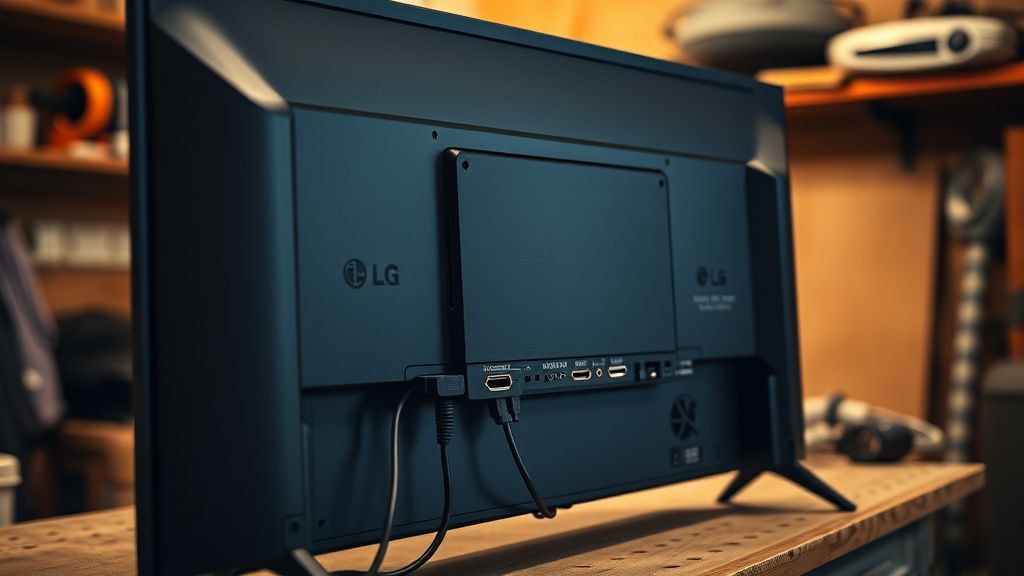
A significant portion of LG OLED flicker complaints that survive the settings-check phase turn out to be HDMI-related. The failure modes here are subtle enough that they don't show up as obvious signal loss — instead, they manifest as brief flicker events, usually lasting under a second, often coinciding with scene brightness changes or audio events.
HDMI 2.1 bandwidth instability is genuinely underreported. LG's HDMI 2.1 implementation (present on all four HDMI ports on 2021+ C/G-series models) operates at 48Gbps. Most third-party cables marketed as "HDMI 2.1 compatible" are tested to spec in controlled conditions but are not always stable at the full bandwidth ceiling during sustained 4K 120Hz HDR content. The result is occasional signal dropout recoveries that manifest as single-frame flicker — the display briefly drops sync, the HDMI handshake re-negotiates in milliseconds, and what the viewer sees is a flash.
Steps for systematic HDMI chain diagnosis:
Test with a different cable — specifically, a cable that's certified by HDMI Forum (look for the "Ultra High Speed HDMI" certification logo). Not "rated for," not "supports" — certified.
Test on a different HDMI port — on most LG OLEDs, HDMI port 4 (or port 1 on some models) has different signal processing characteristics than ports 2 and 3. Ports designated for 4K 120Hz gaming often have ALLM and VRR processing that can introduce instability with non-gaming sources.
Disable HDMI Ultra HD Deep Colour — navigate to Settings → General → External Inputs → HDMI Settings → HDMI Ultra HD Deep Colour, and temporarily set the affected port to Off. This reduces the negotiated bandwidth ceiling and eliminates deep color processing. If flicker stops, you have a cable or source device handshake problem.
Check the source device's output settings — PS5, <a href="https://www.amazon.com/s?k=Xbox%20Series%20X&tag=gunesseo-21" rel="sponsored noopener" target="_blank">Xbox Series X, and PC graphics cards all have their own HDR output settings that can conflict with LG's HDMI negotiation. A PS5 set to 4K 120Hz + HDR with VRR enabled is negotiating a complex signal that some cable/port combinations can't sustain consistently.
HDMI 2.0 fallback test — plug the source into an HDMI port on the TV that doesn't support 2.1, and set the source to 4K 60Hz HDR. If flicker disappears entirely, the problem is in the 2.1 bandwidth negotiation, not the panel.
The ABL Circuit: Factory Calibration Drift and Real Degradation
This is where the diagnosis gets harder and more expensive. The Automatic Brightness Limiter is a protective circuit that reduces panel luminance when large portions of the screen are displaying high-brightness content. It's designed to prevent thermal damage to the organic layer. It's not a defect — it's a feature. But it can behave like a defect when:
- The panel has accumulated significant runtime hours and the pixel efficiency has degraded unevenly
- The ABL threshold calibration has drifted from factory spec
- The power supply board is delivering slightly off-voltage, causing ABL to trigger at incorrect thresholds
The behavioral signature of ABL-related flicker is luminance pumping during bright content — the screen dims slightly during explosions, bright daytime outdoor scenes, or white-background UIs, then recovers. This is normal ABL behavior. What's not normal is if the dimming is sudden and deep (more than 10-15% perceived), if it occurs on content that shouldn't trigger it (dark films, dark games), or if it's accompanied by an audible click from the power supply board.
An audible click during flicker events is a meaningful diagnostic signal. The T-CON board, which drives the panel, has capacitors and voltage regulation components that can develop instability over time. If the flicker is accompanied by sound from inside the TV — a soft tick, a faint buzz, a click — this moves the diagnosis from settings/signal chain to hardware, and specifically to the T-CON or PSU board.
"I spent three weeks going through every picture setting in the menu, two different HDMI cables, three different HDMI ports, tried it with a different source device, did a factory reset. The flicker was still there, same pattern every time. Then I put my ear against the back of the TV during a flicker event and heard a faint tick. That's when I knew it wasn't software." — user u/oled_endurance, AVS Forum thread "C9 ABL behavior post-3000 hours," 2022.
Real Field Reports: What the Repair Community Actually Sees
The subreddit r/OLED has accumulated years of flicker reports, and the pattern that emerges from reading several hundred of them is more nuanced than any official troubleshooting guide acknowledges.
A significant percentage of reported flicker issues — particularly on C8, C9, and E-series panels from 2018-2020 — resolve after a software update or settings change. These are software-induced and don't represent panel degradation. Users who factory reset and re-dial their settings from scratch frequently report that "the flicker is gone," which suggests that accumulated picture setting changes over time create interaction conflicts that drift into instability.
A smaller but meaningful segment of reports — concentrated in TVs with 4,000+ hours of runtime, and especially TVs that were used for extended periods of static content (gaming HUDs, desktop computing, scrolling news tickers) — report flicker that persists through all settings changes and is accompanied by visible panel unevenness visible in DSE (dirty screen effect) tests. These cases almost always involve actual pixel layer degradation.
There's a specific failure mode documented in an LG service bulletin (not publicly released but referenced in multiple iFixit-style teardown communities) related to the EX panel generation found in some 2022 G-series models. The EX panel's higher brightness capability creates a different ABL threshold profile, and early firmware versions had ABL calibration tables that were too aggressive for the panel's actual output characteristics. This produced luminance pumping that was visually identical to hardware failure but was entirely firmware-induced. LG issued firmware updates in late 2022 that addressed this — but only for users who had automatic updates enabled, and only if their TV was connected to a network.
Users who don't connect their LG OLEDs to the internet — a legitimate choice, given LG's history with ACR data collection and third-party data sharing, which received significant attention in privacy reporting — are running firmware that may never receive fixes for known flicker-inducing bugs.
Panel Uniformity Testing: What It Tells You and What It Doesn't
There's a DIY diagnostic that anyone can run in about ten minutes, and it's more informative than any settings menu.
The uniformity gray test:
- Find or create a solid gray image at exactly 50% brightness (RGB value 128, 128, 128)
- Display it fullscreen with all picture processing disabled (use a Blu-ray test disc, a calibration app, or a PC source with processing bypassed)
- Stand back 6-8 feet and observe the panel in a dark room
- Look for: uneven brightness across zones, visible bands, vignetting toward corners, specific quadrants that appear dimmer
A new LG OLED will show some minor corner vignetting and a small degree of center-brightness variation. This is normal for WOLED architecture.
What's not normal: a distinct bright or dark band that wasn't there when the TV was new; a quadrant that is visibly and consistently different from the rest; a specific region that flickers when the uniform gray moves from dark gray to light gray.
If you see the latter during this test, you're almost certainly looking at pixel degradation that is beyond settings or firmware fixes. The economic reality is that panel replacement for a 65-inch OLED costs roughly as much as a new mid-range OLED, which is why most repair shops won't recommend it and most insurers treat it as a total replacement scenario.
Counter-Criticism and the Hype Gap: Is OLED Flicker Overreported?
There's a real debate within the display community about whether LG OLED flicker is a widespread systemic problem or a visibility-amplified outlier issue.
The argument against systemic concern: OLED as a display technology has sold tens of millions of units. The number of documented, hardware-confirmed flicker cases is a fraction of that install base. Many reported cases resolve with settings adjustments, suggesting user error or aggressive out-of-box settings (many retailers use "Vivid" or "Standard" modes that are precisely calibrated to trigger aggressive ABL behavior to make displays look bright in showroom environments).
The argument for taking it seriously: panel failure modes are often gradual and users adapt without realizing it. Someone who watches their TV every day for three years may not notice incremental degradation that would be immediately obvious to a fresh set of eyes. Return rates and warranty claims are self-selected samples — users who don't know that their TV's behavior is abnormal don't file claims. The actual scope of pixel degradation in the installed OLED base is genuinely unknown.
The middle position, which is probably closest to accurate: LG OLED panels are
Bu makale affiliate linkleri içermektedir.