
Quick Answer: Installing an external battery backup for a smart TV involves connecting a compatible UPS (Uninterruptible Power Supply) or portable power station between your wall outlet and the TV's power input. The right unit must match your TV's wattage, support pure sine wave output, and provide enough runtime. Expect 30–90 minutes of backup for most setups.
The first time a smart TV dies mid-episode during a storm—or worse, during a firmware update—something shifts in how you think about power reliability. It's not dramatic. It's just annoying in that specific way that makes you realize you've been taking clean, stable electricity for granted. And in 2024, with smart TVs doing background syncing, auto-updates, and app indexing even when you think they're "off," the cost of unexpected power loss is higher than it looks on the surface.
This guide is not about scaring you into buying a rack-mounted enterprise UPS, much like how you don't need an enterprise solution if you are just looking for help when your TP-Link Archer BE800 is dropping connections. It's about understanding what actually happens when power fails during smart TV operation, what gear is genuinely worth using, how to size and connect it properly, and where the whole thing tends to fall apart in real-world usage—because it does fall apart, sometimes in ways that aren't obvious until you've already spent money.
Why Smart TVs Are More Vulnerable to Power Interruptions Than You Think
Most people treat a smart TV like a monitor: plug it in, it works, unplug it, it stops. The reality is more complicated. Modern smart TVs—running Tizen, webOS, Android TV, Google TV, or Roku OS—are essentially ARM-based Linux computers attached to a display panel. They maintain background processes, write to internal flash storage, and periodically commit state changes to NVRAM or eMMC.
When power cuts abruptly during one of these write operations, you can corrupt the OS partition. This isn't theoretical, and just as technical issues can plague your display, users often encounter hardware frustrations elsewhere, such as when Sony Bravia XR screen glitches occur. There are hundreds of threads across Samsung Community forums, LG's support boards, and Reddit's r/hometheater documenting TV failures, similar to the troubleshooting needed for Apple TV 4K black screen issues. The Samsung QN-series models are noted for this, though other devices have their own quirks, such as the Chromecast 4K overheating or the Apple TV 4K error 5013.
Beyond software corruption, there's the physical component. Power surges that often accompany sudden reconnection after an outage can stress the TV's internal power supply board. Budget TVs with lower-grade capacitors are especially exposed here, just as other appliances face specific component failures, like when the DeLonghi Magnifica S grinder stops working. This is why a UPS isn't just about keeping the TV on—it's also about providing surge protection and voltage regulation continuously.
Understanding the Power Requirements of Your Smart TV
Before you buy anything, you need to know how much power your TV actually consumes. The nameplate wattage printed on the back of the TV is the maximum draw—it's almost never what the TV actually pulls in normal operation.
A 65-inch OLED typically draws somewhere between 80–180W depending on content brightness, with peak bursts during HDR highlights. A 55-inch QLED might average 90–130W. A 32-inch budget LED TV might idle at 35–45W. The problem is that without measuring it yourself with a smart plug like the Kasa EP25 or a Kill-A-Watt meter, you're estimating.
Operational reality: The wattage discrepancy is the most common reason for hardware issues, much like how users often misdiagnose other home tech problems, such as Breville Bambino Plus units not pumping water or an air fryer E1 error.
Here's what to do: plug your TV into a wattage-monitoring smart plug for 48–72 hours of normal use. Check the peak draw, average draw, and any spikes. That peak number is what you need to size your UPS against—not the average.
Sine Wave Output: The Detail Most Guides Skip
Smart TVs, like most modern electronics with switching power supplies, technically work with simulated (stepped) sine wave UPS units. But "works" and "works well" are different things. Several TV manufacturers' service documentation notes that switching power supplies operating on simulated sine wave can run hotter, generate more EMI, and in edge cases produce voltage irregularities that stress capacitors over time.
Pure sine wave UPS units cost more. For a TV you're using daily and updating regularly, the price difference—typically $30–80 more for a comparable unit—is worth it. The APC BE600M1, CyberPower CP1500PFCLCD, and Eaton 5S are commonly recommended in this tier, but pure sine wave output is what you're specifically looking for.
Choosing Between a UPS and a Portable Power Station
This distinction matters more than most articles acknowledge.
Traditional UPS units (APC, CyberPower, Eaton, Tripp Lite) are designed for IT and office equipment. They're engineered for fast switchover times (typically 2–10 milliseconds) and voltage regulation. They are not designed for extended runtime. Most consumer UPS units will run a 100W TV for 20–45 minutes, depending on battery capacity and efficiency.
Portable power stations (EcoFlow DELTA, Jackery Explorer series, Bluetti AC series, Anker SOLIX) are essentially large lithium battery packs with AC inverters. They're designed for camping, van life, and emergency home backup. They offer much longer runtime—a 1000Wh unit running a 100W TV could theoretically last 8–10 hours with inverter efficiency factored in—but they have longer switchover times (typically 20–50ms for most consumer-grade units) and don't always include voltage regulation circuitry equivalent to a dedicated UPS.
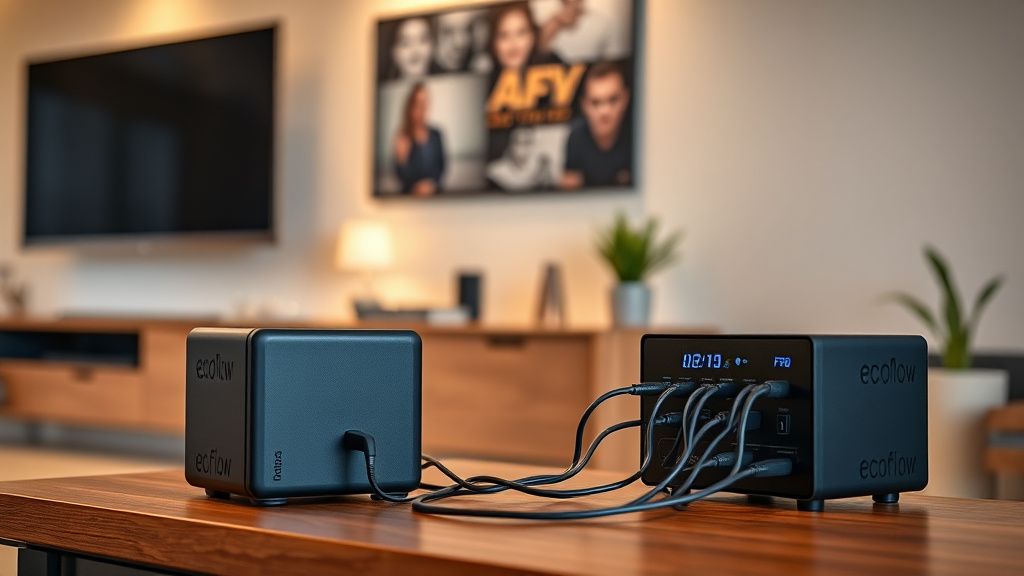
The switchover time question matters specifically for smart TVs. Modern TV power supplies typically handle brief interruptions (under 20ms) without shutting down. But some TVs—particularly certain Sony Bravia XR models and older Samsung Frame TVs—have been reported in community forums to power off even during sub-30ms transitions. This is a firmware behavior issue more than a hardware one, and it's inconsistent across units.
If your priority is keeping the TV on through short outages (typical utility glitches, storms, brownouts), a UPS with fast switchover is the right tool. If you're preparing for longer grid outages in areas with unreliable power infrastructure, a portable power station with a proper UPS in front of it, or a large enough power station with fast-transfer inverter, makes more sense.
Real Field Reports: What Actually Happens in Practice
Across home theater forums, r/homelab, r/powerwall, and various smart home Discord servers, the pattern of real-world experience with TV battery backup installations is surprisingly consistent.
The "it works until it doesn't" problem with cheap UPS units: The most common complaint involves inexpensive UPS units—particularly generic or white-label units sold on Amazon—that list wattage ratings based on VA (volt-ampere) rather than actual wattage. A "1000VA" UPS might only deliver 600W of real power. Users running a 150W TV plus a soundbar plus a streaming box find themselves confused when the system shuts down. This is a math problem, not a hardware problem, but it's exacerbated by misleading marketing.
Battery degradation timeline: Internal lead-acid batteries in most consumer UPS units degrade significantly within 3–4 years, especially in warm environments. A UPS that provided 40 minutes of runtime when new might provide 8 minutes three years later. Most users don't test runtime until they actually need it, which is exactly the wrong time to discover the battery is dead. This is documented extensively in threads on SmallNetBuilder forums and APC's own community boards.
Heat problems in enclosed media cabinets: UPS units generate heat, particularly during charging cycles. Placing a UPS in an enclosed TV stand or media cabinet without ventilation leads to premature battery failure. This is one of the genuinely under-discussed operational realities. The APC BE650G2 manual specifically warns about minimum clearance requirements, but users routinely ignore this.
The LG webOS edge case: Several users on LG's support community and r/LGOLED reported that LG TVs on webOS 6.x and later sometimes flag irregular AC input and display a power quality warning, even when connected to a reputable pure sine wave UPS. The suspected cause is the UPS's voltage regulation maintaining output at a slightly different RMS characteristic than direct utility power. LG has not officially acknowledged this, and the workaround users found was adjusting the UPS output voltage setting when available, or switching to a different UPS model.
Step-by-Step Installation Process
Step 1: Measure Actual Power Draw
Connect your TV and all associated devices (soundbar, streaming stick, game console if applicable) to a Kill-A-Watt or smart plug meter. Run them for at least 24 hours and note peak wattage. Add 20% headroom to that peak number for your sizing target.
Step 2: Calculate Required Runtime
Decide how long you need the TV to remain on during an outage. For most residential purposes, 30–60 minutes is sufficient to ride out brief outages or properly shut down during extended ones. For genuinely long-term backup, you're looking at portable power stations.
Runtime estimation formula:
Runtime (hours) = (Battery Capacity in Wh × Efficiency Factor) ÷ Load in Watts
Efficiency Factor for UPS: approximately 0.85–0.90
Efficiency Factor for Portable Station: approximately 0.88–0.93
Step 3: Select the Appropriate Device
For a standard 55–65 inch smart TV plus a basic soundbar:
- Minimum recommendation: 600W / 1000VA pure sine wave UPS with at least 600Wh capacity
- Practical recommendation: CyberPower CP1500PFCLCD or APC SMT750C (both pure sine wave, both with LCD displays showing real-time load and estimated runtime)
- For extended runtime: EcoFlow DELTA 2 or Bluetti AC200P, used in conjunction with a small UPS for fast-transfer protection
Step 4: Physical Connection
- Place the UPS in a ventilated location—not inside a closed cabinet. Minimum 4–6 inches clearance on all sides.
- Connect the UPS to a grounded wall outlet. Do not use an extension cord unless it's a heavy-gauge (12 AWG) grounded one rated for the load.
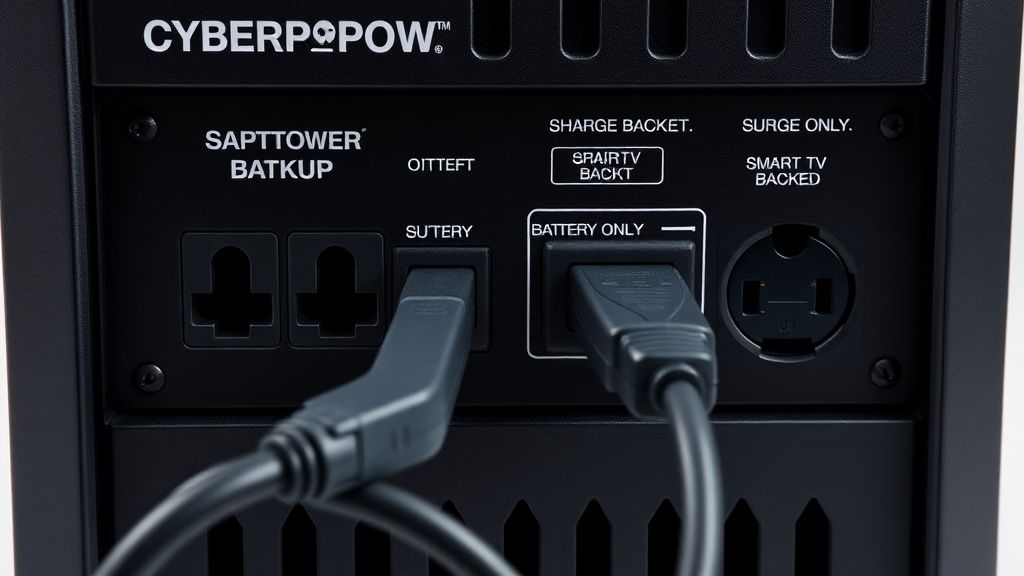
- Connect the TV's power cable to the battery-backed outlets on the UPS—these are typically labeled and distinct from "surge-only" outlets.
- Connect the soundbar and streaming device to battery-backed outlets as well if wattage allows.
- Connect devices you don't need battery backup for (gaming consoles, Blu-ray players not in use) to the surge-only outlets to preserve UPS capacity.
Step 5: Test the Installation
This is the step most people skip. After installation:
- Note the UPS's displayed load percentage or wattage.
- Simulate an outage by switching off the wall outlet while the TV is running.
- Confirm the TV continues operating without interruption.
- Note runtime under actual load.
- Restore power and confirm the TV and UPS recover normally.
Document this test and schedule a repeat every 6 months to catch battery degradation before it becomes a problem.
Counter-Criticism and Ongoing Debate
The home theater community is not uniformly enthusiastic about battery backup for TVs. There are legitimate counterarguments.
"It's not worth the cost for most users." A quality pure sine wave UPS capable of backing a full home theater setup costs $150–400. For users in areas with generally stable power, the actual frequency of outages that would damage a TV's storage during a write operation is genuinely low. The more pragmatic argument is that a good surge protector (not a basic power strip, but an actual quality surge protector like the Furman SS-6B or APC SurgeArrest P11VT3) handles the most common risk—surge damage—at a fraction of the price.
The "modern TVs are more resilient than you think" argument. LG, Samsung, and Sony have improved filesystem journaling and wear-leveling in recent firmware versions, specifically to reduce corruption risk during unexpected power loss. Samsung's newer Tizen builds use a more robust file system commit strategy. The counterpoint is that no amount of journaling protects you from corruption during a write that was literally in progress when power died.
Environmental cost. Lead-acid UPS batteries typically last 3–5 years and require proper disposal. Lithium alternatives are better on lifespan but raise their own recycling concerns. For users who are environmentally conscious, running a UPS that needs replacement batteries every few years is a real consideration.
The debate in practical terms usually settles around geography and use case. If you live in an area with frequent brownouts, lightning activity, or aging grid infrastructure, battery backup is clearly justified. If you're in a stable urban environment with rare outages, a quality surge protector probably covers the realistic risk.
Maintaining the System Over Time
Battery testing: Most smart UPS units have self-test functionality. Run it monthly. Replace batteries when runtime drops below 50% of original spec. APC offers replacement battery cartridges (RBCs) for most of their consumer lineup; they're not cheap but they're significantly cheaper than replacing the entire unit.
Firmware and software: Several modern UPS units—particularly from APC and CyberPower's higher-end lines—offer USB or network connectivity for monitoring. PowerChute (APC) and PowerPanel (CyberPower) software can alert you to battery health changes, overload conditions, and extended outage events. This is genuinely useful for the kind of passive monitoring that catches problems before they become failures.
Capacity reassessment: When you upgrade your TV or add new components, reassess whether your UPS is still sized correctly. A new 77-inch OLED pulling 200W peak might exceed the comfortable operating range of a UPS you sized for a 55-inch LED.
Connecting a Smart TV to a Portable Power Station: Specific Considerations
If you go the portable power station route—particularly for whole-home entertainment backup or for use in locations without reliable grid power—there are additional operational details that matter.
Most portable power stations use a pure sine wave inverter, but not all. Verify before purchase. The Jackery Explorer 1000 Pro and EcoFlow DELTA series are confirmed pure sine wave. Some Bluetti models in the budget range use modified sine wave—check the spec sheet.
Transfer time on portable power stations during mains failure is generally longer than a dedicated UPS (20–80ms versus 2–10ms). If your TV shuts off during this transition, you have limited options: some users insert a small, fast-transfer UPS between the power station and the TV to smooth the handoff. This "UPS-on-a-power-station" setup is more common in the van life and off-grid community than in residential home theater, but it works.
Charging behavior is worth understanding. Most power stations cannot simultaneously charge and discharge at full rate (pass-through charging), and doing so continuously can generate excess heat. For permanent installation, EcoFlow's "X-Stream" charging bypass mode and Bluetti's "AC Pass-Through" mode are designed specifically for this, but each has specific recommendations about ambient temperature and continuous load limits.
Edge Cases and Things That Actually Go Wrong
The UPS overload scenario: Some users connect too many devices without checking aggregate load. When load exceeds UPS capacity, the unit either shuts down or switches to bypass mode (passing utility power directly without battery protection). This is often silent—no alarm, no warning—and users think they have backup protection when they don't.
GFCI outlet incompatibility: UPS units connected to GFCI-protected outlets can behave erratically. The GFCI circuit detects the UPS's ground fault detection circuitry as an anomaly and trips. Move the UPS to a standard grounded outlet.
The "battery replaced but runtime worse" problem: Replacing with incorrect battery specs—wrong voltage, wrong Ah rating, or a poor-quality aftermarket battery—can result in worse performance than the degraded original. Stick to manufacturer-specified replacement batteries or well-reviewed alternatives with verified specs.
Smart TV auto-restart after power restoration: Some TVs have a "power on with AC restore" setting that's enabled by default. After a UPS transfers back to mains power, the TV might restart itself unnecessarily. Check your TV's power settings menu—LG's "Quick Start+" and Samsung's "Instant On" behaviors interact oddly with this.
FAQ
Does a UPS protect a smart TV from lightning strikes?
Bu makale affiliate linkleri içermektedir.