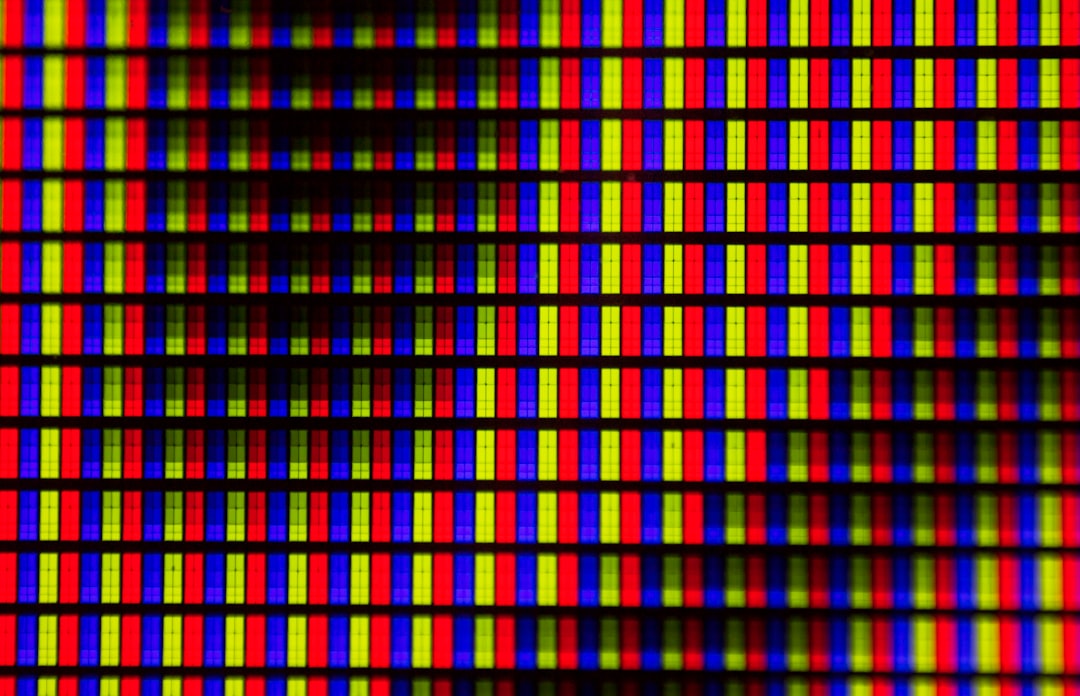
Quick Answer: OLED panel uniformity issues — including horizontal or vertical banding, DSE (dirty screen effect), and color gradient inconsistencies — stem from sub-pixel aging variance, manufacturing tolerances, and thermal behavior in organic compound layers. Most cases can be partially resolved through pixel refresher cycles, display calibration adjustments, and controlled content habits. Full panel replacement remains the only permanent fix.
There's a specific kind of frustration that sets in when you're watching a dark, cinematic scene — the kind a director lit with obsessive care — and instead of black silence, you see a faint horizontal stripe; meanwhile, if you are experiencing other visual disturbances like an Apple TV 4K black screen, you should address those HDMI handshake issues first. It doesn't move. It's there in the next scene. It's there on a blue test slide. It's there at 2AM when you're running uniformity tests you downloaded from AVSForum because you've gone too far down the rabbit hole.
This is the OLED uniformity problem. It's not new. It's been present in consumer OLED panels since LG Display started mass-producing them around 2013, and the conversation has never fully gone away. If anything, it's louder now — because more people own OLEDs and high-end tech, similar to how owners of the Nintendo Switch OLED have sought ways to check, prevent, and fix screen burn-in.
What makes this particularly thorny is that "uniformity" isn't a single defect. It's a category of related but distinct failures, each with different root causes, different visibility thresholds, different behavior under different conditions, and critically — different responses to attempted fixes. Understanding what you're actually dealing with before attempting any remediation matters enormously, because some interventions help one type of issue and actively worsen another.
Understanding the Taxonomy of OLED Uniformity Failures
Banding vs. DSE vs. Vignetting: Not the Same Problem
The term "banding" gets used loosely to describe almost any visible non-uniformity on an OLED panel, but in technical and community usage, it refers to specific linear artifacts — usually horizontal bands on LG WOLED panels, often appearing in near-black or mid-gray content. These bands are distinct from the panel's intended image content and don't correspond to any pixel-level signal being sent.
Dirty Screen Effect (DSE), by contrast, is a more diffuse, cloud-like or smudgy non-uniformity — the name was borrowed from plasma TV communities where it was more prevalent, but it applies equally to OLED displays showing irregular brightness or color shifts across large swaths of solid-color fields.
Vignetting is corner or edge darkening, distinct again from center-to-edge banding, and typically more related to the panel's optical stack and backplane geometry than sub-pixel aging.
Then there's vertical banding, which shows up more frequently in Samsung QD-OLED panels and has been documented extensively in AVSForum threads starting around 2022 when the QD-OLED first shipped. Samsung's different sub-pixel structure (RGB rather than LG's WRGB configuration) means its failure modes manifest differently under different test conditions.
Understanding which category you're in determines whether anything you do will actually help.
Why OLED Panels Develop Uniformity Problems: The Organic Reality
Sub-Pixel Aging and the Differential Burn-In Spectrum
OLED displays are self-emissive. Each sub-pixel contains organic compounds — specifically, organic electroluminescent materials — that degrade at different rates depending on how much current they've carried over their lifetime. This isn't a flaw in the design so much as an inherent property of the organic compounds involved.
The problem with uniformity, though, isn't just about dramatic image retention visible as a ghost of a news ticker. It's about the subtler, statistical divergence that happens even before any single pixel has been stressed significantly. Different areas of the panel see different content distributions over time. The center of a typical living room TV sees more average luminance than the corners. Sports viewers develop different aging patterns than people who primarily watch film content.
LG's WOLED sub-pixel structure — White OLED backlight + RGB color filters, sometimes described as WRGB — adds another variable. The white sub-pixel degrades differently from the colored sub-pixels, and this divergence can manifest as subtle color temperature shifts across the panel that read as uniformity problems even when brightness uniformity looks fine on a grayscale test slide.
Manufacturing Tolerance Stacking
Here's something that rarely gets discussed in the mainstream TV coverage: uniformity variation exists from the factory before any aging occurs. The organic layer deposition process in OLED manufacturing involves evaporating organic materials onto glass substrates using shadow masks and precision thermal evaporation chambers. The uniformity of that deposition isn't perfect — it can't be, at this scale. Panels are graded, and displays that fall below a quality threshold are either rejected or used in lower-tier products, but the threshold for "acceptable" varies by manufacturer and market segment.
This means two identical TV models from the same production run can exhibit meaningfully different baseline uniformity. One AVSForum member testing LG C2 units in 2022 documented significant variation between three panels purchased within the same month from the same retailer — one had visible horizontal banding in dark scenes from day one, two did not.
The implication here matters for troubleshooting: if your panel shows uniformity issues within the first few weeks of use with varied content, it's much more likely to be a manufacturing variance than an aging issue. This is relevant because it changes your approach to warranty claims and return windows.
Thermal Behavior and the "Warm-Up" Variable
OLED panels behave differently across temperature states. The organic compounds in OLED emitters have temperature-dependent luminance characteristics — which means a panel fresh from a cold room shows different uniformity behavior than the same panel after thirty minutes at operating temperature. This is documented in LG's own service documentation and widely observed in the community.
Some banding that appears dramatic in the first five minutes of operation softens or disappears entirely after thermal stabilization. Some banding that isn't visible initially emerges as the panel warms. This complicates both diagnosis and documentation, which matters significantly if you're trying to make a warranty claim and the service technician can't replicate the issue on a cold panel during a home visit.
The Pixel Refresher and ABL Systems: What They Actually Do
Panel Automatic Refresh: The Official Mitigation
LG's televisions include a "Pixel Refresher" function — a panel maintenance routine that runs automatically after four hours of accumulated use (in most firmware versions) and can also be run manually through the settings menu. The process takes approximately one hour and involves cycling all pixels through a controlled luminance pattern designed to equalize sub-pixel aging differentials.
The honest assessment from the community is that Pixel Refresher is genuinely useful for addressing mild image retention — the kind where you've left a static interface on screen for extended periods and developed visible ghosting. Its effect on structural uniformity problems (manufacturing-variance banding, for example) is much less clear. On AVSForum, the consensus among veteran calibrators is roughly: "Pixel Refresher helps if the problem is what it's designed to fix. If your banding was there on day one, running it twelve times isn't going to change that."
Nonetheless, running Pixel Refresher regularly is standard maintenance advice, and there's no reason not to do it. The process doesn't damage healthy pixels and takes minimal user attention.
Automatic Brightness Limiter (ABL) and the Confusion It Creates
The ABL system in OLED TVs dynamically reduces panel luminance when large portions of the screen display bright content — this protects the organic compounds from rapid degradation and manages heat. What many users don't realize is that ABL behavior can create the appearance of uniformity problems that aren't structural at all.
When ABL kicks in unevenly — applying different limiting to different regions of the panel based on local average picture level — it can create brightness gradients across a solid field that look exactly like banding. This is why some users report that their "banding problem" disappears in certain content and reappears in others. If the banding tracks with changes in overall scene luminance but isn't present in controlled test patterns, ABL interaction is likely a contributing factor.
Calibrators address this by testing uniformity in conditions that control for ABL influence — specifically, using test patterns at luminance levels where ABL isn't active, and comparing results across multiple APL (Average Picture Level) values.
Calibration as a Partial Remedy: What's Possible and What Isn't
Display Calibration and Its Real Limits on Uniformity
Professional display calibration — using colorimeters, spectrophotometers, and calibration software like Calman or LightSpace — can address certain aspects of uniformity through white balance and gamma adjustments. Some displays expose per-region calibration controls, either through manufacturer service menus or through dedicated calibration modes.
LG's OLED displays have historically had service menu access (typically through remote button sequences documented in the enthusiast community) that exposes white balance controls at multiple color temperature points. A skilled calibrator can use these to partially compensate for color temperature shifts that manifest as uniformity variations.
However — and this is the critical limitation — calibration adjusts the electrical signal sent to pixels. It cannot compensate for the physical reality of differential organic compound degradation or deposition variance. You can adjust toward the mean, but you can't lift degraded sub-pixels back to their original output capacity. Calibration narrows the visible range of the problem in some cases; it doesn't eliminate the root cause.
There's also the risk that aggressive calibration adjustments in service menus — particularly white balance changes outside normal operating ranges — can introduce new uniformity artifacts or clip color gamut in ways that trade one problem for another. This is not a theoretical risk. It's documented in calibration community threads, particularly from users attempting to DIY service menu adjustments without proper measurement equipment.
The OLED Uniformity Compensation Feature
LG introduced an "OLED Panel Uniformity Compensation" setting in more recent firmware versions (visible in some C9, CX, C1, and later series units). This applies a spatial correction map to the panel, attempting to compensate for measured non-uniformities. The setting is controversial in calibration communities for a specific reason: it applies a flat correction derived from factory measurements, not from the current state of the aging panel.
As the panel ages and develops new uniformity variations, the factory correction map becomes less accurate and can theoretically make the net uniformity worse by overcorrecting for things that have changed while undercorrecting for new problems. Some calibrators recommend leaving it enabled on newer panels and disabling it on significantly aged panels, though this advice varies.
Real Field Reports: What Actually Happens in Practice
The AVSForum LG C2 Banding Thread
Starting in late 2022, a major thread on AVSForum documented a significant number of LG C2 units exhibiting horizontal banding in dark near-black content. The thread eventually ran to hundreds of pages with members comparing test pattern photos, service visit outcomes, and firmware update effects.
The pattern that emerged was telling: a subset of C2 units had visible banding from day one, unrelated to usage patterns. LG service responses were inconsistent — some users had panels replaced under warranty after technician visits documented the issue, others were told the banding was "within spec." The "within spec" determination was itself contested, because LG has never publicly published specific uniformity tolerance specifications for its consumer OLED products.
Several users who received replacement panels reported the replacement also had banding, sometimes more visible than the original. One user on the thread documented three consecutive replacement panels before receiving one without visible banding in standard test conditions.
This is the operational reality of OLED uniformity: even when warranty processes work correctly, there's no guarantee the replacement unit will be better, because the underlying manufacturing tolerance variation is systemic.
Samsung QD-OLED Vertical Banding: A Different Failure Mode
When Samsung's QD-OLED panels (used in both Samsung's own televisions and Sony's A95K series) started shipping in 2022, enthusiasts quickly identified a distinct vertical banding pattern in certain content. The banding appeared in mid-gray fields and was sometimes described as a "washer board" or "ribbing" pattern.
Unlike LG WOLED horizontal banding, QD-OLED vertical banding appears related to the column driver circuitry in the panel's TFT backplane — essentially, the electronics that control pixel row and column addressing. In some units, the addressing signal had slight uniformity variations that manifested as visible luminance variation in structured patterns.
Samsung acknowledged some reports and issued firmware updates that partially addressed the issue by modifying the drive waveforms. Independent testing by reviewers including HDTVTest and Vincent Teoh documented measurable improvement after firmware updates in some units, though not complete elimination. The saga illustrated that uniformity issues aren't always purely about the organic compound layer — panel electronics contribute too.
Counter-Criticism and the "Acceptable Uniformity" Debate
The Industry Position and Its Convenient Vagueness
TV manufacturers — LG, Sony, Samsung — don't publish uniformity specifications for consumer OLED products. This is not an oversight. Uniformity measurement is methodology-dependent (test pattern, measurement equipment, viewing distance, ambient light conditions all affect results), and publishing specifications would create accountability that manufacturers would prefer to avoid.
The result is a persistent asymmetry: consumers have access to increasingly sophisticated measurement tools and community documentation of uniformity problems, while manufacturers maintain the position that unit-to-unit variation is normal and what's "within spec" is defined internally and never disclosed. Service technicians executing warranty visits operate from internal guidelines that aren't public.
This means that a user with genuinely defective uniformity can be legitimately told their panel is "within spec" without any objective way to verify or contest that determination. It's a structurally weak position for consumers, and it's been a source of ongoing community frustration for years.
The Counter-Argument: Are We Looking Too Hard?
There's a legitimate counter-position here, and it deserves honest engagement. The enthusiast community's relationship with uniformity testing exists at the extreme end of a sensitivity spectrum. The test conditions used to reveal uniformity issues — solid near-black gray fields, controlled ambient light, close viewing distance — are not representative of how most people watch television.
A significant portion of banding that's clearly visible on a 10% gray test slide is genuinely invisible in normal film, sports, or streaming content. Human vision's sensitivity to uniformity drops dramatically with complex image content, motion, and ambient light. The same banding that looks alarming in testing can be functionally invisible during an actual movie night.
This doesn't mean uniformity problems should be dismissed — they're real, they sometimes are visible in real content, and in severe cases they significantly degrade the viewing experience. But calibrating expectations matters. Some users have returned multiple panels, each one progressively worse according to test patterns, before discovering the original panel was functionally fine for the content they actually watch.
The healthier framing: test patterns reveal the range of possible uniformity behavior. Whether that range produces visible artifacts in your actual use case is what matters for your experience.
Practical Remediation: What You Can Actually Do
Content Habits That Reduce Uniformity Degradation Rate
The most effective long-term approach to maintaining OLED uniformity is managing what you show the panel. Static elements — persistent interface overlays, news tickers, static logos, and menu screens — drive differential aging faster than varied film content. This is widely understood, but the specifics matter:
- Use screensaver timeouts aggressively. LG and Sony both default to relatively short screensaver timeouts for OLED panels, and keeping these active makes a genuine difference.
- Avoid leaving streaming interfaces idle. Netflix, Prime Video, and similar platforms display static artwork on browse screens for extended periods. These create differential aging in specific panel regions over months of use.
- Vary content types. Consistent gaming at fixed HUD positions, sports channels with persistent score overlays, and news channels with static lower-thirds all create the conditions for accelerated regional aging.
These aren't drastic behavioral changes. They're the kind of low-friction habits that meaningfully extend the time before uniformity degradation becomes visible in normal content.
Panel Refresher Routine Optimization
Running Pixel Refresher on a consistent schedule — roughly every 300-500 hours of viewing, rather than only when problems appear — is sensible maintenance. LG's automatic scheduling is reasonable, but manually running it before extended periods of static content (gaming marathons, for example) adds a margin of protection.
For Sony OLED users, the equivalent function is called "Panel Refresh" and operates similarly. The scheduling interface differs between TV lines and firmware versions.
When to Call It: Warranty Claims and the Documentation Problem
If you have structural banding visible in controlled test conditions from early in the panel's life, documenting it properly before attempting any interventions maximizes your warranty claim effectiveness:
- Photograph in controlled conditions. Use a dark room, a well
Bu makale affiliate linkleri içermektedir.