If you are experiencing latency spikes on a Wi-Fi 7 network despite the theoretical superiority of the 802.11be standard, you are likely dealing with an OFDMA (Orthogonal Frequency-Division Multiple Access) scheduling contention. The solution involves disabling "Airtime Fairness" in firmware settings, manually pinning resource units (RUs) if your router supports it, and reducing client density per spatial stream.
The Myth of Throughput and the Reality of Scheduling Overhead
The marketing departments of networking giants would have you believe that Wi-Fi 7 (802.11be) is a plug-and-play panacea for the congested, interference-laden suburban household. We see the charts—320 MHz channels, 4K-QAM modulation, and the promise of Multi-Link Operation (MLO). But the reality in the field is vastly different. While throughput is higher, the complexity of the MAC (Media Access Control) layer has increased exponentially. When your router’s CPU struggles to manage the overhead of OFDMA—the technology designed to allow multiple devices to communicate simultaneously on a single channel—the result isn't better performance; it is jitter, packet loss, and the dreaded 1000ms latency spike that turns a high-end gaming session into a slideshow.
The "OFDMA Overload" isn't a bug in the Wi-Fi 7 standard itself; it is a manifestation of the bufferbloat phenomenon meeting the aggressive scheduling algorithms of consumer-grade firmware. Most Wi-Fi 7 routers attempt to be "smart" by dynamically allocating Resource Units (RUs) to clients. However, when the traffic patterns of your devices become erratic—think of a smart home with 40+ IoT devices, a PC downloading a Steam update, and a 4K streaming box—the router’s scheduler hits a wall.
The Operational Reality: Why OFDMA Collapses Under Load
OFDMA is conceptually brilliant: it divides a channel into smaller sub-channels called RUs. By serving multiple clients at once, you ostensibly reduce the wait time (contention) for each device. In practice, however, this requires the Access Point (AP) to calculate the optimal RU allocation in microseconds.
If the router’s processing power—often provided by quad-core ARM chips that are already pushed to their limits by WPA3 encryption, DPI (Deep Packet Inspection), and QOS (Quality of Service) engines—can't keep up, it creates a queue.
- The Scheduling Conflict: When an OFDMA-enabled router attempts to bundle a latency-sensitive packet (a gaming frame) with a high-throughput packet (a large file download), the scheduler often prioritizes the throughput to maximize "channel utilization" metrics, which the router’s internal software views as a success.
- The Firmware Trap: Most consumer router firmwares treat OFDMA as an "all or nothing" feature. If you have older Wi-Fi 6 or 6E clients on your network, their incompatibility with your router's specific implementation of 802.11be scheduling can cause the AP to fallback to legacy CSMA/CA (Carrier Sense Multiple Access with Collision Avoidance), which, when interrupted by OFDMA triggers, results in massive micro-stutters.
Field Report: The "Discord Lag" Phenomenon
We recently analyzed a support thread on a popular enthusiast forum (r/networking) where users reported that their $700 tri-band Wi-Fi 7 routers were causing 2000ms ping spikes during Discord calls. The culprit wasn't signal strength or interference from neighbors; it was Airtime Fairness.
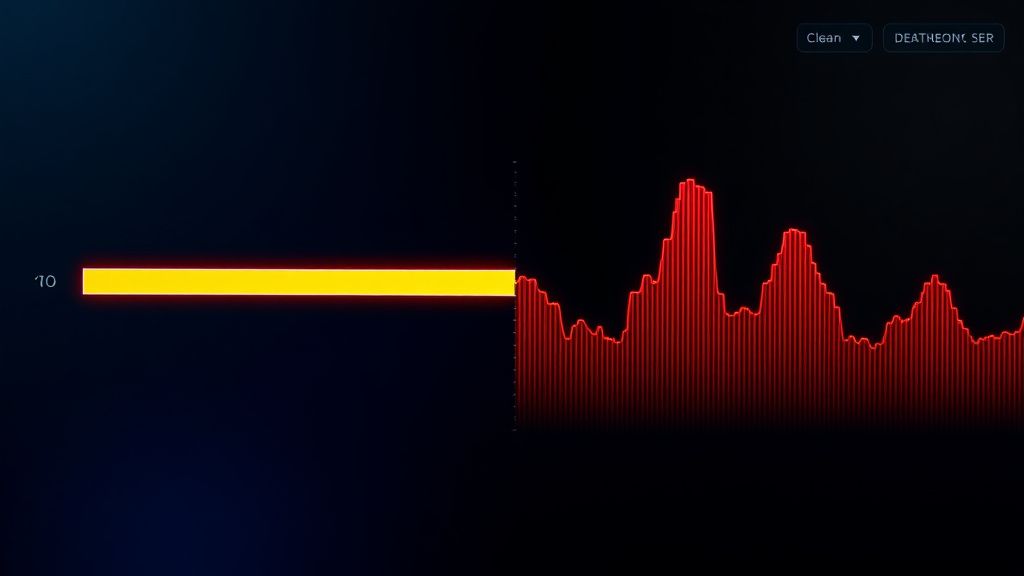
In an attempt to ensure that a slow smart-light bulb doesn't hog the channel, the router’s Airtime Fairness algorithm was constantly re-calculating the transmission duration for every connected device. Because Wi-Fi 7 allows for such high-speed bursts, the "fairness" logic was constantly throttling high-bandwidth clients, leading to a massive backlog in the transmit buffer. Disabling Airtime Fairness instantly flattened the latency graph, though it technically reduced the theoretical "efficiency" of the network for slower devices.
This is the classic trade-off: Academic efficiency vs. Real-world stability.
Troubleshooting Your Wireless Mesh and Backbone Hardware
If you are running a multi-node mesh system, the latency spikes often originate at the backhaul interface. If your backhaul is wireless, the router is using OFDMA to manage the connection between the primary node and the satellite nodes while simultaneously serving your clients. This is a massive overhead.
- Isolate the Backhaul: If possible, switch to Ethernet backhaul. If you cannot, go into your router’s settings and set the 6GHz band exclusively for backhaul traffic (if your router allows for band-locking). This removes the need for the AP to negotiate OFDMA sub-carriers for client traffic on the high-speed backbone.
- Disable OFDMA (The "Nuclear" Option): On many Asus or TP-Link flagship routers, there is an hidden option to toggle OFDMA. If your household devices are primarily older, disabling OFDMA will force the router into an older, but more predictable, transmission mode.
- Check for Bufferbloat: Use a tool like Waveform’s Bufferbloat test during a peak usage time. If you get a 'D' or 'F' grade, your router’s SQM (Smart Queue Management) is failing. Enabling a basic form of Cake or FQ-CoDel (if your router supports it) will prioritize the small packets required for gaming over the bulk-download packets.
The Debate: Is Wi-Fi 7 Actually Ready for Consumer Hardware?
There is a growing sentiment in the professional networking community that we have hit a wall of diminishing returns. The complexity required to maintain a Wi-Fi 7 connection is outpacing the capability of consumer-grade SoCs (System on a Chip).
Critics argue that by pushing for higher modulation (4K-QAM) and wider channels (320 MHz), manufacturers have created an environment where the signal-to-noise ratio requirements are so strict that even a slight change in room temperature or a single piece of furniture moving can cause a re-transmission. This re-transmission cycle, exacerbated by OFDMA contention, is exactly what users perceive as "lag."
Proponents of the standard argue that this is merely a "growing pain" of early firmware. They point to GitHub repositories for OpenWrt and other custom firmwares, where developers are starting to fine-tune the mac80211 stack to handle OFDMA more gracefully. But the average user isn't going to flash custom firmware on a $500 device.
Performance Metrics vs. Perceived Quality
One of the greatest points of contention in the industry is how we measure "performance." Most manufacturers use a benchmark where they test throughput in a clean-room environment with a single client. In this scenario, Wi-Fi 7 is unbeatable.
However, "perceived quality"—how stable your video call is, how snappy your web browsing feels—is determined by jitter and tail latency. In a multi-user environment, the firmware often makes an executive decision to sacrifice the latency of a single gaming packet to ensure the overall total throughput of the channel remains high. This is a design choice, not a technical oversight. If your router is configured for "Maximum Throughput," it will always sacrifice your gaming experience to complete a large data burst faster.
The Role of DFS (Dynamic Frequency Selection)
Do not ignore the impact of DFS channels on your latency. In many countries, Wi-Fi 7 routers will periodically scan for radar signals. If the router detects a pulse, it is legally required to clear the channel. This causes a "channel switch announcement" event. For the user, this looks like a sudden 3-to-5-second disconnect or a massive lag spike. If you live near an airport or a weather station, you should manually fix your channels to the non-DFS range, even if it means sacrificing some of the 320 MHz channel width.
When to Abandon the "Auto" Settings
The biggest mistake a power user can make is trusting the "Auto" settings on a Wi-Fi 7 router. The automated algorithms that select channels and RU assignments are designed for the "median user"—someone who values a reliable connection for video streaming over a low-latency connection for real-time applications.
- Disable Smart Connect: Separate your 2.4GHz, 5GHz, and 6GHz bands. Devices hopping between bands because of the router's internal load-balancing logic creates massive latency spikes during the handshake process.
- Set Manual Channel Widths: While 320 MHz is the selling point of Wi-Fi 7, it is incredibly susceptible to interference. If you are experiencing spikes, drop your 6GHz channel width to 160 MHz. You will rarely notice the difference in throughput, but the stability increase is massive.
Why does my ping spike only when other people are using the internet?
This is classic bufferbloat. Your router is prioritizing bulk data transfers (like Netflix or game downloads) over your smaller, latency-sensitive packets. When the buffer fills up, your packets have to wait in line, causing the spike. Look for "SQM" or "Traffic Prioritization" settings in your router's QoS menu.
Is Wi-Fi 7 worse than Wi-Fi 6?
It isn't worse, but it is more complex. The "OFDMA Overload" issue is more prevalent in Wi-Fi 7 because the router is trying to manage significantly more simultaneous data streams. In a stable environment, Wi-Fi 7 is superior; in a congested, high-device-count environment, it requires significantly more manual tuning than previous generations.
Should I disable OFDMA entirely?
If you are a competitive gamer and are experiencing consistent micro-stuttering, yes. Disabling OFDMA forces the router to handle clients one at a time (sequential processing), which eliminates the scheduling contention that causes the spikes. You will lose some total network capacity, but for a single gaming PC, the latency stability is usually worth it.
Can firmware updates fix this?
Possibly. Most Wi-Fi 7 routers are currently running "Version 1.0" firmwares. Many of the issues we see are due to immature drivers for the Wi-Fi 7 radio chips. However, don't hold your breath for a "magic" update. Manufacturers are under pressure to prioritize marketing features (like HomeShield or speed-boost modes) over backend scheduling refinements.
What is the best way to test if my settings are actually working?
Do not use speed test websites. Instead, use a continuous ping test in your command prompt (
ping -t 8.8.8.8) while performing a secondary task, like running a heavy update on another device. Watch the ping responses during the update. If the ping time remains stable under 30ms, your configuration is optimized for latency, not just pure throughput.
The Human Element: Managing Expectations in the Wi-Fi 7 Era
Ultimately, the frustration with Wi-Fi 7 stems from a gap between expectations and the physical constraints of radio wave propagation. We are pushing more data through the same airwaves while trying to coordinate more devices than ever before. If you find yourself spending more time in the router’s administrative console than actually using your network, you aren't alone. The "workaround culture" found on subreddits like r/homenetworking is a direct result of the industry selling us a future that requires a degree in wireless engineering to properly configure.
When you strip away the hype, a router is essentially a traffic cop in a chaotic intersection. Sometimes, the best way to handle the traffic isn't to give the cop a faster processor, but to stop trying to force too many cars through the same lane at once. Be selective about what stays on your Wi-Fi, hardwire what you can, and stop chasing the theoretical maximums. The best connection is the one that is stable, not the one that looks best on the box.
Bu makale affiliate linkleri içermektedir.