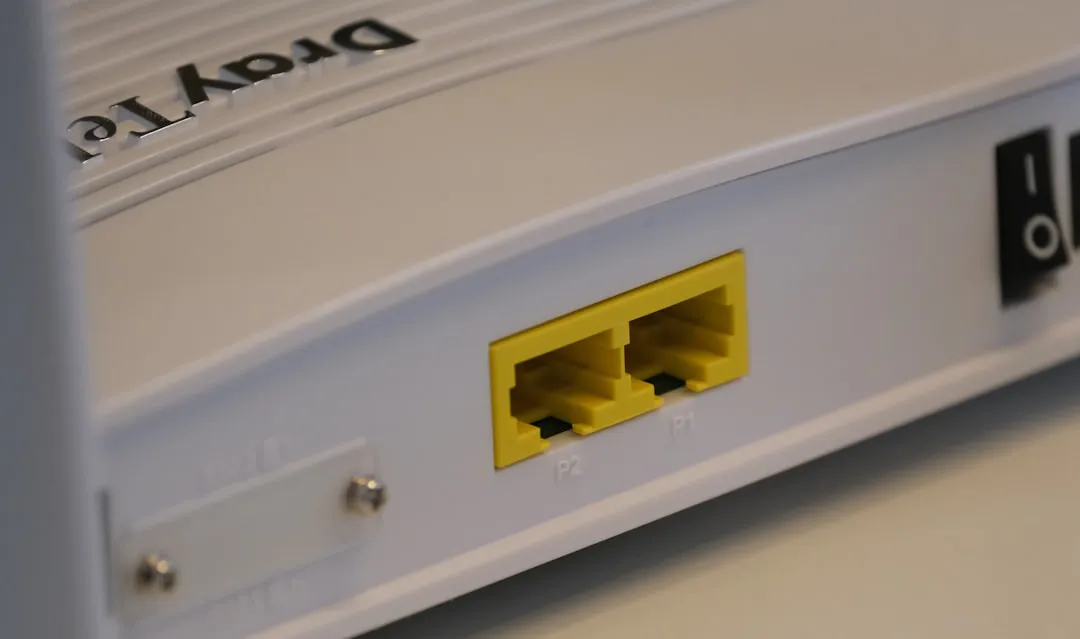
The transition to Wi-Fi 7 (802.11be) in 2026 was marketed as the dawn of the "zero-latency" era. However, for the average power user trying to punch a hole through the firewall for a home server, a gaming instance, or a specialized IoT bridge, the promise of Multi-Link Operation (MLO) and 320 MHz channels doesn't change the fundamental, stubborn reality of NAT (Network Address Translation) and port forwarding. If your port forwarding rules aren't working on your Wi-Fi 7 router, it’s rarely because the Wi-Fi protocol is broken; it’s because the complexity of modern multi-gigabit firmware has created a chaotic environment where security policies and legacy networking concepts are colliding.
The Anatomy of the Modern Bottleneck: Wi-Fi 7 Hardware, Multi-Gigabit Ethernet, and CGNAT
To understand why port forwarding fails in 2026, you have to stop thinking of a router as a simple gatekeeper. Modern high-end Wi-Fi 7 units—often retailing for upwards of $500—are essentially miniaturized enterprise-grade servers. They run complex kernels, often featuring Deep Packet Inspection (DPI) engines, AI-driven traffic prioritization, and cloud-managed security suites, all of which can contribute to issues like a slow Wi-Fi 7 router with packet loss.
When you attempt to open port 25565 for a Minecraft server or 8080 for a local dev environment, you aren't just telling the router "send traffic here." You are fighting against a layered stack of "helper" applications.
The Double-NAT Trap in ISP-Provided CPEs
The most common cause of failure is not your Wi-Fi 7 router at all, but the "bridge" device provided by your ISP. By 2026, many ISPs have forced users onto Carrier-Grade NAT (CGNAT) to preserve IPv4 address space. If your external WAN IP (which you can check on sites like whatismyip.com) does not match the IP address assigned to the WAN interface of your Wi-Fi 7 router, you are behind CGNAT. No amount of port forwarding configuration on your device will ever work because the bottleneck exists upstream in the ISP’s infrastructure.
Troubleshooting the Firmware Logic: Why "Save" Doesn't Always Mean "Apply"
One of the most infuriating trends in 2026 router firmware is the separation of the Config Store and the Active Firewall. In many flagship routers—especially those relying on aggressive "smart" features—the UI might show a port as open, but the underlying iptables or nftables rules were never committed to the kernel.
The "Apply" Latency:
- Case Study: A user on a popular community forum (Reddit r/HomeNetworking) reported that after setting up a static lease and a port forward on a brand-new Wi-Fi 7 mesh node, the port remained closed according to external scanners like
canyouseeme.org. - The Root Cause: The router’s UI had a state-synchronization bug where it required a full service restart (a soft reboot of the firewall daemon) to apply new rules. Simply clicking "Save" updated the NVRAM, but the firewall process stayed dormant.
The Workaround Culture: If you suspect your firmware is failing to apply rules, try toggling the "UPnP" (Universal Plug and Play) setting off and on. In many modern implementations, the UPnP daemon and the manual port forwarding daemon share a conflict. Forcing a refresh on the UPnP service often forces the kernel to reload the entire firewall ruleset, catching your manual entry in the process.
Deep Dive: Handling 6GHz and MLO Complexity
Wi-Fi 7 introduces MLO (Multi-Link Operation), which allows devices to connect to multiple bands simultaneously. While this does not technically affect the layer-3 port forwarding mechanism, it has introduced a new class of "orphan" devices. If your home server is utilizing MLO to aggregate connections, your router’s internal ARP (Address Resolution Protocol) table might become confused if the device is switching between frequency bands.
If your port forward is set to a static IP, but that IP is associated with a MAC address that the router perceives as "unstable" or "multi-homed," the router’s stateful firewall might drop incoming packets because they don't match the active link state, a problem sometimes stemming from MLO instability on your Wi-Fi 7 connection.
- Engineering Compromise: Ensure your server/host machine has a single, fixed connection profile for its Ethernet port. Avoid using Wi-Fi for services that require port forwarding. If you must use Wi-Fi, bind the static IP to the hardware MAC, not the virtual interface generated by the MLO logic.
Real Field Report: The "Security Suite" Conflict
In 2026, almost every premium router comes pre-bundled with "Advanced Security" or "AI Threat Protection." These are essentially cloud-managed subscription services that inspect every packet coming into your network.
In several documented GitHub issues regarding open-source router firmware (like OpenWrt or Merlin-based builds), users found that the DPI (Deep Packet Inspection) engine was flagging their custom port traffic as "malicious" or "unauthorized."
The Controversy: Many manufacturers are now locking their DPI engines behind black-box proprietary firmware. You cannot debug why it is blocking traffic. If you are a power user, the only viable path is to disable these "AI Security" features entirely. They often prioritize latency over connectivity, and they lack the nuance to distinguish between a custom game server and a potential botnet connection.
Step-by-Step Diagnostic Framework for 2026 Hardware
If you are stuck, do not rely on the router's UI alone. You need to prove the failure at the source.
- Verify the Internal Route: Ensure your local host has a static IP via DHCP reservation on the router. Never rely on the host-side static IP setting.
- Isolate the Firewall: Temporarily disable the "SPI Firewall" or "Traffic Analyzer" on your router. If the port suddenly opens, you have found the culprit. You must then manually create an exception rule for your specific application port within the Security Suite settings.
- Check for IP Conflict: Are there two devices fighting for the same IP? In 2026, with the explosion of IoT, many users have secondary "smart" devices that attempt to auto-configure themselves. Use a network scanner like
nmapor a simple mobile app to verify there isn't an IP conflict on your target port. - The "DMZ" Test: As a final resort to debug, place the host machine in the DMZ (Demilitarized Zone). Warning: Do not leave it here. If the port works in the DMZ, the issue is strictly with your port forwarding configuration rules, not the ISP or the hardware.

The "Broken Promises" of Easy Setup
The industry is currently pushing "App-First" router management. The marketing suggests you can open a port with two taps. The reality, as evidenced by thousands of one-star reviews on app stores, is that these apps frequently fail to propagate configurations to the router's backend.
The Power User's Reality:
If the app-based setup fails, stop using it. Access the router via a web browser using its local IP (usually 192.168.1.1 or 10.0.0.1). The web interface is almost always more robust, allows for advanced logging, and provides better error messages than the consumer-facing app.
- Support Nightmare: Manufacturers are cutting costs by outsourcing support to AI bots. If you encounter a bug in the firmware, don't waste time with tier-1 support. Look for the "beta" firmware threads on official community forums. Often, the "stable" release is months behind the actual patches required to fix NAT loopback or port forwarding quirks.
Why does my port forward work only sometimes?
This is often caused by an expiring DHCP lease or the router’s connection tracking (conntrack) table becoming full. If your router is handling thousands of connections from other devices, it may drop your port-forwarding rule to preserve system resources. Ensure your server device has a long-term DHCP reservation and, if possible, set the router's connection limit to "High" or "Unlimited."
Is IPv6 port forwarding different from IPv4?
Yes, fundamentally. IPv6 does not use NAT (which is why port forwarding was invented for IPv4). Instead, you use "Firewall Rules" to open specific ports. If you are using IPv6, ensure your router’s IPv6 firewall is configured to "Allow" inbound traffic to the specific EUI-64 or static IPv6 address of your device. Many routers are still poorly optimized for IPv6 port management in 2026.
What is "NAT Loopback" and why does it break my server?
NAT Loopback (or Hairpin NAT) allows you to access your public-facing server using your public IP while you are inside your home network. If this is disabled, your server will work for the rest of the world but fail for you. Look for a setting called "NAT Loopback" or "Hairpin NAT" in your router’s WAN settings and enable it.
My ISP uses CGNAT. Is there any way around this?
If your ISP uses CGNAT, traditional port forwarding is impossible. Your options are: 1) Request a static public IP from your ISP (often costs an extra monthly fee). 2) Use a tunnel service like Cloudflare Tunnel or Tailscale (using their "funnel" feature) to bypass the need for an open port entirely.
Why do game consoles have their own port forwarding settings (UPnP)?
Game consoles use UPnP to dynamically open ports. If you manually set a port forward for a game, it may conflict with the console’s UPnP request. It is generally better to pick one method: either disable UPnP and manual-forward all necessary ports, or rely entirely on UPnP for plug-and-play gaming. Do not mix them.
Is my Wi-Fi 7 router actually faster if I keep the firewall off?
No. The firewall hardware inside modern routers uses dedicated ASICs (Application-Specific Integrated Circuits). Turning off the firewall does not increase your throughput; it only increases your vulnerability. The bottleneck in port forwarding is almost always the control plane (the software), not the data plane (the hardware switching).
How do I check if my port is truly open?
Use a tool like
nmap -p [port] [your-public-ip]from a remote machine. Do not use the router’s built-in "test" buttons, as they are often just proxies that check if the rule exists in the database, not if the port is actually reachable from the outside world.
The Human Factor: Balancing Security and Functionality
Ultimately, the frustration of port forwarding in 2026 is a byproduct of the "security by default" philosophy. Manufacturers are terrified of liability. They don't want your home smart-fridge to be part of a botnet, so they build rigid, often broken, firewalls that punish users who need actual control.
If you are a tinkerer, the best advice is to accept the mess. Keep your router firmware updated, but keep an eye on the community forums before pulling the trigger on a "major" update. The most stable configuration is often the one that has been left alone for six months. When something breaks, don't assume the router is "bad"—assume the software is simply struggling to keep up with the complexity of your home's traffic. Navigate the settings, disable the bloat, and when all else fails, use a reverse proxy or a secure tunnel. The era of "plug and play" port forwarding is dead; the era of "configure and maintain" is the standard.
Bu makale affiliate linkleri içermektedir.