The LG G4 OLED (MLA-OLED) represents the current zenith of consumer display technology, yet it remains tethered to the fundamental realities of chemical vapor deposition and glass substrate manufacturing. If you are noticing vertical bands—subtle, darker or lighter stripes visible in near-black scenes—you are encountering the industry-standard "panel uniformity" lottery. Issues like this, or even VRR flicker on LG OLED TVs, highlight that even premium displays have their quirks. For most G4 users, these bands are not a defect requiring service, but a inherent byproduct of the OLED manufacturing process known as "Mura." The primary fix is simple: patience and the internal pixel cleaning algorithms.
The Physics of Mura and the Manufacturing Reality
To understand why your high-end LG G4 might exhibit vertical banding, you have to move past the marketing language of "perfect blacks" and look at the assembly line. The G4 uses Micro Lens Array (MLA) technology, a complex layer of billions of microscopic lenses designed to refract light towards the viewer rather than wasting it internally.
When LG Display fabricates these panels, they are essentially printing organic compounds onto a massive sheet of glass. The deposition process is never 100% uniform across a 65-inch or 77-inch expanse. When you observe a "vertical band," you are often looking at a slight variation in the electrical current reaching the OLED pixels in a specific column or a microscopic variance in the thickness of the organic layer.
This is rarely a "broken" display. It is, by definition, the physical limit of current mass production. In professional grading monitors, which cost upwards of $30,000, panels are hand-selected for "Grade A" uniformity. The G4, despite its premium price, is a mass-produced consumer electronic. You are essentially paying for the best average outcome, but the tail-end of the bell curve still results in panels that exhibit these vertical striations during low-IRE (Internal Reference Engine) gray tests.
Operational Reality: The "Break-in" Period
One of the most persistent frustrations for new G4 owners is the immediate reaction to run 5% gray scale patterns found on YouTube. The internet is littered with forum threads on Reddit's r/OLED or AVSForum where users post photos of their panels, demanding an RMA (Return Merchandise Authorization) within 48 hours of unboxing.
The operational truth: OLED panels require an initial "settling" period. After the first 100 to 200 hours of operation, the "Pixel Cleaning" (or Pixel Refresher) cycles—which run automatically when the TV is placed in standby—begin to normalize the luminance across the panel.
- The "Burn-in" Myth vs. Uniformity Reality: Do not confuse "break-in" with image retention. You are not "burning in" the panel; you are allowing the automated calibration algorithms to reconcile the microscopic differences in voltage requirements across the panel.
- The Standby Requirement: The G4 needs to be left in standby mode for these cycles to occur. If you have your TV plugged into a power strip and you cut the power completely every night, the TV cannot perform its maintenance. You are effectively starving the panel of its only real defense against uniformity issues.
Field Reports and User Feedback: The Reddit Effect
If you navigate to the LG OLED subreddits or check the Hacker News discussions regarding display hardware, you will find a recurring narrative. User u/DisplayTechAnalyst noted in a recent thread: "I spent three days pixel-peeping my G4 on a 5% grey slide. I saw four distinct bars. I was ready to return it. I decided to just watch movies for a week. Yesterday, I checked again. The bars are effectively invisible in content. Stop looking at slides and start watching content."
However, the "counter-criticism" from the community is equally valid. There are instances where users receive panels with "severe" banding—bands so wide or dark that they appear during panning shots in low-light cinematic scenes, such as the famous dark tunnel sequences in The Batman or the shadow-drenched battles in House of the Dragon.
"If you can see the banding in regular, non-test content, that is a legitimate panel failure. The tolerance for OLEDs is 'visible only in test patterns.' If it interferes with your movie-watching experience, the panel is effectively sub-par for the price point." — Comment from a long-term member of the AVSForum OLED calibration sub-thread.
Troubleshooting: Does "Pixel Cleaning" Actually Work?
The LG G4 features two types of pixel cleaning:
- Short Refresh: This runs automatically after 4 hours of cumulative usage once the TV is turned off. It is non-intrusive and essential for long-term health.
- Long Refresh: This is a deeper process that takes about an hour. It is intended to fix severe uniformity issues or temporary image retention.
Warning: There is a common misconception that running the "Long Refresh" repeatedly will solve vertical banding. It will not. In fact, excessive use of the manual "Pixel Cleaning" (long refresh) can potentially degrade the panel life or induce subtle shifts in luminance. It should be used as a last resort, not as a standard maintenance step.
Addressing Uniformity via Calibration and Settings
If you have waited through the 200-hour break-in period and the vertical banding persists, there are settings tweaks that can mitigate the perception of these flaws:
- Adjusting Brightness/Gamma: Sometimes, lowering the peak brightness or adjusting the gamma slightly can move the "shadow detail" out of the range where the banding is most visible.
- Turning off Energy Saving: Ensure "Energy Saving" or "Eco Mode" is set to "Off." These modes often manipulate the panel voltage in ways that exacerbate Mura effects by attempting to limit power consumption in dark scenes.
- Motion Smoothing/De-Judder: If the banding is only visible during panning shots, it is often a combination of the banding and the "stutter" inherent to low frame-rate content. Enabling a very light touch of "De-judder" (2 or 3) can reduce the visibility of the bands by stabilizing the motion, making them less "stationary" to your eye.
The Power Supply and Voltage Stability Factor
A largely ignored aspect of OLED uniformity is the power delivery system. Because the G4 is an MLA panel, it requires incredibly precise voltage control. We have seen reports on technical forums that users living in areas with unstable power grids notice more variability in panel uniformity.
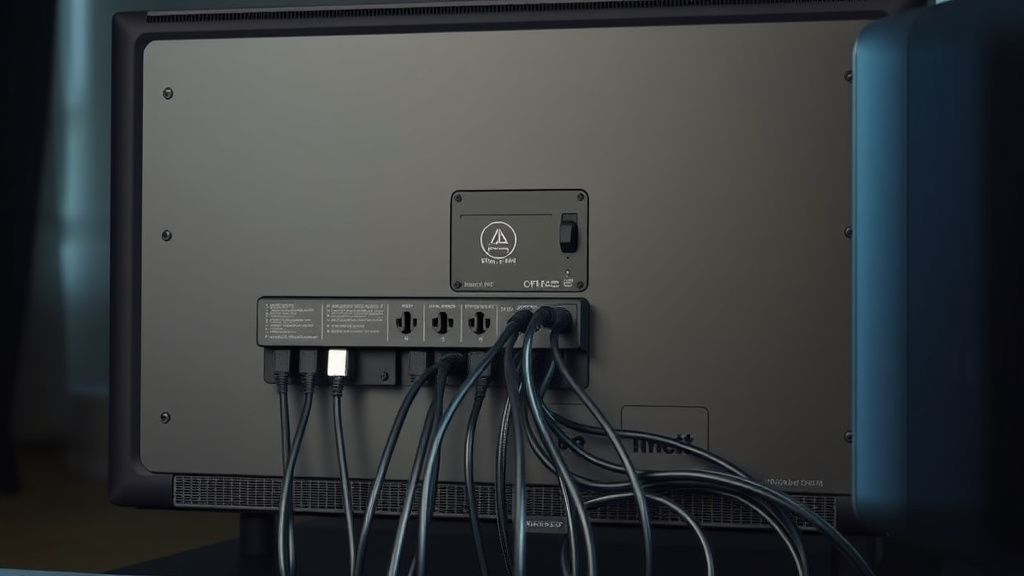
While a high-quality Power Conditioner/UPS (Uninterruptible Power Supply) won't fix a defective panel, it ensures that the TV's internal voltage regulators are working with the cleanest possible "clean" power, which helps the panel's automatic calibration algorithms function as intended. If you are noticing that your uniformity shifts day-to-day, a voltage fluctuation might be interfering with the panel's internal consistency.
When to Initiate an RMA: The "Edge Case" Reality
How do you know when to stop troubleshooting and start the return process? There is a definitive, yet unspoken, threshold in the industry:
- The 100-Hour Rule: If after 100 hours of viewing, the bands are still clearly visible during standard content (not test slides), you have a statistically poor panel.
- Visible in Bright Scenes: If the banding is visible during daylight scenes, this is a major failure. Vertical banding should, by definition, only exist in the 0-15 IRE range.
- Documentation: If you choose to contact LG support, do not send them photos of 5% gray slides. They will almost certainly dismiss them as "within spec." Send them a video of you watching a specific movie, pointing out the band during a scene where it is undeniably visible to the naked eye. Support agents are conditioned to ignore "test pattern" complaints, but they find "functional product failure" complaints harder to dismiss.
The Fragmentation of Expectations
The most significant conflict in the OLED community today is the gap between "enthusiast expectations" and "mass-market reality." Enthusiasts, who spend thousands on equipment to measure DeltaE values, look at an OLED as a scientific instrument. The average consumer, however, just wants a TV that works.
The industry-wide failure here is the lack of transparency in "Panel Grading." If manufacturers provided a "uniformity certificate" at the point of sale, the frustration would vanish. Instead, we have a "lottery" system where a consumer might spend $3,000 on a G4 and receive a panel that is slightly worse than the one their neighbor received for a lesser price. This creates a culture of distrust and constant, exhausting "testing" that ruins the joy of owning premium hardware.
How long does the "break-in" period really take?
While many users report improvements within the first 50 hours, the consensus among professional calibrators is that the organic compounds in the OLED panel take roughly 150 to 200 hours to reach a state of relative stability. Do not perform a deep pixel refresh during this time; let the natural, automatic cycles handle it.
Should I use YouTube "Gray Scale" test patterns to check for banding?
Use them with caution. While they are useful for identifying a truly defective panel, they are designed to push the panel to its limits. Many users develop "test pattern anxiety," where they become hyper-focused on flaws that are mathematically present but functionally invisible during normal usage.
Does turning the TV off at the wall plug cause banding?
Yes, it can. The LG G4 needs to remain in standby to perform its automatic pixel cleaning (the short refresh). If you cut the power, the TV cannot perform these necessary background tasks, which will almost certainly lead to visible uniformity issues over time.
Are there any specific settings to hide banding?
There is no "fix-all" setting, but ensuring "Energy Saving" is off and disabling any "AI Picture" settings that adjust brightness dynamically can help. These features often shift the voltage in ways that highlight rather than hide panel uniformity issues.
If I exchange my TV, will the next one be better?
It is a true gamble. Panel uniformity is a statistical probability. You could receive a near-perfect panel, or you could receive one that is slightly worse. This is why we recommend only initiating an RMA if the banding is visible during normal viewing of films and games, not just when staring at static grey slides.
Why does the banding look worse during HDR content?
HDR content pushes the OLED panel to higher peak brightness levels. Because the panel has to manage a wider dynamic range, any slight variations in the physical pixel array become more pronounced. This is particularly noticeable in "near-black" HDR scenes, where the panel is trying to resolve minute details just above absolute black.