Quick Answer: Samsung S95D QD-OLED screen flickering is most commonly caused by automatic brightness limiter (ABL) behavior, HDMI handshake failures, firmware bugs, or panel-level Pixel Refresh conflicts. Disabling Eco Sensor, switching HDMI cables, adjusting picture modes, and running firmware updates resolve the majority of cases without professional intervention.
The Samsung S95D is not a cheap television. In most markets it retails somewhere between $1,800 and $3,500 depending on screen size, and it represents the current apex of Samsung's QD-OLED engineering — a technology that bonds quantum dot color conversion layers directly onto an OLED emitter panel, producing peak brightness figures and color saturation numbers that standard WOLED panels genuinely cannot match. People who buy this set are not casual consumers. They are enthusiasts who have read the spec sheets, watched the review comparisons, and made a deliberate decision.
Which is why, when the screen starts flickering, the reaction is not mild annoyance. It is something closer to controlled panic followed by a very long Reddit thread.
Flickering on the S95D is not a single phenomenon, similar to how LG OLEDs can exhibit various screen issues including flickering. That is the first thing to understand, and it is also the thing that makes diagnosing it so operationally frustrating. The word "flickering" gets applied to at least four or five completely different display behaviors, each with a different root cause, each requiring a different intervention. Treating them all the same is the fastest way to spend three weeks factory-resetting your TV and getting nowhere.
Understanding What "Flickering" Actually Means on a QD-OLED Panel
Before touching any settings, it is worth spending a moment on what is physically happening inside the panel — because the S95D's flicker behaviors are deeply tied to the underlying QD-OLED architecture in ways that would not apply to a standard LED-LCD television.
How QD-OLED Brightness Control Creates Perceptible Dimming Events
Samsung's QD-OLED panels use an Automatic Brightness Limiter — commonly called ABL — as a thermal and power management mechanism. When the panel detects that a large portion of the screen is displaying high-luminance content simultaneously, it reduces overall brightness to protect the organic emitter layer from accelerated degradation (a crucial aspect of preventing issues like Nintendo Switch OLED burn-in) and to stay within power draw limits. This is not a bug. It is an intentional design decision.
The problem is that the transition is not always smooth. In certain picture modes, particularly the default "Movie" and "Dynamic" modes, the ABL response curve is aggressive enough that rapid scene transitions — especially cuts from dark interior shots to bright outdoor sequences — produce a visible, abrupt brightness shift. Users on AVSForum's S95D thread (which as of mid-2024 had grown to over 800 pages) describe this as "the panel breathing," and a significant subset insist it is worse on the 77-inch model than the 65-inch, which is physically plausible given the larger emitter surface area involved.
This is distinct from a true hardware failure flicker — which is characterized by random, non-content-correlated brightness drops or color shifts — and conflating the two sends people down entirely wrong diagnostic paths.
The Pixel Refresh Interrupt Problem
The S95D, like all OLED and QD-OLED displays, runs automated pixel refresh and panel care routines. These are normally scheduled for periods when the television is in standby. The issue is that the S95D's implementation has, under certain firmware versions, been documented to trigger brief refresh-related operations at unexpected moments — including during active playback.
A GitHub discussion thread connected to a popular Home Assistant TV integration documented cases where users monitoring the TV's power state via API were seeing anomalous power state events during what should have been continuous playback. The correlation with user-reported flicker events was imperfect but suggestive. Samsung has never officially acknowledged this as a documented bug.
Systematic Diagnosis: The Field Reality
Here is the operational truth: most people who report S95D flickering on forums like Reddit's r/OLED, r/hometheater, and the Samsung Community support boards have not gone through systematic diagnosis. They have changed one setting, decided it "might be better," then changed three more settings simultaneously, and now have no idea what actually fixed anything — or whether it is fixed at all.
A methodical approach matters here.
Step 1: Identify the Flicker Pattern
Before touching settings, spend 20-30 minutes watching varied content — a bright sports broadcast, a dark film, animated content, a static desktop from a connected PC. Document where the flicker occurs:
- Content-correlated flicker (happens during specific scene types): Almost certainly ABL behavior or tone mapping.
- Input-correlated flicker (happens only with one source): HDMI handshake, EDID negotiation, or source device issue.
- Random flicker with no content correlation: Panel-level concern, firmware bug, or power supply issue.
- Flicker that occurs once on startup then stops: Normal pixel refresh completion behavior.
- Periodic flicker on a fixed interval (every 30-60 minutes regardless of content): Scheduled panel care interrupting playback.
Getting this categorization right cuts the diagnostic time dramatically.
Step 2: The HDMI Cable and Port Audit
This sounds painfully basic, but HDMI handshake failures are genuinely responsible for a substantial portion of reported flicker cases on the S95D, and the reason is specific to this generation of TV.
The S95D's HDMI 2.1 implementation — particularly on ports 1 and 4, which support the full 48Gbps bandwidth spec — is sensitive to cable quality in ways that older TVs with lower bandwidth requirements were not. Running a 4K@120Hz HDR10+ or Dolby Vision signal at full 4:4:4 chroma through a cable that is technically rated for HDMI 2.1 but is physically marginal will produce intermittent handshake renegotiations. These manifest as brief screen blackouts or flicker events that users often describe as "the screen blinks."
The fix is empirically straightforward: use cables from manufacturers who publish actual certification documentation (Zeskit, Club3D, and Cable Matters have generally performed reliably in community testing), and test on a different HDMI port. Port 1 on the S95D carries the eARC function; Port 4 is the primary gaming port. If the flicker is port-specific, that narrows the diagnosis considerably.
Also: if you are using a soundbar or AV receiver in the HDMI chain, the ARC/eARC handshake negotiation adds another layer of potential instability. Bypass it temporarily by connecting the source directly to the TV.
The Settings Architecture: What Actually Works
Disabling Eco Sensor and Energy Saving Modes
This is the single most commonly effective software-side fix, and it is also the most commonly overlooked because the relevant setting is not where people expect to find it.
The S95D's Eco Sensor uses the ambient light sensor to automatically adjust screen brightness based on room lighting. In theory this is a useful feature. In practice, the sensor's sampling rate and the panel's brightness adjustment response combine to produce a visible flicker effect in rooms with variable lighting — near windows, under ceiling fans with light fixtures, or in rooms where other people are moving and casting changing shadows.
Navigation path: Settings → General & Privacy → Power and Energy Saving → Brightness Optimization → Off
Also disable: Energy Saving Mode (same menu), and set Minimum Brightness to its lowest value if you intend to use manual brightness control.
Picture Mode and Tone Mapping Configuration
The S95D's "Filmmaker Mode" and "Movie" mode have different tone mapping curve implementations, and this matters for ABL behavior. "Dynamic" mode uses an aggressively expanding tone mapping curve that produces the maximum measured peak brightness but also triggers ABL transitions most visibly.
For content where flicker is primarily an ABL behavior:
- Switch to Filmmaker Mode: Tone mapping is more conservative, ABL response is gentler.
- Reduce Contrast setting by 5-10 points from default: Directly affects how aggressively the panel pushes luminance on bright scene elements.
- Disable HDR+ Mode: This feature attempts to convert SDR content to HDR, which can produce erratic luminance behavior on mixed-content sources.
HDMI Signal Format and Deep Color Settings
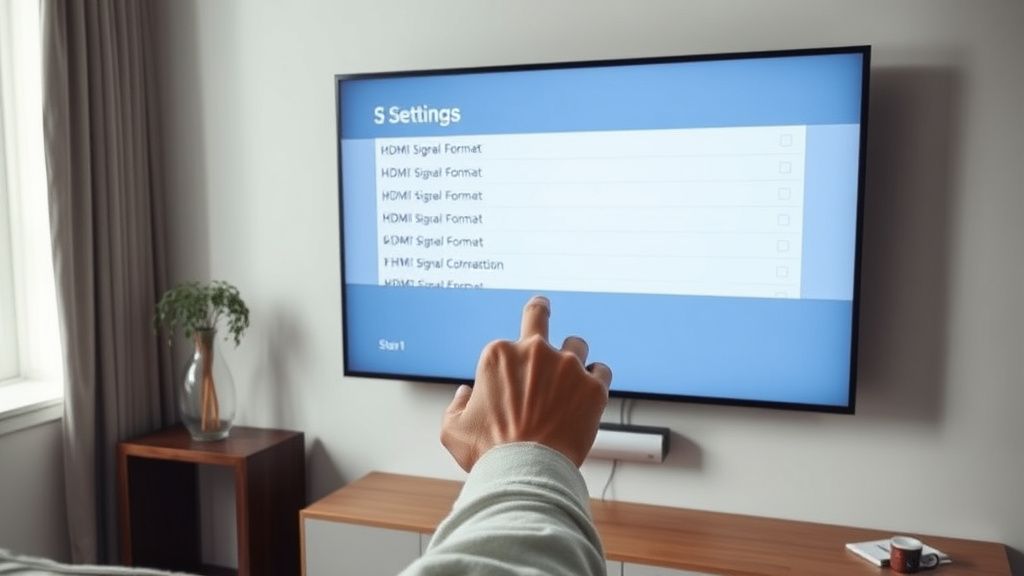
On each HDMI input, the S95D allows configuration of the signal format. Navigating to this setting requires accessing the HDMI signal format menu from the source settings — not the general picture settings — which trips up a lot of people.
Path: Source → (long press on input icon or via Edit settings) → HDMI Signal Format
For gaming consoles and PC sources at 4K@120Hz:
- Set to Ultra HD Deep Color and enable HDMI 2.1 format
- If flicker persists at this setting, temporarily drop to 4K@60Hz to isolate whether bandwidth is the variable
For streaming devices and Blu-ray players:
- Standard or Standard with HDR is often sufficient and reduces handshake complexity
Firmware: The Unresolved Political Problem
Samsung's firmware update cadence for the S95D has been a recurring source of community frustration. The TV launched with firmware 1400.x, which carried documented issues including an ABL response curve that reviewers at RTings, Vincent Teoh's HDTVTest channel, and several AVSForum regular calibrators identified as objectively over-aggressive compared to the S95B and S95C predecessors.
Samsung rolled out incremental firmware updates through 2023 and 2024, some of which addressed specific behavior but introduced new regressions. Firmware 1480.x was widely reported in the Samsung Community forums to have improved the ABL transition smoothness, but simultaneously produced a new issue where VRR (Variable Refresh Rate) content from certain sources — notably the Sony PS5 running at 4K@120Hz with VRR active — caused intermittent sync drops that presented as brief flicker events.
The community's relationship with Samsung's firmware process is adversarial in a specific, low-grade way. Updates arrive without detailed changelogs. When users file bug reports through Samsung's official channels, the responses follow a script: "Thank you for contacting Samsung. We recommend a factory reset." There is no public bug tracker. There is no firmware beta program for end users. The information vacuum means that the de facto source of firmware change intelligence is a small number of AVSForum and Reddit users who systematically test each update and post comparative observations — an entirely community-driven quality assurance process that Samsung benefits from without acknowledging.
The 1490.x firmware series appears, based on community documentation, to have improved the pixel refresh scheduling behavior to reduce the probability of mid-playback refresh events, but again: no official changelog, no confirmation, inference only.
To manually update firmware: Settings → Support → Software Update → Update Now
If the TV reports it is current but you have reason to believe a newer version exists (check Samsung's support page for your specific model number), you can also download firmware files directly from Samsung's support site and apply via USB — a process that is straightforward but requires matching the exact regional model variant.
Real Field Reports: What the Community Actually Experienced
The following represent documented cases from Samsung Community forums, Reddit threads, and AVSForum discussions, compiled to illustrate the range of actual user experiences:
Case 1 — The Eco Sensor Fix: A user in r/OLED posted in January 2024 describing a "constant low-level shimmer" on the S95D 77-inch model, primarily noticeable on light grey and white backgrounds. The fix was disabling Brightness Optimization (Eco Sensor). The shimmer disappeared completely. The thread accumulated 340+ upvotes, which is a rough signal of how many people had the same undiscovered setting issue.
Case 2 — The eARC Chain Disaster: A home theater installer documented on AVSForum a case where an S95D connected via eARC to a Denon AV receiver, which then fed a <a href="https://www.amazon.com/s?k=PlayStation%205&tag=gunesseo-21" rel="sponsored noopener" target="_blank">PlayStation 5, produced intermittent flicker events every 15-25 minutes of consistent duration (approximately 2-3 seconds each). Disconnecting the eARC chain and running audio via optical from the TV eliminated the flicker. The root cause was identified as eARC handshake renegotiation triggered by the receiver's standby mode timer, which the S95D was interpreting as a signal drop event.
Case 3 — The VRR/G-Sync Incompatibility: A PC gaming user running an RTX 4090 at 4K@144Hz with G-Sync Compatible enabled on the S95D reported random flicker during high frame rate content. Disabling G-Sync Compatible in NVIDIA Control Panel and using FreeSync mode (the S95D's native VRR implementation) resolved the issue entirely. The likely cause is a timing conflict between NVIDIA's G-Sync Compatible certification handshake and Samsung's panel VRR implementation — a known area of friction documented in NVIDIA's own driver release notes from late 2023.
Case 4 — The Genuine Hardware Failure: One case documented with before/after video evidence on YouTube involved an S95D 65-inch that developed a consistent horizontal flickering band in the lower-left quadrant of the screen, independent of content, input source, and picture settings. No firmware update or settings change affected it. Samsung replaced the panel under warranty. This is a true hardware failure — panel-level emitter uniformity defect — and it represents a small but real portion of reported flicker cases. If your flicker has a fixed spatial location on the screen and does not correlate with content, this is the scenario to consider.
Counter-Criticism and the Flicker Debate
There is a legitimate counter-argument that deserves space here: some of what S95D owners categorize as "flickering" is, in fact, correct panel behavior that represents a perceptual adjustment challenge rather than a technical fault.
Display engineers and calibrators who have weighed in on this topic — including some contributors to the Calman color calibration community forums — argue that QD-OLED's extended color gamut and peak brightness capability, when combined with HDR content mastered for specific luminance targets, will produce brightness transitions that are physically more visible than what viewers experienced on dimmer WOLED or FALD-LCD panels. The panel is doing its job correctly; the viewer's visual system is simply not accustomed to the dynamic range being accurately reproduced.
This argument has merit in a narrow technical sense. It does not, however, address the cases where the ABL response curve is demonstrably steeper than it needs to be for thermal protection purposes — a concern that display measurement data from professional reviewers has supported. The S95D's ABL behavior is more aggressive than the equivalent Sony A95L in direct A/B tests, and Sony's QD-OLED implementation uses the same underlying panel technology from Samsung Display. The difference is firmware-level tuning.
So the debate is not really "is the flicker real" but rather "is Samsung's tuning decision optimal, and does the user have enough control to adjust it?" The answer to the second question is: partially, but not fully. You can disable Eco Sensor, change picture modes, and reduce contrast — but you cannot directly edit the ABL response curve. That is locked at the firmware level and Samsung has shown no interest in exposing it.
When to Stop Diagnosing and Contact Samsung
There are specific conditions under which the correct action is not further self-service diagnosis but Samsung support escalation:
- Flicker appears as a fixed-position artifact regardless of input source or picture settings
- Flicker produces visible color distortion (green/magenta shifts) rather than pure brightness variation
- Flicker onset coincides with a physical event (drop, power surge, pet contact with cables)
- Flicker persists through a factory reset with no connected external devices
Samsung's warranty on the S95D is one year parts and labor in most markets, with some retailers offering extended warranty programs. The S95D's panel replacement is not a consumer-serviceable repair — the QD-OLED panel is integrated with the backplane in a way that requires full panel assembly replacement under controlled conditions.
Document the flicker with video before contacting support. A 30-second phone recording showing the behavior clearly is more effective than a written description in getting Samsung's support process moving past the initial "have you tried a factory reset" script.
Maintenance: Preventing Flicker From Developing Over Time
The QD-OLED emitter layer, like all OLED technology, undergoes gradual differential aging. Uneven aging — where certain pixels accumulate more operating hours than others due to static elements like UI overlays, channel logos, or game HUDs — can eventually produce luminance non-uniformity that manifests perceptually as flicker or shimmer
Bu makale affiliate linkleri içermektedir.