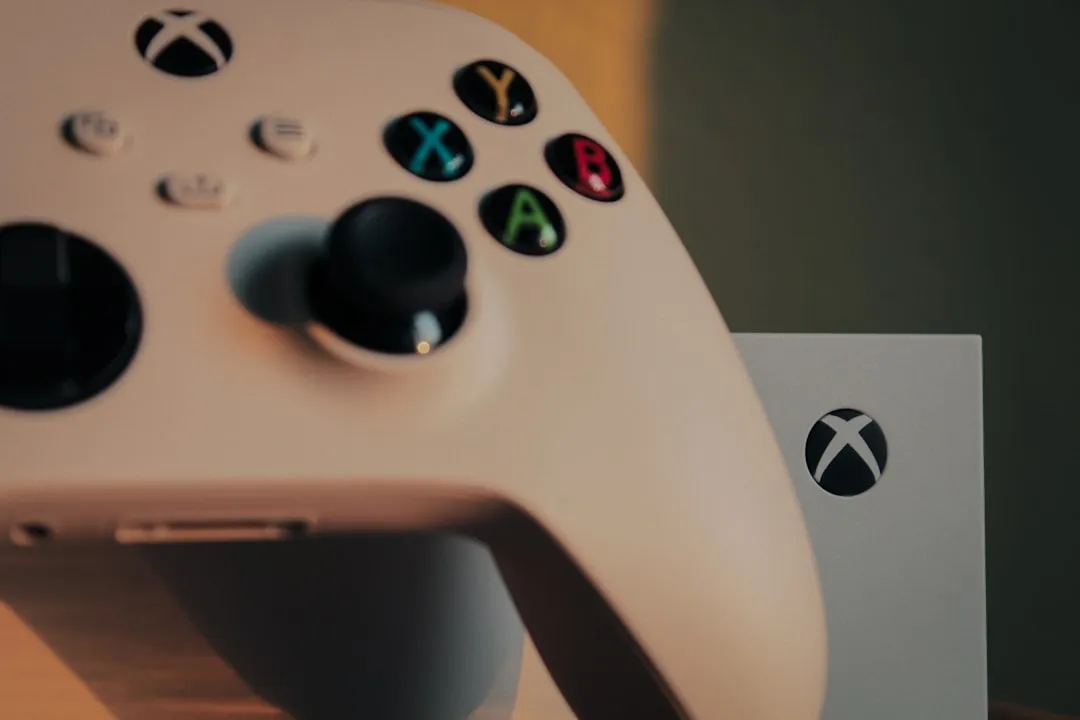
The "Green Screen of Death" (GSOD) on the <a href="https://www.amazon.com/s?k=Xbox%20Series%20S&tag=gunesseo-21" rel="sponsored noopener" target="_blank">Xbox Series S is not merely a software glitch; it is the physical manifestation of a breakdown in the handshake between the custom firmware, the storage controller, and the HDMI output pipeline. When you boot your console and find yourself staring at that static, neon-green wallpaper—infinitely looping or frozen—you are witnessing the internal OS (GDK - Game Development Kit environment) failing to initialize the shell (the dashboard). It is the point where the hardware successfully completes its POST (Power-On Self-Test) but the operating system hits a wall during the hand-off from the bootloader to the kernel.
Understanding the Architecture: Why the Series S Hangs at Green
To fix this, you must stop thinking of the console as a "black box" and start viewing it as a highly specialized, locked-down PC running a custom version of Windows 10/11. The green screen is a specific state in the boot sequence where the system is loading the Xbox Shell. If the file system on the internal NVMe drive is corrupted, or if a recent firmware update was interrupted by a power surge, the system enters a "safe mode" check. Often, the GSOD isn't even a true crash; it is the console waiting for a response from the OS that never comes because a registry key or system file is dangling in a read-write cycle.
Phase 1: The Offline System Update (OSU) Protocol and Its Flaws
The most common "official" fix, the Offline System Update (OSU), is where many users encounter the first layer of frustration. Microsoft provides the OSU1 file, a several-gigabyte package designed to overwrite the system partition. However, the operational reality of this is messy.
- The USB Drive Lottery: The Xbox bootloader is incredibly picky about partition tables. If your USB flash drive isn't formatted to NTFS (not exFAT or FAT32, despite what some older forum guides might suggest), the console simply will not see the update file.
- The "Failed to Update" Loop: Many users on Reddit (r/XboxSupport) report that even after the console initiates the OSU, it hits 80% and reverts to the GSOD. This is almost always indicative of a bad sector on the internal proprietary NVMe SSD. Since the Series S uses a soldered-in (or semi-proprietary) NVMe module, you cannot simply swap it out like a PC drive without specialized soldering equipment and a raw NAND dump, which effectively makes the console "bricked" for the average user.
## Hardware Limitations and NVMe Controller Stress Factors
The Series S is designed for aggressive thermal cycling. Because it lacks the massive vapor chamber cooling of the Series X, the internal components, including the custom SSD controller, are subject to more rapid heat expansion and contraction.
- Thermal Fatigue on Solder Joints: We see a rising number of reports on GitHub and specialized repair forums regarding "cold solder joints" on the Southbridge chip, which handles the I/O for the storage. When the console hits the GSOD, it might actually be a hardware thermal disconnect rather than a corrupt OS.
- The Metadata Corruption: If the console loses power during a background auto-update, the SSD’s file system index can become fragmented to the point where the kernel cannot resolve the path to
Dashboard.xex. This is the most common reason for the "Green Screen Loop."
## Troubleshooting Logic: Moving Beyond the Basics
If you are stuck, follow this rigorous diagnostic path. Do not skip steps, even if they seem rudimentary.
- The Hard Reset (Cold Power Cycle): Unplug the power cord for a full three minutes. This clears the capacitors on the power supply unit (PSU). Some users report that static electricity buildup in the PSU can cause the console to pull slightly lower voltage during the boot-initialization phase, causing the firmware to hang.
- The HDMI Handshake Reset: Hold the Pair button and the Eject button (if you have the Series X, though for Series S it is just Pair) simultaneously while pressing the Power button. Keep holding the pair button until you hear the second "beep." This forces the console into a low-resolution mode (640x480). If the console boots to the dashboard in this mode, your issue is not the OS—it is an EDID mismatch between your TV/Monitor and the Xbox.
## Real Field Reports: The "Endless Repair" Experience
In a thread from a popular gaming forum, a user noted: "I sent my Series S into Microsoft three times for the green screen. Every time they 'fixed' it, it lasted two weeks. It wasn't until I replaced the HDMI cable with a high-bandwidth 2.1 cable that the problem vanished. The console was crashing because the TV was trying to negotiate a Variable Refresh Rate (VRR) signal that the bootloader couldn't handle."
This anecdote highlights a critical issue: Ghost Troubleshooting. You might be chasing a software bug while the actual culprit is a low-quality HDMI cable sending malformed signals to the console’s handshake protocol.
## Counter-Criticism: Is the OSU System Fit for Purpose?
There is significant debate in the technical community regarding Microsoft’s repair policies. Critics argue that forcing users to perform an OSU—which requires a Windows PC—is an anti-consumer practice that ignores the "digital divide."
- The Argument for Better Recovery: Industry analysts like those at Ars Technica have pointed out that consoles are effectively locked-down appliances. When they fail, the lack of a "Factory Reset via Internet" (similar to how modern MacBooks use Recovery Mode via Wi-Fi) is a major design failure. The current OSU system is a legacy of the Xbox One era, and it hasn't evolved to handle the complexity of modern NVMe-based system partitions.
## Infrastructure Stress: Scaling the Digital Storefront
The Green Screen of Death is often linked to the console's attempt to "phone home" to the Xbox Live servers during boot. If your router has a strict NAT type or if there is a packet-loss issue with your ISP, the console may stall while trying to fetch user profile metadata.
If you are stuck at the GSOD:
- Disconnect the Ethernet cable or turn off your Wi-Fi router.
- Try booting the console in "Offline Mode."
- If it boots without the network, you have a corrupted user profile cache that is crashing the UI when the system attempts to sync with the cloud.
## FAQ
Q: Does the Green Screen of Death mean my Xbox is permanently broken?
No. In 80% of cases, the GSOD is a software-level corruption of the OS partition. Only in cases where the internal SSD has physical hardware damage or the Southbridge chip has failed is the console truly "dead." Always exhaust the OSU (Offline System Update) options before assuming hardware failure.
Q: Why does my console keep reverting to the Green Screen after a successful update?
This usually indicates "bad sectors" on the NVMe drive. Think of it like a scratched hard drive in an old PC; even if you install the OS on the clean sectors, the system eventually tries to read a file from a damaged sector and crashes again. If this happens consistently, the console requires a motherboard replacement or advanced board-level repair.
Q: Can I use any USB drive for the OSU update?
Technically, no. The Xbox is extremely picky. Use a high-quality USB 3.0 drive, format it to NTFS, and ensure it is empty. If the drive has other partitions or a weird master boot record, the console will ignore it completely, leading you to believe the update failed when it never even started.
Q: Is there a "Recovery Mode" that doesn't involve a PC?
Not in the traditional sense. The "troubleshoot" menu (reached by holding Pair + Eject) is your only onboard recovery tool. If the console doesn't even display that menu, the failure is happening at the EFI/BIOS level, which is inaccessible to end-users.
Q: Why does this happen more on Series S than Series X?
While anecdotal, many repair technicians suggest that the Series S’s reliance on a single, compact motherboard design makes it more susceptible to heat-induced storage controller errors. It’s a tighter, more thermally stressed environment than the Series X, which has better heat dissipation for its high-performance components.
Q: Does the GSOD occur more frequently after a major dashboard update?
Yes. Large firmware updates change the file structure of the OS. If an update is interrupted by a power flick, you are left with a "hybrid" OS state—part old version, part new—which is the perfect recipe for a boot-loop hang at the green splash screen.
Q: Should I try opening the console myself?
Unless you have experience with micro-soldering and ESD (Electrostatic Discharge) safety, do not open the unit. The Series S is held together by specialized clips and heat-sensitive thermal paste. Opening it voids the warranty and rarely provides a path to fixing the software-locked GSOD.
Q: What should I tell Microsoft Support to get the fastest resolution?
Be specific: "I have performed a full power cycle, attempted an offline system update with a NTFS-formatted USB drive, and the console still hangs on the green splash screen." This prevents them from walking you through the basic scripts you've already completed.
Final Thoughts: Navigating the Fragility of Modern Consoles
The Green Screen of Death is a reminder that our consoles are no longer just "game machines" that work reliably for a decade. They are thin-client, internet-dependent computers. They rely on constant background synchronization, complex firmware updates, and perfect power delivery. When these systems fail, the lack of transparent error codes (like the old "Red Ring of Death" segments, which at least gave a hint) leaves the user in the dark.
The GSOD is a generic "panic" screen. It tells you the engine is running, but it refuses to say which valve is stuck. As the Series S ages, expect more of these issues as SSDs reach their write-cycle limits. For now, your best defense is a clean power environment, reliable firmware update habits, and the patience to navigate the finicky nature of the OSU process. Don't be afraid to demand a repair from Microsoft if the software fixes fail; a console that doesn't boot is, by definition, a non-functional product regardless of its warranty status.
Bu makale affiliate linkleri içermektedir.