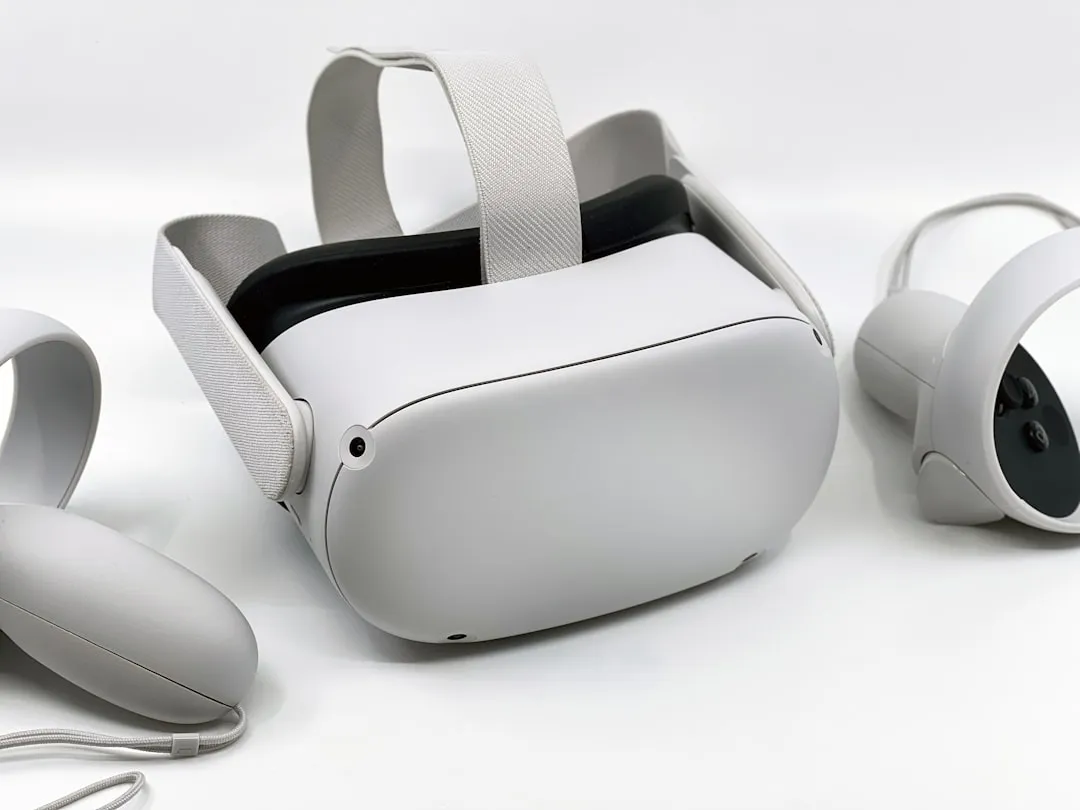
If your Meta Quest 4 (or contemporary XR headset) has begun exhibiting tracking drift, erratic controller "float," or total loss of guardian boundary stability following a firmware update, you are likely dealing with a calibration desynchronization rather than a hardware failure. The most immediate fix involves clearing your Boundary History via the experimental features menu and performing a hard power cycle while in a well-lit, non-reflective environment. If the issue persists, the problem typically resides in the persistence of corrupted sensor cache files left behind by the OTA (Over-The-Air) update process.
The Anatomy of an XR Tracking Breakdown
The transition from Quest 3 to Quest 4 (and the software architectures bridging them) represents a move toward more aggressive SLAM (Simultaneous Localization and Mapping) optimization. When a firmware update pushes, it often recalibrates the IMU (Inertial Measurement Unit) fusion weights. If the update process is interrupted or if the device fails to properly flush the old "Environment Data" cache, the headset’s cameras might struggle to anchor to known feature points.
This creates a "tracking jitter" phenomenon. Users on the r/OculusQuest subreddit often describe this as the "drunk ghost" effect—where the virtual world sways independently of the user’s physical head movement. From an engineering perspective, this is a failure of the Extended Kalman Filter (EKF) that merges visual odometry from the cameras with high-frequency data from the gyroscopes and accelerometers. When the firmware update alters the sensor polling rates, the old calibration data simply stops being mathematically compatible with the new kernel logic.
Identifying Firmware-Induced Tracking Anomalies
Not all tracking issues are created equal. It is vital to distinguish between a software bug and environmental interference. Following a major update, the "Tracking Lost" error message frequently appears due to:
- Lighting Frequency Mismatch: The update may have shifted the exposure/shutter speed of the tracking cameras. If you are in a room with cheap LED flickering (typically 50Hz or 60Hz), the camera can no longer differentiate between static geometry and rhythmic light pulses.
- Sensor Cache Corruption: The "Guardian" system caches environmental maps. If the firmware update changes the depth-sensing resolution, the old map cache is effectively "dirty data" that conflicts with the new visual feed.
- Controller Handshake Latency: Bluetooth Low Energy (BLE) protocols for the Touch Plus/Pro controllers are often updated alongside the headset. If the headset finishes updating but the controllers remain on the previous firmware, you get "handshake jitter."
Step-by-Step Recovery Protocols: Beyond the Factory Reset
Most users rush to a factory reset. This is the "nuclear option" and, frankly, often unnecessary. It destroys your local cache, forcing the device to re-map your entire play space from scratch, which is a massive time sink. Instead, follow these methodical steps.
1. The Power-Cycle Purge
Simply pressing the power button puts the device in "Suspend" mode. It does not kill the kernel processes or clear the volatile RAM.
- Hold the power button for 30 seconds—ignore the "Shut Down" prompt on the screen. Force a hard shutdown.
- Leave the device disconnected from the charger for 60 seconds. This allows the capacitors to discharge fully, which is essential for forcing the IMU sensors to reset their hardware-level state.
2. The "Boundary Cache" Purge
Navigate to Settings > System > Boundary. Look for "Clear Boundary History." Users frequently report this clears the residual mapping data that causes the "Guardian flickering" after an update.
3. Controller Re-Pairing and Resync
If your tracking issues are specific to one hand, the issue is rarely the headset. Open the Meta Quest app on your mobile device. Go to Devices > Controllers > Unpair. Once unpaired, perform a physical factory reset of the controller by holding the Menu and Y (or B) buttons for 10 seconds until the LED flashes orange, then white, a common step when dealing with controller drifting issues. This forces the controller to re-negotiate its connection parameters with the headset's current firmware.
Real Field Reports: The "Unfixable" Glitch
On the Hacker News XR development threads, there is an ongoing debate about "v6x" (and subsequent iterations) firmware stability. One developer noted: "The issue isn't that the update is broken; it’s that the update forces a re-optimization of the SLAM pipeline, and if your room has high-reflectivity surfaces—like a glass desk or a mirror—the new algorithm is significantly less forgiving than the previous one."
This matches reports from the GitLab issue trackers for OpenXR, where developers have observed that minor firmware updates often change the "Contrast-Limited Adaptive Histogram Equalization" (CLAHE) settings for the tracking cameras. If you have a room with high dynamic range (lots of bright windows and dark corners), the new update might be over-processing the shadows, effectively blinding the tracking system.
Counter-Criticism and Debate: The "Beta Testing" Controversy
There is a massive divide in the community regarding Meta’s rollout strategy. Proponents argue that the frequent "Public Test Channel" (PTC) updates are necessary for rapid feature iteration. Critics, however, point to the lack of a "Rollback" feature. When a firmware update introduces a tracking bug, the user is stuck. There is no official way to downgrade the firmware version.
Industry analysts at Bloomberg and The Information have frequently discussed this "move fast and break things" approach as the primary friction point for mass adoption. When a user buys a $500+ device and a patch renders their library unplayable, the "trust erosion" is immediate. Some argue that Meta should implement a "Stable vs. Experimental" firmware toggle, allowing users to opt-out of mandatory updates for 30 days to avoid being an accidental guinea pig.
The Impact of "Workaround Culture"
Because official support channels are often overwhelmed, an entire "workaround culture" has emerged. You will find users on Reddit advising others to "put a blanket over your mirrors" or "turn off your ceiling fan because it creates too much motion blur."
While these tips are technically sound—as they reduce the computational load on the headset's computer vision system—they represent a failure of the platform to be user-friendly. A device that requires a "clean" room to function is a device that is struggling with the transition from lab-testing to the chaotic, messy reality of human homes.
Advanced Diagnostics: Checking the Sensor Logs
For those with a high level of technical comfort, you can use the Android Debug Bridge (ADB) to inspect the device logs. If you have adb installed:
- Connect your Quest to a PC via USB-C.
- Open a terminal and run
adb logcat | grep -i "tracking". - Observe the output while you move the headset.
If you see constant [Error: SLAM_RELOCALIZATION_FAILURE], your headset is failing to find "anchor points" in your room. This is a tell-tale sign that the current firmware’s depth-mapping sensitivity is out of sync with your physical environment.
FAQ
Why does my controller float away after a firmware update?
Is a Factory Reset always necessary?
Why does my tracking only fail at night?
Can I roll back the firmware update?
How do I report a firmware bug to Meta?
The Future of "Self-Healing" Firmware
Looking forward, the industry is moving toward "Self-Healing" firmware, where the system monitors its own tracking accuracy. If the headset detects a significant increase in jitter post-update, it should theoretically prompt the user to re-calibrate their sensors or automatically roll back to a stable "known-good" configuration. Until that becomes standard, we are left with the manual "workaround" culture—a testament to the fact that while our hardware is bleeding-edge, the software reliability remains a work in progress.
Bu makale affiliate linkleri içermektedir.