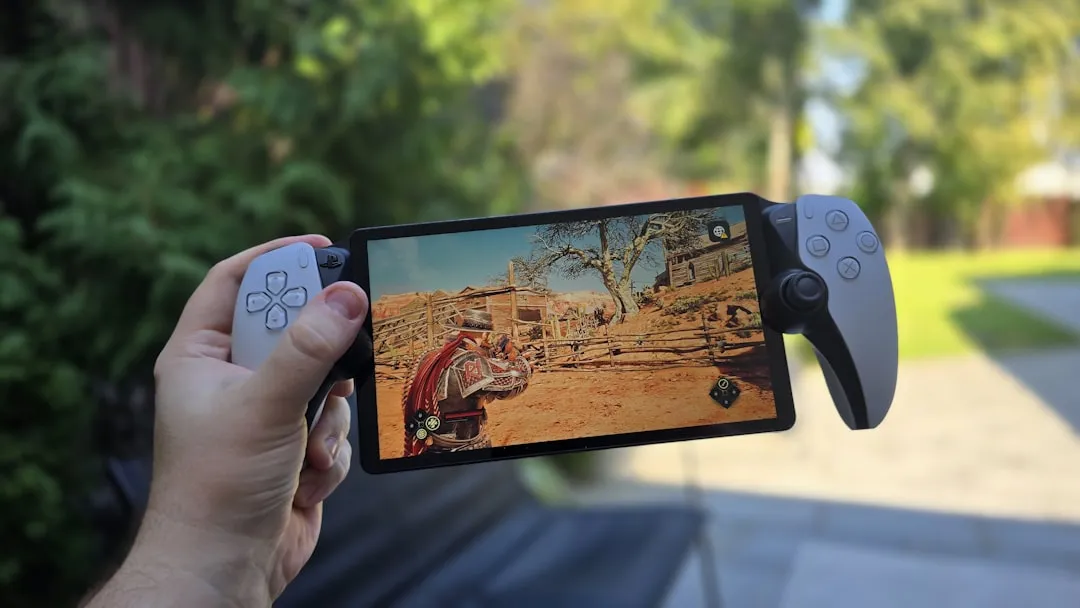
The PlayStation Portal is a peculiar device in the landscape of 2026 gaming hardware. It occupies a liminal space: it is not a console, but an extension of one—a high-fidelity streaming interface tethered to the whims of your local network and the mechanical integrity of its proprietary internal components. When the thumbsticks start to register phantom inputs—what the community colloquially calls "stick drift"—the illusion of a seamless living room experience shatters. If you are experiencing drift, there is no secret "calibration menu" in the PS5 settings. Because the Portal uses fixed hall-effect-adjacent or traditional potentiometer architectures (depending on the specific revision of your unit), mechanical wear is the primary antagonist. Calibration, in the professional sense, is often a hardware-level intervention or a software deadzone adjustment through the PS5's Accessibility settings. For detailed professional guidance on a related controller, you might want to explore How to Fix PS5 DualSense Edge Stick Drift.
The Mechanical Reality: Why Potentiometers Fail in Remote Play Handhelds
To understand why your PlayStation Portal might be drifting, we have to look past the "streaming" marketing and address the physical reality of the hardware. Sony’s choice of joystick modules in the Portal was a subject of intense debate on platforms like r/PlayStationPortal and various technical Discord servers shortly after launch. Unlike high-end third-party controllers that leverage non-contact Hall Effect sensors, the stock Portal sticks utilize traditional carbon-track potentiometers.
In a potentiometer-based system, a physical wiper moves across a resistive track. Over time, that contact creates friction. This friction wears down the track, introduces dust particles, and eventually causes the electrical resistance to deviate from the "neutral" zero-point. This is not a software glitch; it is the inevitable entropy of mechanical components. When you are streaming at 60fps, a 2% drift becomes immediately perceptible, manifesting as a camera slowly panning to the left or a character inching forward in a menu screen.
The Scaling Problem of Integrated Hardware
Unlike a DualSense controller, which you can discard or trade in without losing access to your console, the Portal is a monolithic unit. The stick modules are soldered directly to the sub-boards. Engineering-wise, this is a nightmare for repairability. In the early 2025 cycle, hardware teardowns on YouTube and iFixit-style forums highlighted that replacing these sticks requires not just a steady hand, but a mastery of micro-soldering that the average user simply does not possess. The "operational reality" is that Sony designed this device as an appliance, not a modular gaming peripheral.
Navigating the "Deadzone" Workaround: Sony’s System-Level Response
Since there is no "calibrate" button inside the Portal’s firmware—a point of significant contention in the community—the only reliable software intervention remains the PS5 system-level accessibility settings. This mirrors issues seen in other devices, where users often wonder Why Quest 3 Controller Drift Calibration Fails and How to Actually Fix It. While you cannot calibrate the stick in the traditional sense, you can redefine what the console interprets as "active" input.
- Navigate to Settings on your PS5 console (not the Portal).
- Access "Accessibility" > "Controllers" > "Custom Button Assignments."
- Explore the "Deadzone" configuration options if available for your specific firmware version.
However, this is often a "band-aid" solution. If your drift is severe, increasing the deadzone will make the sticks feel unresponsive or "heavy" at the start of every movement. Users on the PlayStation community forums have frequently complained that this feels like "fighting the hardware."
Field Report: The "Workaround" Culture and Its Discontents
If you search the GitHub repositories or Reddit threads concerning "PS Portal Input Latency and Drift," you will find a vibrant but desperate community. There is a documented tendency among users to rely on "contact cleaner" sprays. While this is a standard fix for a standard DualSense, it is dangerous for the Portal.
- The Contact Cleaner Risk: Users have reported that spraying electrical contact cleaner (like DeoxIT) into the stick housing can seep into the screen assembly or damage the delicate internal ribbon connectors. Unlike a controller, the Portal is a sandwich of electronics; moisture management is critical.
- The "Rubber Band" Myth: Some forums suggest "working the stick" while the device is off. While this can temporarily clear debris, it accelerates the wear of the resistive tracks. It is a classic example of a "temporary fix" that leads to a "permanent failure."
Industry analysts have pointed out that the Portal represents a "disposable tech" business model. When the hardware fails—and for heavy users, it inevitably will—the cost of professional repair often approaches the cost of a replacement unit. This has led to a growing "Right to Repair" backlash among enthusiasts who argue that a $200+ device should not be treated as a consumable good.
Counter-Criticism: Why Hall Effect Sensors Aren't Standard
A recurring critique in hardware enthusiast circles is: "Why doesn't Sony use Hall Effect joysticks in the Portal?" The answer, as is often the case in mass-market hardware, is economic and supply-chain related.
- Manufacturing Margins: Potentiometers are pennies on the dollar compared to the magnet-based Hall Effect sensors required to future-proof a device.
- Supply Chain Volume: Sony has millions of potentiometer-based DualSense modules in inventory. Using a different module for the Portal would introduce supply chain fragmentation.
- Power Efficiency: Some engineers argue that Hall Effect sensors require a constant, albeit small, power draw to maintain their magnetic field sensing, which in a battery-powered device like the Portal, could shave precious minutes off the total runtime.
Despite these "logistical" defenses, the end-user experience remains the ultimate victim. The perception of quality—the "trust erosion"—happens when a user pays a premium for a device that starts failing within 12 to 18 months of moderate use.
The Future of Remote Play Hardware and Maintenance
As we move toward late 2026, the discussion around "stick drift" has shifted from "How do I fix it?" to "Is this the last time I buy a proprietary streaming device?" The shift in consumer sentiment is palpable. Platforms like Discord and X are seeing a migration of users toward devices like the Steam Deck or G Cloud, which, despite their own flaws, offer a different ecosystem or more repair-friendly architectures.
If you find yourself stuck with a drifting Portal:
- Document the issue. Take a video showing the drift in a controlled menu environment where you aren't touching the sticks.
- Contact Sony Support. While they are notoriously difficult regarding out-of-warranty repairs, social media visibility (tagging official support accounts with your documented evidence) remains the only effective way to bypass standard support queues.
- Avoid the "Self-Repair" unless you are a pro. The internal layout of the Portal is not designed for the end-user. You are more likely to break the screen or the Wi-Fi antenna assembly than you are to successfully replace the joystick module.
FAQ
Is there a software-based calibration tool for the PlayStation Portal?
Can I replace the joystick sticks with Hall Effect modules myself?
Why does my Portal drift only when streaming, but not in the UI?
Should I use contact cleaner on my Portal sticks?
Will Sony release a "Pro" version with better sticks?
Final Thoughts: The Cost of Convenience
The PlayStation Portal is a triumph of design and a failure of longevity. It is a beautiful piece of kit that captures the joy of high-fidelity gaming in any room, but it carries the heavy tax of proprietary, non-modular hardware. For the user, the solution isn't a simple calibration; it’s a constant management of expectations, a reliance on imperfect software workarounds, and a begrudging acceptance that when the hardware eventually fails, the path to repair is deliberately obstructed. Keep your device clean, store it in a hard-shell case to prevent dust ingress, and hope that your unit was assembled on a day when the manufacturing tolerances were in your favor.
Bu makale affiliate linkleri içermektedir.