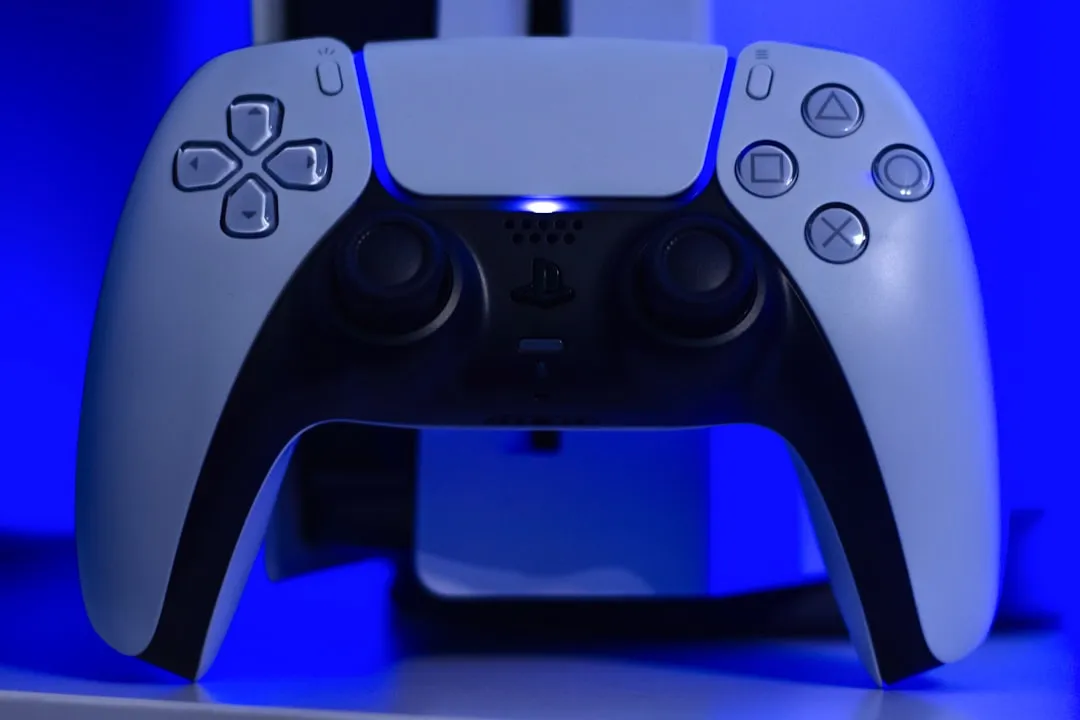
The DualSense Edge, Sony’s first foray into the "pro-controller" market, promises a precision-engineered experience, but its reliance on modular stick modules has become a focal point of community discourse. At the core of the calibration debate are "dead zones"—the area of stick travel that registers no input. If you are experiencing unintended drift or unresponsive movement, similar to issues observed with Quest 3 controller drift, adjusting these via the dedicated onboard settings menu is your first line of defense. By navigating to the controller’s profile settings, you can toggle between "Precise," "Quick," or "Digital" response curves, each fundamentally altering how the controller interprets physical displacement into digital output.
Understanding Hall Effect Limitations and Potentiometer Decay in PS5 Hardware
The primary failure point of modern game controllers, including the DualSense Edge, remains the physical potentiometer. Unlike Hall Effect joysticks that use magnets to detect position without physical contact—thereby eliminating friction—Sony’s modules rely on carbon-track wiper arms. Over hundreds of hours of Call of Duty: Warzone or Apex Legends, these tracks wear down, creating "ghosting" where the wiper loses consistent electrical contact.
When developers talk about "dead zones," they are essentially talking about a software patch for a hardware limitation. By increasing the dead zone in the Edge’s settings, you are telling the console to ignore electrical noise generated by a worn-out sensor. If your stick drifts to the left at a 2% input threshold, pushing the dead zone to 5% renders that drift invisible. It’s an elegant solution for a messy, mechanical problem.
The Physics of Input Lag: Calibration vs. Responsiveness
There is an inherent conflict between "responsiveness" and "stability," a challenge often faced by gamers seeking to fix PS5 Pro controller input lag. A pro player wants the lowest possible dead zone to ensure that the slightest twitch of the thumb results in an on-screen action. However, the tighter your dead zone, the more susceptible you are to "jitter."
In the DualSense Edge firmware, the sensitivity curves are not just simple multipliers; they are custom-mapped curves that handle acceleration, a crucial factor when optimizing performance and fixing PS Portal lag for a seamless gaming experience. When you change the dead zone, you are modifying the starting point of these curves. If you set a dead zone that is too aggressive—say, near 0%—you might find that your character rotates slowly even when your thumb is stationary. This is the "drift tax." Users often report that after six months of heavy use, they are forced to increase their dead zones by 1-2% every few weeks. It is a slow, creeping erosion of precision that software can only hide for so long.
Real Field Reports: The "Stick Drift" Collective Experience
Scanning Reddit’s r/PS5Controller and various Discord tech-support channels reveals a recurring pattern: users who play high-intensity competitive shooters report stick degradation significantly faster than those playing third-person narrative games.
- Case Study A: A user on a technical sub-forum noted that after 400 hours of Elden Ring, the right stick began registering "camera swim." Applying a 5% dead zone fixed it, but the user complained that "it felt like driving a car with a loose steering wheel."
- Case Study B: A competitive Valorant player testing the Edge on PC via third-party wrappers found that the Edge’s hardware-level dead zone adjustment (saved to the controller profile) often conflicted with in-game sensitivity sliders. The result was a "stutter" in movement where the input would snap rather than slide, a common frustration for users who don't realize that double-layering dead zone settings causes input interpolation errors.
Counter-Criticism: Is "Modular" Just a Marketing Ploy?
A significant point of contention in the gaming industry is the design of the DualSense Edge's replaceable stick modules. Sony markets the $19.99 replacement modules as a "sustainability feature." However, critics argue this is a symptom of poor hardware engineering. If the sticks were robust enough to last for the console's lifespan, they wouldn't need to be modular.
Some tech analysts argue that the modular design introduces mechanical "slop." Because the module must be removable, it never seats as firmly as a soldered component. Over time, the locking mechanism can develop microscopic play, which manifests as a dead zone that feels "mushy." When you calibrate your dead zone, you aren't just compensating for the sensor; you are compensating for the physical fit of the module within the controller chassis.
Deep Dive: Response Curves and Their Hidden Costs
The DualSense Edge offers multiple curve presets. Let’s break down the technical implications:
- Precise: This linear curve is the rawest form of input. Any dead zone you set here is literal; 1% input = 1% output. This is where mechanical failure is most obvious.
- Quick/Digital: These curves scale the input exponentially. Here, a dead zone is more forgiving because the game engine ignores the initial "slow" movement phase. However, users often complain that this makes fine-aiming at long distances nearly impossible, as the jump from "no movement" to "full speed" becomes too rapid.
The "hidden cost" here is muscle memory degradation. If you rely on software-based dead zones to ignore hardware drift, you are effectively training your brain to account for a broken tool. If you ever switch to a fresh, calibrated controller, your aim will feel completely different because you have spent months compensating for the mechanical "wiggle room."
Maintaining Your Hardware: Beyond Software Calibration
Calibration is not a cure-all. If your dead zone requirements keep climbing—e.g., you start at 3% and eventually reach 15%—your potentiometers are physically failing. At this point, no amount of firmware tweaking will help.
- Compressed Air: Often, "drift" is just dust trapped in the wiper track. A quick burst of compressed air under the stick skirt can sometimes restore original sensitivity without needing to touch the software.
- The Contact Cleaner Risk: While some enthusiasts suggest using DeoxIT or other contact cleaners, this is a high-risk maneuver. The liquid can damage the internal rubber membranes of the DualSense. If you must use it, use non-residue electronic cleaner, and be prepared for the possibility of voiding your warranty.
Why does my controller drift even after setting the dead zone to 10%?
This is a sign of severe hardware degradation or "sensor saturation." When a potentiometer track has a dead spot or heavy debris, the electrical signal doesn't just jitter; it drops out entirely. At 10%, you should see stability. If it persists, your module is physically broken and requires replacement.
Can I calibrate the sticks using third-party software on PC?
Yes, but be cautious. Using tools like DS4Windows to force a dead zone overrides the internal DualSense Edge profile. If you have both set, you are effectively applying a dead zone to an already filtered signal, which can lead to "input clipping"—where you lose the ability to perform fine, micro-adjustments in games.
Does changing the Response Curve affect my aim assist in games?
Absolutely. Most modern AAA shooters calculate aim-assist based on the velocity of your stick input. If you use a "Digital" or "Quick" curve, you reach high-speed thresholds faster, which can cause the aim-assist bubble to "stick" or "snap" violently, as the game engine interprets your input as a faster movement than it actually is.
Is the "Precise" setting the only way to avoid input lag?
Yes. Any curve other than "Precise" requires the controller’s processor to perform a mathematical operation on your input before sending it to the PS5. While this delay is measured in milliseconds, it is physically present. If you want the most "raw" feeling, stick to Precise and keep your dead zone as low as your hardware health allows.
Are there any legal or warranty implications of opening the module?
Sony designed the DualSense Edge to have swappable modules, so removing the sticks themselves does not void your warranty. However, opening the main chassis to perform internal repairs on the PCB definitely does. Stick to the replaceable modules for any "calibration" involving physical intervention.
Final Thoughts: Living with the Drift
The DualSense Edge is a piece of high-performance kit caught in a low-performance reality. Potentiometer-based sticks are a legacy technology in an era of premium pricing. By providing the tools for dead zone adjustment, Sony has essentially passed the maintenance burden to the user. Understanding these settings isn't just about tweaking your aim; it’s about managing the inevitable entropy of a mechanical system designed for a digital world. Your best calibration is one that balances your desire for competitive edge against the reality of your controller’s current physical state. Don't be afraid to adjust these settings monthly—the controller is a dynamic instrument, not a static peripheral.
Bu makale affiliate linkleri içermektedir.