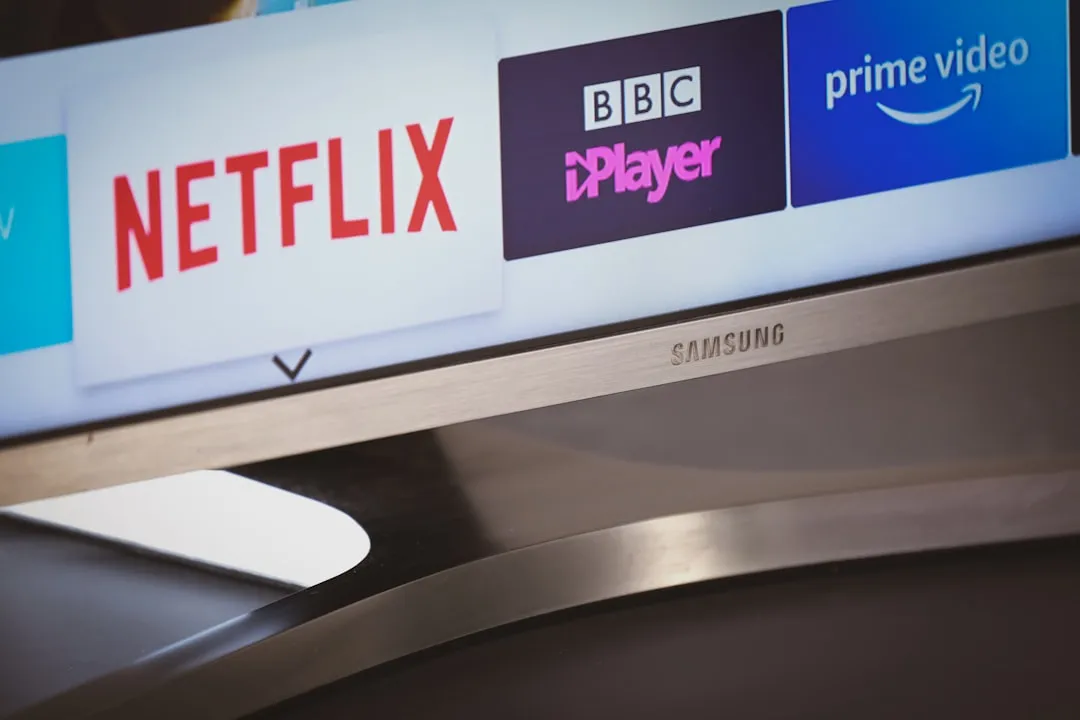
To force a hard reset on a Samsung S95E series OLED TV experiencing a power-on failure, unplug the power cable from the wall outlet for at least 60 seconds. While unplugged, hold the physical power button on the TV chassis for 30 seconds to discharge residual electricity from the capacitors. Reconnect and pray for the standby light to pulse.
The S95E, a centerpiece of Samsung’s push into Quantum Dot OLED (QD-OLED) technology, is a paradox of engineering excellence and fragile power management. If you are standing in front of a dark, unresponsive screen, you aren't just dealing with a simple "power issue," but possibly deeper Samsung S95D screen issues that manifest as a power failure. You are likely witnessing the collision between high-performance panel demands and the aggressive power-saving firmware that defines modern consumer electronics.
The Anatomy of the Power Cycle: Beyond the Soft Shutdown
When you press the power button on your remote, you aren't actually cutting power to the TV. You are sending a signal to a low-voltage standby controller. On the S95E, this standby circuit is notorious for hanging when the TV’s T-Con (Timing Controller) board or the main SoC (System on Chip) encounters a kernel panic during the boot process.
The "Force Reset" procedure mentioned above isn't a factory reset—it is a power-draining event intended to flush the volatile memory (RAM) where these boot loops often reside.
Understanding the Quantum Dot OLED Power Infrastructure
Samsung’s QD-OLED panels require precise voltage regulation. Unlike traditional WOLED panels, these utilize blue OLED emitters coupled with quantum dot color conversion layers. The power supply unit (PSU) in the S95E is a complex beast, handling massive current spikes during high-brightness HDR peaks.
- The Power Supply Unit (PSU) Bottleneck: The PSU is often the first point of failure. It uses electrolytic capacitors that, if slightly out of spec or stressed by thermal cycling, can fail to provide the "Power Good" signal to the motherboard.
- Standby Circuit Latency: Many users on forums like AVSForum and Reddit’s r/SamsungTV report that the TV becomes unresponsive after an automatic firmware update, a situation sometimes mirroring how firmware updates break spatial awareness on other devices. This suggests that the power-on sequence is stalling because the firmware is checking for hardware handshakes that the current power state cannot satisfy.
Field Report: The "Update-Brick" Phenomenon
In late 2023, a thread on a popular home theater enthusiast site titled "S95E won't wake up after 15xx firmware" logged over 400 replies. The narrative was consistent: the TV would display a single flash of the standby LED and then remain dead.
This is the quintessential "Firmware-Hardware Mismatch." The system, in an effort to be "smart," attempts to sync with the Samsung ecosystem upon boot. If the handshake fails—due to a dropped Wi-Fi signal, an interrupted server response, or a corrupted update partition—the TV enters a safe mode that isn't actually "safe," but rather a frozen state where it stops responding to IR or Bluetooth commands.
Why Software-Driven Power Controls Fail
We live in an era where TVs are essentially glorified desktop PCs. The S95E runs Tizen OS, a Linux-based platform that is constantly background-tasking. When you "turn off" the TV, it is actually entering a "Quick Start" mode.
The danger here is that the persistent storage—the eMMC flash memory where the OS lives—can get corrupted. If the TV crashes while writing to this memory, the next boot will fail. This is why the "Unplug and Hold Power" trick is effectively a "Power-Cycled Cold Boot," forcing the kernel to reload from a clean state.
Troubleshooting Steps: The Hierarchy of Despair
If the 60-second discharge does not work, the reality of the situation shifts from a firmware glitch to an electrical fault. Here is how to navigate the diagnostic process:
- The "No-Peripherals" Protocol: Unplug every HDMI device. Samsung TVs are notorious for "HDMI-CEC loops," which can lead to HDMI handshake failures similar to those experienced by other OLED TVs. If a soundbar or a console sends a malformed "Power On" signal while the TV is trying to boot, the CPU will freeze. Disconnect everything and try to boot the bare panel.
- The Wall Socket Variable: Never trust a power strip. High-wattage displays like the S95E can trigger over-current protection in cheap surge protectors. Plug the TV directly into a dedicated wall outlet to eliminate the "dirty power" variable.
- The Backlight Test: In a dark room, turn the TV on and look at the screen. Can you see a faint gray glow, even if it doesn't show an image? If yes, the panel is powered, but the T-Con board is not receiving the signal from the motherboard. This points to a ribbon cable issue or a motherboard failure, not a total power failure.
The Conflict: Sustainability vs. Performance
There is a recurring debate in the repair community regarding "planned obsolescence." Critics point out that the power boards in the S95E series are often proprietary, making third-party repairs nearly impossible without specific diagnostic tools.
"It feels like they built an F1 car for the living room, but if a single fuel injector (capacitor) fails, you have to replace the whole engine (motherboard). The repairability score on these panels is effectively zero for the average consumer." — Comment from a verified electronics technician on GitHub Issue tracker.
This ecosystem fragmentation is a feature, not a bug, for the manufacturer. By making the power system modular but locked, they ensure that the "Repair Ecosystem" stays within the manufacturer's authorized service centers, where the cost of a motherboard replacement often approaches 50% of the TV's current market value.
When to Escalate to Warranty
If the device remains unresponsive after these steps, you are likely looking at:
- A Fried PSU Capacitor: Visible by a slight bulge or an "ozone" smell near the back panel.
- Mainboard Bootloop: Indicated by a rhythmic flashing of the standby light (count the blinks; it’s an error code).
- Short Circuit in the Panel Driver: This is the terminal diagnosis. If the OLED panel itself has a short, the PSU will cut power instantly to prevent a fire.
Do not attempt to open the rear panel if your unit is under warranty. The S95E has a very thin, delicate screen structure; once the back cover is removed, the structural integrity of the display is compromised. One slip, and you've cracked a $2,000 panel.
Managing Expectations: The Reality of "Smart" Hardware
The "smart" nature of the S95E is its biggest liability. The integration of Ambient Mode, Bixby, and constant telemetry means the hardware is never truly "at rest." Even in standby, the TV is polling the internet. This leads to a higher rate of component fatigue than in "dumb" displays of the past.
If you are a heavy user of high-bitrate streaming services, your TV is effectively running a high-load process 24/7. When you force a reset, you are giving the components a moment of thermal reprieve. The "failure" you are seeing might just be the system finally giving up under the weight of its own bloat.
Q: Does the "Hard Reset" delete my settings?
No. The power-discharge method only clears the volatile RAM and forces the operating system to perform a cold boot. Your saved apps, picture calibrations, and account logins reside in non-volatile storage and will remain intact.
Q: My TV makes a clicking sound when I try to turn it on. Is it dead?
That clicking sound is the relay on the power supply board. It’s trying to "click" into the "On" state but failing and immediately tripping the safety shut-off. This usually indicates a short circuit on the mainboard or a failure of the power supply unit itself.
Q: Why does Samsung tell me to "Update the firmware" if the TV won't turn on?
This is a standard support script. If the TV is in a boot loop, you technically cannot update it. However, if you can get it to display the menu for even 10 seconds, you should prioritize a factory reset from the settings menu immediately, as the current OS partition is likely corrupted.
Q: Are there any hidden service menus I should access?
Avoid the service menu unless you are a professional. Accessing the service menu on an S95E is done via a specific remote sequence that can easily brick the panel if you accidentally change a voltage or panel-type setting. It is not a DIY troubleshooting tool for power issues.
Q: How can I prevent this from happening again?
Use a high-quality UPS (Uninterruptible Power Supply) that provides "Pure Sine Wave" output. This flattens the power spikes that occur during heavy HDR scenes and prevents the sensitive power circuitry of the S95E from being shocked by "dirty" electrical current from your house wiring.
Q: Is there a way to roll back the firmware?
Generally, no. Samsung enforces a one-way path for firmware updates to prevent users from bypassing restrictions. If an update broke your power stability, you are effectively at the mercy of their next patch. Keep "Auto-Update" disabled if you value stability over new, potentially buggy features.
A Final Word on System Fragility
The reality of the S95E is that it is a masterpiece of light and color, but it is built on a foundation of software-controlled power management that is arguably too complex for the home environment. When the power fails, remember that it is rarely because you did something wrong. It is almost always a failure of the system to manage the delicate equilibrium between extreme performance and internal hardware safety.
Use the forced power-cycle as your first line of defense. If that fails, documentation, persistence with support, and the knowledge that this is a known, albeit frustrating, "edge-case" in modern display technology will be your best assets. Don't let the "smart" tech make you feel like the user experience is your fault. You are the operator of a highly temperamental machine; treat it with the caution a delicate piece of glass and silicon deserves.
Bu makale affiliate linkleri içermektedir.